

White-labeled Frames
White-labeled Frames let you share public Frames without visible Dust branding. When enabled, publicly shared Frames use your company logo in the header instead of the Dust logo, and your company icon as the page favicon.
Plan availability
White-labeled Frames are only available on specific plans. If you’re interested in enabling this feature, reach out to our sales team.
Configure your Frame branding
If your plan includes White-labeled Frames, workspace admins can configure the branding used on publicly shared Frames.
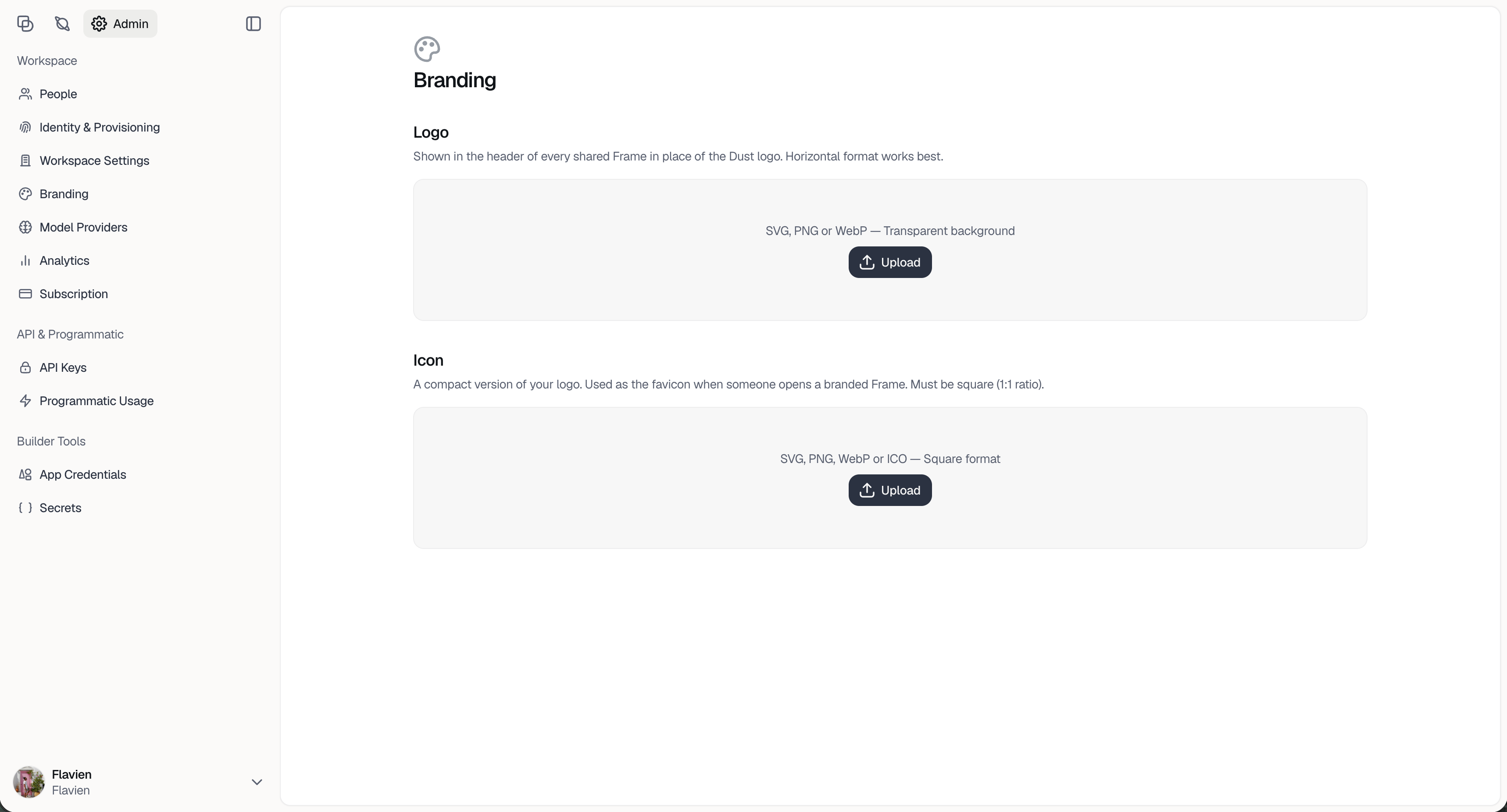
To get started:
- Go to Admin.
- Open Branding.
- Upload your company logo and icon.
- Save your changes.
Once configured, your branding is applied to publicly shared Frames.
Company logo
Upload your company logo to replace the Dust logo in the header of every publicly shared Frame.
A horizontal logo usually works best, since it appears in the Frame header. For best results, use a logo that remains readable at small sizes and works well on a light background.
This logo is also used in link previews, such as Open Graph previews, when your shared Frame link is posted in tools that support them.
Icon
Upload your company icon to use as the favicon for shared Frames.
The icon must be square, with a 1:1 aspect ratio. This is usually your company symbol, app icon, or compact logo mark.
What external viewers see
After branding is configured, people who open your publicly shared Frames will see your company branding instead of Dust branding in the Frame header and browser tab.
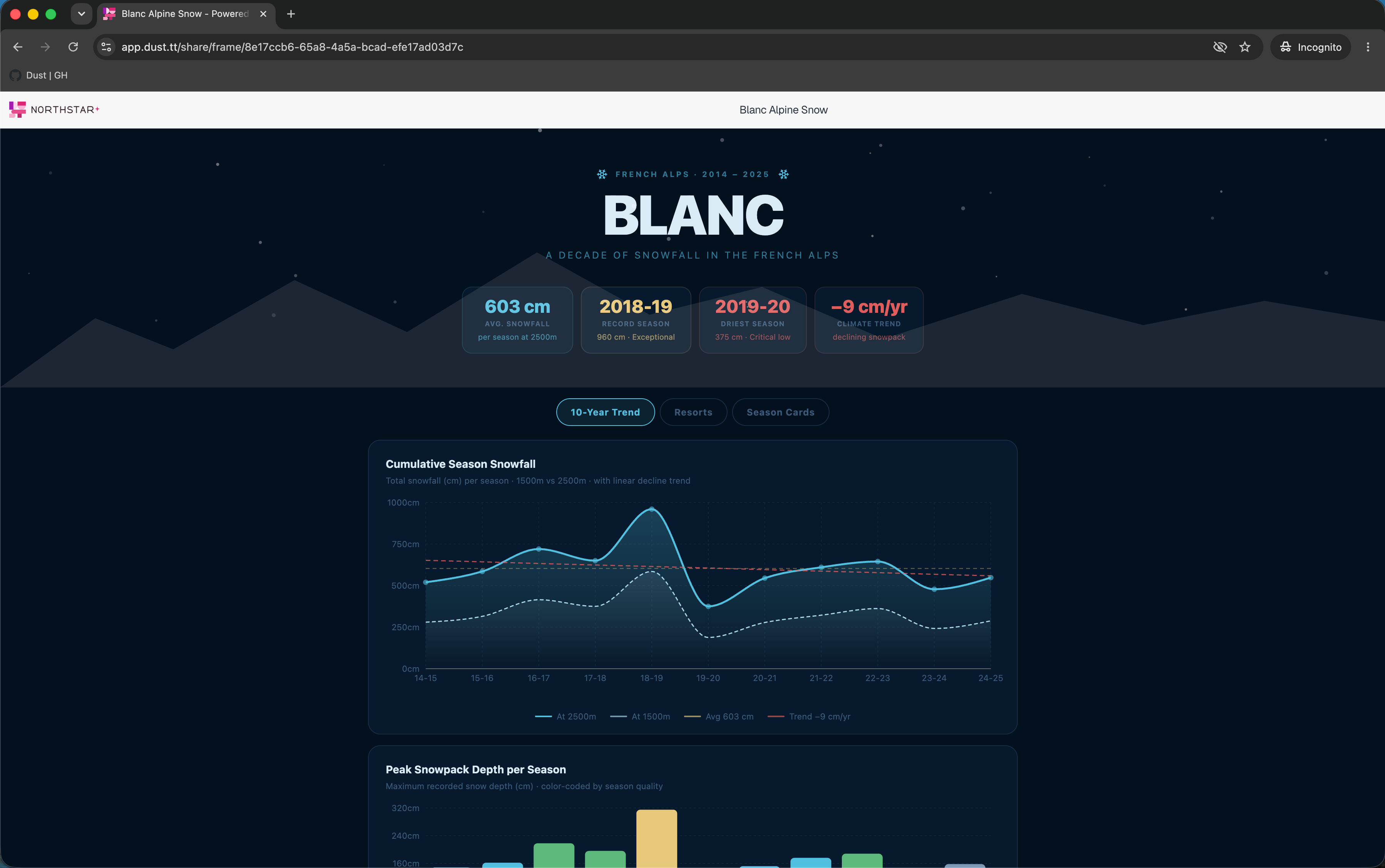
This helps make customer-facing reports, dashboards, presentations, and other public Frames feel consistent with your company’s presentation layer.