

Added
Connect your personal Zendesk account
You can now connect your own Zendesk account to the Zendesk tool, alongside the workspace connection. Actions run under your identity, so updates and replies are attributed to you instead of a shared workspace account.The subdomain comes from the workspace connection, so you only authenticate once. Open the Zendesk tool settings to connect your personal account. Available in all workspaces with Zendesk configured.Added
Slack MCP Improvements: Reactions, Status Updates, and Optional “Sent by Agent” Footer
🎯 What is it?Your agents can now do more when working through the Slack integration. They can add and remove emoji reactions, update Slack status, and, when an admin allows it, send messages without the “sent by agent” footer that normally appears with personal authentication.💡 Why is it useful?Until now, these were hard limitations of the Slack integration: agents couldn’t react to messages, change status, or send messages that looked fully native. These additions let your agents interact in Slack in a more natural way, and give you finer control over how agent-sent messages appear to your teams.⚙ How does it work?Reactions and status updates are available to everyone out of the box. The “sent by agent” footer can be turned off on a per-message basis, but only if an admin has enabled that option for your workspace, so you stay in control of transparency.✨ Concrete Use CasesHere’s how you could use it:- Acknowledging messages: An agent monitoring a support channel can add a ✅ reaction once it has picked up and handled a request, giving your team an instant visual cue.
- Signaling availability: An agent can update a user’s Slack status (for example, “In a meeting” or “Focusing”) based on calendar events or workflow triggers.
- Cleaner notifications: For internal broadcast messages where the footer adds noise, an admin-approved agent can post updates that read more naturally to recipients.
Added
GPT-5.6 Sol, Terra & Luna Are Now Available on Dust
🎯 What is it?We’ve added OpenAI’s newest GPT-5.6 model family to Dust. It comes in three tiers, each tuned for a different balance of speed, cost, and capability: Sol (the most capable), Terra (the balanced middle-ground), and Luna (the fastest). All three can be selected directly when building or editing an agent.💡 Why is it useful?Not every task needs the most powerful model, and not every task can afford to wait. Until now, choosing a model often meant trading off speed against depth of reasoning. With three clearly defined tiers, you can now match the right model to the right job, getting fast responses where you need throughput and deeper reasoning where the task demands it, without paying for more than you need.⚙️ How does it work?Each tier is designed for a specific profile:- Sol: the most capable, built for complex, long-horizon agentic workflows.
- Terra: strong reasoning at a reasonable cost, a solid default for most use cases.
- Luna: optimized for high-throughput, low-latency tasks where speed matters most.
Added
🔔 Sound Notification When an Agent Needs Your Approval
🎯 What is it?Dust can now play a sound alert whenever one of your agents pauses and waits for you to approve or decline a tool action. The sound only plays when you’re not actively viewing that particular conversation, so you’re notified precisely when your attention is needed elsewhere.💡 Why is it useful?When an agent runs a task that requires manual approval (for example, before it performs a sensitive action), it pauses until you respond. If you’ve switched to another tab or you’re working on something else, it was easy to miss these moments and leave an agent waiting. This audio alert ensures you can step away or multitask without losing track of pending approvals.⚙️ How does it work?Once enabled, Dust plays your configured sound whenever an agent is waiting for approval or decline of a tool, and only if you’re not currently looking at that conversation. Sound notifications are off by default, so you’re fully in control of whether you use them.✨ Concrete Use CasesHere’s how you could use it:- Multitasking across tabs: You launch an agent on a long task, switch to your inbox, and get an audible cue the moment it needs your go-ahead, no need to keep checking back.
- Running several agents at once: While monitoring multiple conversations, you’re alerted as soon as any one of them pauses for approval, so none of them sit idle.
Added
Set Default Skills in Pods
🎯 What is it?Pod editors can now select a set of default skills directly from their Pod settings. Once configured, these skills automatically appear in the input bar of every new conversation started in that Pod, exactly as if each user had added them manually via the ”/” command or the dropdown menu.💡 Why is it useful?Until now, if you wanted to use skills that aren’t attached to a specific agent, you had to add them by hand every time you started a new conversation. This created repetitive friction, especially for teams relying on the same set of skills day to day. Default skills remove that step, ensuring the right capabilities are always ready from the very first message.⚙ How does it work?A Pod editor opens the Pod settings and selects the skills they want available by default. From that point on, every new conversation in the Pod automatically loads those skills into the input bar. Users can still add or remove skills per conversation as needed.✨ Concrete Use CasesHere’s how you could use it:- Standardizing team workflows: A Pod dedicated to customer support can have your knowledge-search and ticket-handling skills preloaded, so every agent starts with the same toolkit.
- User onboarding and activation: Set helpful skills as defaults to guide new members and help them get value from the Pod immediately, without needing to know which skills to add.
Added
Select a Custom Default Agent in Pods
🎯 What is it?You can now choose a default agent for an entire Pod. Once set by a Pod editor, every new conversation started in that Pod will automatically begin with the selected agent, instead of the standard default. This setting lives directly in your Pod settings.💡 Why is it useful?Teams often rely on a specific agent that already has the right context, skills, and connected data for their work. Until now, members had to manually pick that agent each time they started a conversation, an easy step to forget and a source of inconsistency across a team. Setting a default agent at the Pod level removes that friction and ensures everyone starts from the same, well-prepared assistant.⚙️ How does it work?An editor of the Pod opens the Pod settings and selects the agent they want as the default. From that point on, all new conversations created in the Pod open with this agent already selected.✨ Concrete Use CasesHere’s how you could use it:- Support team Pod: Set a customer-support agent as the default so every new conversation is handled by an agent that already knows your product documentation and support tone.
- Sales team Pod: Default to an agent connected to your CRM and sales playbooks, so account managers immediately get relevant, context-aware answers without any setup.
- Consistency across your team: everyone talks to the same specialized agent by default.
- Time saved: no need to manually select the right agent for each new conversation.
- Better answers from the start: conversations begin with the context, skills, and data your team actually needs.
Added
Triggers Now Run Inside Pods
🎯 What is it?When a trigger fires, the conversation it creates now lives directly inside the Pod you’ve selected. This means every automated run lands in the right workspace context from the start, rather than sitting outside your team’s organized spaces.💡 Why is it useful?Automated work can quickly become hard to track when it’s scattered outside your team’s normal environment. By routing triggered conversations into a Pod, everything stays organized, easy to find, and shareable with the right people, automatically placed where the relevant context already lives.⚙️ How does it work?When you set up a trigger, you select the Pod where its conversations should run. From then on, each time the trigger fires, the resulting conversation is created inside that Pod alongside your team’s related work.✨ Concrete Use CasesHere’s how you could use it:- Recurring reporting: A daily trigger that generates a summary now posts its conversation straight into your team’s reporting Pod, where everyone already looks for updates.
- Automated monitoring: A trigger watching for specific events creates its conversations inside the dedicated project Pod, so the whole team can review and act on them in context.
Added
Claude Sonnet 5 is Now Available on Dust
🎯 What is it?We’ve added Anthropic’s latest model, Claude Sonnet 5, to Dust. Theclaude-sonnet global agent now runs on Sonnet 5 automatically, and you can also select Sonnet 5 directly when building your own agents.💡 Why is it useful?You get access to the newest generation of the Sonnet model, with its improvements in reasoning, quality, and overall performance, without having to change any of your existing setups. The upgrade happens automatically behind the global agent.⚙ How does it work?The claude-sonnet global agent has been updated to point to Sonnet 5, so it’s already using the new model. In the agent builder, Sonnet 5 now appears as an option in the model picker, ready to be assigned to any agent you create or edit.✨ Concrete Use CasesHere’s how you could use it:- Upgrade an existing agent: Edit one of your custom agents and switch its model to Sonnet 5 to benefit from the latest improvements.
-
Quick everyday tasks: Use the
claude-sonnetglobal agent. It already runs on Sonnet 5, no configuration needed.
claude-sonnet global agent, or select it in the model picker within the agent builder.⚠ Please note: Sonnet 5 is not yet available for workspaces with EU data residency. We’ll keep you informed as soon as that changes.Added
Youtrust Remote MCP Server Now Available in Dust
🎯 What is it?You can now connect your Dust workspace directly to Youtrust, an e-signature platform, through our Remote MCP Servers catalog. Once connected, your agents can search signature requests, use existing templates, and trigger signing flows, all without leaving Dust.💡 Why is it useful?Managing contracts and signature requests often means juggling multiple tools and manual handoffs between drafting a document and getting it signed. This integration removes that friction by letting your agents interact with Youtrust on your behalf, so signature workflows can run end to end inside Dust.⚙ How does it work?Youtrust is available as a Remote MCP Server, which is a secure way for Dust to connect to an external service. The connection uses standard, secure authentication (OAuth), so your agents can act on your Youtrust account safely once it’s set up.✨ Concrete Use CasesHere’s how you could use it:- Contract drafting and sending: Have an agent draft a contract and send it for signature in one continuous flow, with no manual copy-paste or switching tools.
- Automated follow-ups: Set up an agent to monitor pending signature requests and automatically follow up when a deadline is approaching, so nothing slips through the cracks.
Note: this integration is available to anyone using Youtrust. If you’d like help setting up a specific use case, your Customer Success contact is happy to assist.
Added
Agents Can Now Ask You Clarifying Questions: Available Everywhere
🎯 What is it?The “Ask user question” capability is now built into every agent by default. This means any agent can pause mid-task to ask you a clarifying question when it needs more information, instead of guessing or proceeding with incomplete instructions. Previously, this had to be manually enabled on a per-agent basis.💡 Why is it useful?Until now, this capability was opt-in, which made it hard to discover and easy to forget when building a custom agent. By making it a default for all agents, you get more reliable, conversational interactions out of the box: agents can check in with you before heading in the wrong direction.⚙️ How does it work?When an agent encounters ambiguity or needs a decision from you, it can now ask you directly during a task. You answer, and the agent continues with the right context. No setup or configuration is needed.✨ Concrete Use CasesHere’s how you could use it:- Ambiguous requests: You ask an agent to “draft the email to the client”. Instead of assuming which client, it asks you to confirm before writing.
- Missing details: An agent working on a report notices a required figure is missing and asks you for it, rather than leaving a gap or inventing a value.
Added
The Computer: Let Your Agents Work Safely with Files, Code, and More
🎯 What is it?The Computer is a new capability that gives your agents access to an isolated, secure environment where they can work directly with files, run calculations, execute code and handle larger multi-step workflows. Optionally, you can authorize your Computer environment to make network requests to specific destinations.💡 Why is it useful?Until now, agents were limited when it came to tasks that required actually processing files, running code, or chaining together more complex operations. The Computer removes those limits by giving agents a safe, sandboxed space to get hands-on work done, so they can support richer and more demanding tasks end to end.⚙️ How does it work?Agents operate inside an isolated environment where they can safely manipulate files, perform computations, run code, and connect to external resources. Because the environment is sandboxed, this work happens securely without affecting your other systems. This also adds support for most external agent skills.✨ Concrete Use CasesHere’s how you could use it:- File processing: Have an agent extract text from a PDF, clean up a spreadsheet, or convert and reorganize a set of documents.
- Calculations & data work: Ask an agent to run numerical analysis or process a dataset and return the results.
- Code execution: Let an agent write and run code to automate a task or test a quick script.
- Larger workflows: Combine several steps, such as fetching data via a network request, transforming it, and producing a final output, in a single agent run.
Added
Pods Now Apply Your AGENTS.md to Every Conversation
🎯 What is it?Pod editors can now manage anAGENTS.md file directly from their Pod settings. Once set, Dust automatically adds its content to the system prompt of every conversation that happens within that Pod, so your guidelines and workflows are always in effect.💡 Why is it useful?Previously, keeping behavior consistent across multiple conversations often meant copy-pasting the same instructions over and over. This feature lets you define your Pod-level rules and workflows once, in a single place, and have them applied everywhere automatically, ensuring consistency across every run without the manual overhead.⚙ How does it work?Editors update the AGENTS.md file from the Pod settings, and Dust injects it into the system prompt for all conversations in that Pod. Oversized files are now handled more safely, so large instruction sets won’t cause issues.✨ Concrete Use CasesHere’s how you could use it:- Consistent tone and formatting: Define how agents should respond (language, style, structure) so every conversation in the Pod follows the same standards.
- Shared workflows and guardrails: Document the steps, do’s and don’ts, or compliance rules your team must follow, and have them automatically enforced in each conversation.
AGENTS.md file to get started.Added
Adomik Integration: Ad Revenue Analytics & Knowledge, Directly in Dust
🎯 What is it?Adomik is now available as a default integration in Dust, connected securely via OAuth. Once enabled, your builders can give agents read-only access to Adomik’s tools, allowing them to analyze your programmatic advertising and monetization data, as well as search and retrieve pages from your Adomik knowledge base, all without leaving Dust.💡 Why is it useful?If your teams work with programmatic advertising, investigating revenue movements or pricing shifts often means jumping between tools and manually pulling reports. This integration brings that data and knowledge directly into your agents, so you can run monetization investigations and draft analyses in one place.⚙️ How does it work?Adomik connects as a remote integration through a secure OAuth login. The tools are strictly read-only, meaning agents can analyze and retrieve your data but cannot modify anything on the Adomik side.✨ Concrete Use CasesHere’s how you could use it:- Revenue investigation: Ask an agent to identify and explain sudden CPC/CPM shifts or revenue movements across your programmatic inventory.
- Report drafting: Have an agent pull the relevant monetization figures and draft a first version of a performance report for your team.
- Knowledge lookup: Let an agent search your Adomik knowledge base to quickly answer process or methodology questions.
Added
Lemlist MCP Server Now Available
🎯 What is it?The Lemlist MCP Server is now available across all Dust workspaces. It connects your Dust agents directly to Lemlist, giving them access to your leads, verified contacts, and multichannel outreach sequences. In short, your agents can now help you manage your outbound workflow without you having to switch tools.💡 Why is it useful?Outbound prospecting often means juggling several tools and repeating the same manual steps: pulling lead lists, checking contact details, updating sequences. By bringing Lemlist into Dust, you can hand those tasks to an agent and keep your focus on strategy and conversations that matter.⚙️ How does it work?Once enabled, an agent can query and act on your Lemlist data through the connection: retrieving leads, accessing verified contact information, and working with your multichannel sequences. You ask the agent in natural language, and it interacts with Lemlist on your behalf.✨ Concrete Use CasesHere’s how you could use it:- Lead review: Ask an agent to pull a list of leads from a given Lemlist campaign and summarize who’s worth prioritizing.
- Contact enrichment: Have an agent retrieve verified contact details for a set of prospects before you reach out.
- Sequence management: Ask an agent to check the status of your multichannel sequences or help you organize prospects across channels.
Added
GLM 5.2 Now Available in Dust
🎯 What is it?GLM 5.2 is a new AI model developed by the lab Z.ai, now available within Dust. It performs at a frontier level on many agentic benchmarks, with results comparable to leading models like Opus 4.8 and GPT 5.5. The model is hosted in the United States by Fireworks.💡 Why is it useful?Having access to a broad range of high-performing models means you’re never locked into a single provider. GLM 5.2 expands your options with a model that delivers top-tier performance on agentic tasks, giving you more flexibility to choose the right model for your specific needs and use cases.⚙️ How does it work?GLM 5.2 is available as a model option when building or configuring your agents. You select it from the list of available models, just as you would with any other supported model. Although developed by Z.ai, it is hosted in the US by Fireworks.✨ Concrete Use CasesHere’s how you could use it:- Agentic workflows: Power agents that handle multi-step tasks and tool use, where GLM 5.2’s strong agentic benchmark performance shines.
- Model comparison: Test GLM 5.2 against your current models on your own use cases to see which delivers the best results for your team.
Added
Email Threads Now Stay in a Single Conversation
📌 ContextWhen you interact with a Dust agent over email, each reply used to start a brand-new Dust conversation. So if an agent answered your email and you replied back, that reply was treated as a separate, disconnected conversation, losing the continuity of the exchange.We’ve changed this behavior: an email thread now maps to a single Dust conversation. Every reply within the same email thread continues in the same conversation, preserving the full context of the discussion. This change was driven both by product best practices and by popular demand from users.🔄 Impact on DustDust now recognizes when an incoming email belongs to an existing thread and routes it to the matching conversation automatically. The agent keeps the full history of the exchange in context, so each reply builds on what came before rather than starting from scratch.👤 Impact for youThis is a positive change with no downside. When you email back and forth with an agent, the conversation stays coherent: the agent remembers the earlier messages in the thread, giving you more relevant and context-aware responses. You no longer end up with a scattered set of one-off conversations for what is really a single discussion.✅ Actions requiredNo action required on your part. The improvement is live and applies to everyone automatically. Just reply within the same email thread as usual, and the conversation will continue where it left off.Added
Clari Copilot Integration Now Available for All Workspaces
🎯 What is it?Your agents can now connect directly to Clari Copilot to search and analyze your sales calls. Without leaving Dust, an agent can pull up call transcripts, AI-generated summaries, discussed topics, action items, and competitor mentions. You can also filter calls by attendee email to zero in on specific conversations.💡 Why is it useful?Sales call intelligence usually lives in a separate tool, which means manually exporting or copy/pasting transcripts whenever you want to act on them. This integration removes that friction: the insights captured in your calls become directly usable inside your Dust workflows, so nothing gets lost between the conversation and the follow-up.⚙️ How does it work?Dust connects to Clari Copilot through a dedicated integration secured with your Clari API credentials. Once connected, your agents can query call data on demand, just like they would search any other connected source.✨ Concrete Use CasesHere’s how you could use it:- Account recaps: Ask an agent to summarize all recent calls with a given account before a renewal conversation or QBR.
- Sales-to-CS handoffs: Generate a clean handoff brief from the latest sales calls, including action items and key topics, so Customer Success starts fully informed.
- Meeting follow-ups: Draft follow-up emails based on what was actually said and committed to during a call.
- Voice of Customer analysis: Surface recurring themes and competitor mentions across calls to feed product and go-to-market decisions.
X-Api-Key and X-Api-Password. Once connected, you can add the Clari Copilot tools to any agent. Reach out to us if you’d like a hand getting it configured.Added
Dust is now a remote MCP server
🎯 What is it?Dust can now be connected to any MCP-capable client as a remote MCP server. This means you can access your Dust building blocks (workspace knowledge, Pods, conversations, and files) directly from the other tools you already use, without having to open Dust itself.💡 Why is it useful?Until now, reusing your Dust knowledge and artifacts in another tool often meant copy/pasting content back and forth or constantly switching between apps. By making Dust available as a remote MCP server, your trusted context travels with you, so the same knowledge and outputs can be tapped into wherever you work.⚙️ How does it work?MCP (Model Context Protocol) is a standard way for applications to securely connect to external sources of context. Any client that supports MCP can now authenticate to Dust and pull in your building blocks on demand. Full setup instructions are available in the documentation.✨ Concrete Use CasesHere’s how you could use it:- Working in an MCP-capable coding or writing tool: Pull in relevant workspace knowledge or a past conversation directly into your working environment, without leaving the app you’re in.
- Reusing existing artifacts: Reference files or Pod content from Dust inside another client, so your team relies on a single, trusted source instead of duplicated copies.
Added
Gamma MCP now available in Dust
🎯 What is it?You can now connect Gamma to Dust as a Remote MCP Server. Once connected, your Dust agents can interact directly with Gamma to create and manage AI-powered presentations and documents from within your conversations.💡 Why is it useful?Creating presentations usually means switching between tools: drafting content in one place, then manually building slides in another. With the Gamma integration, your agents can handle the full process in one flow, from generating the content to producing a polished presentation, without you leaving Dust.⚙️ How does it work?Gamma connects as a Remote MCP Server via OAuth. Once an admin sets it up in Spaces → Tools, the Gamma capabilities become available to any agent in the workspace.✨ Concrete Use Cases- One-click presentations: Ask an agent to turn a brief or a set of notes into a ready-to-share Gamma presentation.
- Document generation: Generate polished Gamma documents directly from your Dust conversations, without copy-pasting.
Added
Skills in Skills: Compose Skills and Tools Directly Within Your Instructions
🎯 What is it?
You can now reference skills and tools directly inside your skill instructions, the same way you already reference knowledge. Skills can call on other skills, letting you build richer, more modular capabilities by combining existing building blocks. As part of this change, the separate “tools” section has been removed, and tools are now inserted inline wherever you need them.💡 Why is it useful?
Until now, skills stood on their own and couldn’t draw on one another, which often meant duplicating the same logic across multiple skills. This update responds to a widely requested ability to compose skills, so you can assemble specialized capabilities into more complete workflows without rebuilding them each time.⚙️ How does it work?
When editing a skill’s instructions, you use a dropdown to insert a reference to another skill or to a tool inline, exactly as you would when adding knowledge. The referenced skill or tool becomes part of that skill’s behavior, so capabilities can be layered and reused.✨ Concrete Use Cases
Here’s how you could use it:- Building on existing skills: Create a “Weekly Report” skill that references your existing “Data Retrieval” and “Summarization” skills, rather than duplicating that logic.
- Inline tool placement: Insert a specific tool exactly at the point in your instructions where it’s needed, making the skill’s behavior clearer and easier to maintain.
📈 Benefits for you
Less duplication, easier maintenance, and far more flexibility when designing skills. By composing skills from smaller, reusable pieces, you can build sophisticated agents faster and keep them consistent over time.🚀 How to access it?
The feature is available to everyone. When editing a skill, use the dropdown within the instructions to insert a reference to another skill or a tool. Your existing skills have already been updated automatically: the list of tools previously associated with a skill now appears at the top of its instructions, so nothing is lost in the transition.No action is required on your part, your existing skills continue to work as before. This is simply a new way to compose and reuse them going forward.
Added
@dust can now build skills
Builders can now ask the @dust agent to create or edit skills directly from a conversation, no need to open the Skill Builder. Describe the workflow you want to capture, and @dust handles the rest.Added
Dust Support: Get Instant, Grounded Support Answers from @dust
🎯 What is it?We’ve introduced a new discoverable skill that turns @dust into your first line of support. When you ask a support-related question, the agent detects your intent, answers it directly, and grounds its response in trusted sources so you can rely on what it tells you.💡 Why is it useful?Until now, getting a support answer often meant leaving your workspace to search documentation, browse community threads, or file a request and wait. This skill brings accurate support answers to you instantly, right where you already work, so you spend less time hunting for help and more time getting things done.⚙️ How does it work?The skill recognizes when you’re asking a support question and responds with answers grounded in real, up-to-date sources: the public dust-tt/dust GitHub issues and the Dust community. This means responses reflect documented known issues and community knowledge rather than guesswork.✨ Concrete Use CasesHere’s how you could use it:- Troubleshooting a behavior: Ask “Why is my agent not picking up the latest documents from my connected data source?” and get an answer grounded in known issues and community discussions.
- Checking a known issue: Ask “Is there a reported problem with PDF parsing right now?” and find out whether it’s a documented issue with a workaround or fix already discussed.
Added
Speech-to-Text for Audio & Video Files
🎯 What is it?A new speech-to-text tool is now available in Dust, allowing your agents to transcribe spoken content from both audio and video sources. You can transcribe content from supported URLs or by uploading files directly, with support for most common formats (mp3, mp4, wav, m4a, mov, webm, aac, flac, and more).💡 Why is it useful?Audio and video content is everywhere (meeting recordings, interviews, webinars, voice notes), but the information locked inside it is hard to search, reuse, or act on. Transcription has been a recurring request, and with Dust’s expanded processing capabilities, your agents can now turn spoken content into text that can be summarized, analyzed, and integrated into your workflows.⚙️ How does it work?Your agent can transcribe content in two ways: from a URL (within an approved list of domains) or from a file you upload directly. Once transcribed, the text becomes available for the agent to work with: summarizing, extracting key points, or feeding into other tasks.✨ Concrete Use CasesHere’s how you could use it:- Meeting follow-ups: Upload a recording of a call and ask your agent to produce a clean summary with action items and decisions.
- Content repurposing: Transcribe a webinar or podcast episode, then have your agent draft a blog post, social snippets, or an internal recap.
- Interview analysis: Turn recorded user interviews into searchable text and extract recurring themes or quotes.
Added
Pods: A Shared Workspace for Your Team and Your Agents
🎯 What is it?Pods are dedicated collaborative spaces where your team and your agents work together on a shared initiative. Each Pod brings Conversations, Files, and Tasks into one place, continuously indexed so that agents build on what was already discussed, without you having to re-explain context every time.💡 Why is it useful?Work in most teams is fragmented: conversations are scattered across individual feeds, files live in different tools, and every new interaction starts from scratch. Pods solve this by making context persistent and shared, so the next conversation starts smarter than the last, and nothing gets lost between sessions.⚙️ How does it work?When you create a Pod, you get a shared environment with four core components:- Conversations: All threads related to the initiative stay in one place, and are continuously indexed so agents can reference past decisions automatically.
- Files: Upload documents or connect Company Data directly into the Pod. Everyone, humans and agents alike, works from the same shared context.
- Tasks: Create to-dos, assign them to teammates, or launch agent-run task conversations with the right context preloaded.
- Governance: Pods can be open (anyone in the workspace can join) or invite-only (editors manage membership).
- No more context re-pasting: agents remember what was discussed and build on it automatically.
- One place for everything: files, conversations, and tasks are co-located and shared across your team.
- Agents as true teammates: they can read files, reference past conversations, create and update tasks, and manage Pod members.
- Flexible permissions: open collaboration or controlled access, depending on what your initiative requires.
Added
Claude Opus 4.8 Now Available in the Agent Builder
🎯 What is it?Claude Opus 4.8, Anthropic’s latest and most advanced reasoning model, is now available in Dust’s agent builder. Enterprise customers can select it as the underlying model when creating custom agents, giving them access to Anthropic’s most capable model to date.💡 Why is it useful?Opus models sit at the top of Anthropic’s model family: they’re designed for tasks that demand deep reasoning, sustained multi-step thinking, and the highest quality outputs. Opus 4.8 is no exception, and it’s now within reach directly from your Dust workspace.⚙️ How does it work?When building or editing a custom agent in Dust, you can now select Claude Opus 4.8 as the model powering that agent. The model is not set as a default. It’s a deliberate choice available to those who want the highest level of reasoning for specific, demanding use cases.✨ Concrete Use CasesHere’s how you could use it:- Complex analysis & synthesis: Build an agent that processes lengthy, nuanced documents (legal contracts, research reports, financial filings) and produces high-quality structured summaries or recommendations.
- Advanced code generation & review: Set up a coding agent that not only generates code but critically evaluates logic, identifies edge cases, and suggests architectural improvements across long codebases.
Added
Apify MCP Is Now Available in Dust
🎯 What is it?Dust agents can now connect to Apify as a remote MCP (Model Context Protocol) server. This means your agents can trigger Apify Actors (pre-built web scraping and automation tools) directly from a Dust conversation, and pull the resulting data back in real time.💡 Why is it useful?Getting fresh data from the web or automating repetitive data-collection workflows has historically required custom-built scrapers, dedicated infrastructure, or manual copy-paste work. With Apify connected to Dust, agents can tap into thousands of ready-made scraping and automation tools on demand: no custom code, no glue scripts, no maintenance overhead.⚙️ How does it work?Apify is connected as a remote MCP server inside Dust. Once set up, agents can call any Apify Actor (a self-contained unit for scraping or automating tasks on a specific platform or website), wait for it to run, and fetch the structured output directly into the conversation. Authentication is handled via OAuth.✨ Concrete Use CasesHere’s how you could use it:- Competitive intelligence: Ask an agent to scrape a competitor’s pricing page or product listings on a weekly basis and summarize changes, no manual browsing required.
- Lead enrichment: Trigger an Apify Actor to pull public company data, LinkedIn profiles, or job postings and feed the results directly into your CRM workflow through Dust.
- Social media monitoring: Run an Actor to collect recent posts or mentions from a specific platform and have an agent analyze sentiment or flag trending topics.
Added
Six New Integrations Now Available in Dust
🎯 What is it?Dust just added six new MCP (Model Context Protocol) integrations: Monday.com, Snowflake, Luma, Confluence, Contentsquare, and Praiz are now available for all workspaces. Each integration lets your agents connect directly to these tools and take action: no tab-switching, no copy-pasting, no manual data gathering.💡 Why is it useful?Your tools hold critical data: project statuses, warehouse queries, event records, meeting transcripts, wiki pages, digital experience metrics. Until now, getting that data into a Dust workflow meant leaving the conversation. With MCP integrations, agents can reach directly into these tools and surface exactly what you need, right where you’re working.⚙️ How does it work?Each integration is set up once by an admin in Spaces → Tools. After that, any team member can add the tool to their agents. Authentication is handled via OAuth: secure, and no API key management required.✨ Concrete Use Cases- Monday.com: Let agents track project statuses, pull board items, and surface blockers across your team’s work.
- Snowflake: Query your data warehouse directly from a conversation.
- Luma: Access event details, attendee lists, and registration data.
- Confluence: Search, read, create and update pages and spaces.
- Contentsquare: Query site metrics, funnels, user journeys, and conversion impact data.
- Praiz: Search meetings, pull full transcripts, access timelines, comments, and participants.
Added
Costory MCP Now Available in Dust
🎯 What is it?Dust now supports Costory as a remote MCP (Model Context Protocol) server. This means your Dust agents can connect directly to Costory to query cloud costs, compare spending across periods, and generate reports or alerts, all without leaving Dust.💡 Why is it useful?FinOps questions (“What changed in our cloud spend this month?”, “Which service drove the cost spike?”) typically require jumping between billing dashboards, pulling exports, and chasing down the right person. With this integration, agents can answer those questions in seconds, directly in Dust.⚙️ How does it work?Costory is connected to Dust as a remote MCP server, authenticated via OAuth. Once connected, any agent in your workspace can call Costory’s tools to fetch, analyze, and compare cloud spending data.✨ Concrete Use Cases- Cloud cost monitoring: Ask “What were our top 5 cost drivers last week compared to the week before?” and get an instant, structured breakdown.
- Automated cost alerts: Build an agent that runs on a schedule, detects unusual spend variations in Costory, and posts a summary directly to Slack.
- FinOps questions get answered in seconds, not hours
- Engineering and Ops teams stay unblocked
- Agents can combine Costory data with other sources in Dust
Added
Praiz is Now Available as a Remote MCP Tool in Dust
🎯 What is it?Dust now supports Praiz as a connected remote MCP tool. Praiz is a meeting intelligence platform that records, transcribes, and analyzes your calls using AI, and you can now connect it directly to your Dust workspace. Once connected, your Dust agents can search meetings and retrieve full transcripts along with rich metadata: timelines, participant details, comments, templates, and usage statistics.💡 Why is it useful?Sales calls, customer success check-ins, and product interviews hold valuable insights, but those insights are usually locked inside recordings that no one goes back to read. With the Praiz integration, your Dust agents can tap into that conversation data on-demand, without you having to switch tools, copy-paste transcripts, or manually dig through recordings.⚙️ How does it work?Connect Praiz as a remote MCP server via OAuth in your Dust workspace. Once authenticated, any Dust agent you configure will be able to search your Praiz meetings and pull structured data from them (transcripts, timelines, participants, and more) directly within a Dust conversation or workflow.✨ Concrete Use Cases- Account briefs: Ask a Dust agent to summarize everything discussed with a specific account over the last 3 months (objections raised, commitments made, open questions) and get a ready-to-use brief in seconds.
- Automated follow-up drafts: After a sales or CS call, trigger a Dust agent to retrieve the Praiz transcript, extract key action items and next steps, and generate a personalized follow-up email.
- CRM note generation: Use a Dust agent to pull structured data from a Praiz meeting and draft a CRM update ready to be pasted or pushed via another integration.
- Go to Spaces → Tools in your Dust workspace
- Search for Praiz in the available remote MCP tools
- Connect via OAuth, available to all workspaces
Note: You’ll need an active Praiz account to authenticate.
Added
Monday.com MCP: Now Available for All Workspaces
🎯 What is it?The Monday.com MCP (Model Context Protocol) server is now generally available across all Dust workspaces. Your agents can now interact directly with your Monday.com boards (reading, creating, updating, and commenting), all from within your Dust conversations.💡 Why is it useful?Project management data often lives in silos, forcing teams to manually check boards, copy-paste updates, or switch between tools to stay on top of work. With the Monday.com MCP, your agents become active participants in your workflows: no more context switching, no more stale information.⚙️ How does it work?Once an admin connects the Monday.com integration in your Space settings, agents equipped with the tool can query your Monday.com workspace in real time. They can read board and item data, create or update items, assign tasks, change statuses, and post comments, directly from a conversation.✨ Concrete Use CasesProject status summaries: Ask your agent “What’s the current status of our Q3 launch items?” and get an instant, structured overview pulled directly from your Monday.com boards.Task creation from conversations: After a meeting recap, have an agent automatically create Monday.com items, assign them to the right people, and set the appropriate status.Cross-tool workflows: Combine Monday.com data with your other connected tools (Slack, Notion, CRM) to build agents that can triage, prioritize, and act on work across your entire stack.📈 Benefits for you- Save time on manual status updates and task creation
- Keep your boards up to date without leaving your conversations
- Let your team interact with Monday.com through natural language
- Admins: Go to Spaces > Tools and connect the Monday.com integration
- Everyone: Add the Monday.com tool to any of your agents and start using it
Added
Confluence MCP is Now Generally Available
🎯 What is it?The Confluence MCP Server is now available to all Dust workspaces, no preview access needed. This integration allows your agents to interact directly and dynamically with your Confluence instance: reading, searching, and even writing content, all from within Dust.💡 Why is it useful?Until now, Dust could connect to Confluence as a read-only data source, syncing pages so agents could search them. With the MCP Server, agents go further: they can now act on Confluence in real time. Agents can fetch the latest version of a page, pull a comment thread, or draft and publish new content, becoming active contributors to your knowledge base, not just readers.⚙️ How does it work?Once a workspace admin connects Confluence via Spaces > Tools, the integration becomes available to all members. Anyone can then add the Confluence tool to their agents. From there, agents can call Confluence directly during conversations: searching pages, reading history, creating or updating content, and leaving inline comments.✨ Concrete Use Cases- Knowledge base maintenance: Ask an agent to find an outdated onboarding page and update it directly in Confluence.
- Meeting follow-ups: Have an agent create a new Confluence page with summary, action items, and decisions.
- Documentation Q&A: Ask “What does our runbook say about database rollbacks?” and the agent searches Confluence in real time.
- Audit & review: Have an agent pull the edit history of a critical page and summarize what changed.
- Agents that write, not just read
- Always up-to-date responses (live queries, not cached snapshots)
- Reduced context-switching
- Collaboration at scale via inline comments
- Admin setup: Go to Spaces > Tools and connect your Confluence account
- Agent setup: Add the Confluence tool to your agents from the agent builder
Added
Luma MCP Server: Now Generally Available
🎯 What is it?The Luma MCP Server is now available to all Dust workspaces. It connects your Dust agents directly to Luma, your event management platform, giving them the ability to interact with your events, calendars, guest lists, and attendee communications, all from within a conversation.💡 Why is it useful?Managing events involves a lot of back-and-forth: checking RSVPs, updating event details, reaching out to attendees. With the Luma MCP Server, your agents can handle these tasks directly, without switching between tools or copying information manually.⚙️ How does it work?Once an admin connects Luma via an API Key in Spaces > Tools, any agent in the workspace can be configured to use Luma capabilities. The agent can then search, read, and manage your Luma data conversationally.✨ Concrete Use Cases- Event preparation: Ask your agent “Who has RSVP’d to our June 12th webinar?” and get an up-to-date guest list instantly.
- Event management: Have your agent create a new event, update its description, or send a message to all registered attendees.
- Go to Spaces > Tools in your Dust workspace
- Add the Luma MCP Server using your Luma API Key
- Enable the tool on any agent
Only workspace admins can set up the integration. Once configured, all members can use it through their agents.
Added
Snowflake MCP Server: Now Generally Available
🎯 What is it?The Snowflake MCP (Model Context Protocol) Server is now available to all Dust workspaces. Your agents can connect directly to Snowflake and interact with your data (listing databases, schemas, and tables, running SQL queries, inspecting column definitions, and retrieving results), all within a conversation.💡 Why is it useful?Until now, getting insights from Snowflake required switching between tools, writing queries manually, or relying on data teams. With this integration, your agents can query your Snowflake data warehouse on the fly, turning natural language questions into structured data results without ever leaving Dust.⚙️ How does it work?Once configured by an admin, the Snowflake MCP Server is available as a tool that any agent can use. Ask your agent a data-related question, and it will query Snowflake, retrieve the relevant results, and surface them directly in the conversation.✨ Concrete Use Cases- Sales reporting: Ask your agent “What were our top 10 accounts by revenue last quarter?” and it queries Snowflake and returns the answer instantly.
- Data exploration: Ask “What tables are available in our analytics schema?” to understand what data exists before diving deeper.
- Faster access to data insights without switching tools
- No SQL expertise required for end users
- Enables data-driven conversations directly in Dust
Added
Contentsquare Remote MCP Now Available in Dust
🎯 What is it?Dust now integrates Contentsquare as a remote MCP (Model Context Protocol) server, available directly in the Dust tool catalog. Your agents can now query Contentsquare data (site metrics, funnels, user journeys, page comparisons, errors, and conversion impact) straight from a Dust conversation, without ever leaving the platform.💡 Why is it useful?Analyzing digital experience data typically means logging into Contentsquare, navigating multiple dashboards, cross-referencing views, and manually synthesizing insights. This integration collapses that process into a simple conversational workflow: ask a question, get the answer, decide what to do next.⚙️ How does it work?Once an admin connects Contentsquare via OAuth in Spaces > Tools, the MCP server becomes available as a tool for agents in your workspace. Any agent equipped with this tool can then query Contentsquare’s key DEX (Digital Experience) signals in real time.✨ Concrete Use Cases- Conversion investigation: Ask “Which steps in the checkout funnel had the highest drop-off last week?” and get an instant answer.
- Error impact analysis: Ask “What is the conversion impact of the JavaScript errors on our homepage?” and get a business impact summary.
- Go to Spaces > Tools in your Dust workspace
- Find Contentsquare in the MCP catalog
- Connect via OAuth (admin rights required)
- Add the tool to any agent
Added
Collapsing Input Bar on Mobile for Better Reading
🎯 What is it?On mobile, the input bar now automatically collapses into a compact pill as you scroll through a conversation. Voice input remains always visible and accessible, so you can interact with your agents without typing a single character.💡 Why is it useful?Mobile screens are limited in space. When you’re reading through a conversation, the input bar used to take up valuable vertical real estate. This update lets you focus on the content while keeping voice input just a thumb-tap away, making the mobile experience genuinely hands-free.⚙️ How does it work?As you scroll down in a conversation on mobile, the input bar shrinks into a small pill: unobtrusive, but always present. The voice input button remains accessible at all times. When you’re ready to respond, just tap the pill to expand it back to full size, or go straight to voice.✨ Concrete Use Cases- Reading long conversations on the go: Scroll through a lengthy thread without the input bar eating into your screen, then jump straight into a voice reply when you’re ready.
- Hands-free interaction: Commuting or multitasking? Trigger voice input instantly from any point in the conversation without scrolling back to the bottom.
Added
Agents Can Now Export Frames as PDF or PNG
🎯 What is it?Agents can now export any Frame (the interactive visualizations and dashboards they generate) directly as a PDF or PNG file. This means any visual output produced during a conversation can be saved and shared in a universally accessible format.💡 Why is it useful?Until now, Frames were only viewable inside a Dust conversation. If you wanted to share a report or dashboard with someone outside of Dust, you had to rely on screenshots or manual exports. This feature closes that gap and makes it easier to bring Dust’s outputs into your broader workflows.⚙️ How does it work?When an agent generates a Frame in a conversation, it can now trigger an export directly, producing a clean, ready-to-share PDF or PNG file. Agents can also use this capability to inspect and reason about the visual output they just created, enabling smarter, more iterative work.✨ Concrete Use Cases- Sharing a report with stakeholders: Ask an agent to build a weekly performance dashboard as a Frame, then export it as a PDF to include in an email or slide deck.
- Automated document generation: Have an agent create a formatted visual summary, export it as a PNG, and attach it directly to a Notion page or Slack message.
- Save time by eliminating manual export steps
- Share polished, professional visuals directly from your conversations
- Enable agents to work more autonomously by reasoning on their own visual outputs
Added
Inline Text Editing in Frames: Tweak Your Content Without Reprompting
🎯 What is it?You can now double-click any static text inside a Frame to edit it directly, without having to reprompt the agent. Previously, correcting a word, tweaking a label, or adjusting any text in a Frame required going back to the conversation and asking the agent to make the change. Now you can just click and type.💡 Why is it useful?Frames are designed to produce polished, ready-to-use outputs: documents, tables, dashboards, reports. But a great first draft rarely needs zero edits. Being able to fix text in place, without re-running the agent, makes the editing loop faster and puts you in control of the final result.⚙️ How does it work?When viewing a Frame in a conversation, any static text element can now be double-clicked to enter edit mode. You can type your changes and they apply immediately, just like editing a document.✨ Concrete Use Cases- Quick copy fixes: You asked for a report summary but the agent used slightly off-brand wording. Double-click and correct it in seconds.
- Number tweaks: The agent drafted a slide with a placeholder figure. You have the real number now. Just double-click and type it in.
- Label adjustments: A chart label or table header doesn’t quite fit. Edit it directly without re-running anything.
Added
Gemini 3.5 Flash Now Available on Dust
🎯 What is it?Gemini 3.5 Flash, Google’s latest AI model, is now available on Dust. It is designed for speed and delivers frontier-level performance across a wide range of tasks, making it one of the fastest capable models available on the platform.💡 Why is it useful?When working with agents that handle high volumes of requests, or when you need quick turnaround on complex tasks, model speed matters. Gemini 3.5 Flash combines the responsiveness you’d expect from a fast model with the quality benchmarks of a frontier one, a combination that’s rarely available in one package.⚙️ How does it work?Gemini 3.5 Flash can be selected as the underlying model when configuring any agent on Dust, just like other available models. It fits into your existing workflows with no additional setup required.✨ Concrete Use CasesHere’s how you could use it:- High-volume support agents: Handle large numbers of customer queries faster, without sacrificing response quality.
- Real-time drafting agents: Speed up content generation workflows where low latency makes a meaningful difference in team productivity.
Added
LLM Model Refresh: Grok 4.3 Upgrade and Anthropic Model Migrations
📌 ContextTwo of our LLM providers are making changes to their model lineups, and this affects the models available in Dust. Here’s what’s changing and when.Grok 4.3 upgrade (happening now): xAI has deprecated Grok 3 and replaced it with Grok 4.3, at the same price point but with significantly better performance. This upgrade is live now. If you were using Grok 3, your agents will automatically switch to Grok 4.3, no action needed.Anthropic model migrations (deadline: July 31, 2025): Anthropic is deprecating older Claude models. Here’s the mapping of legacy models to their recommended replacements:Deadline: July 31, 2025. After that date, Anthropic will stop serving these legacy models.🔄 Impact on DustDust’s pre-built “global” agents (like @claude-sonnet) already run on the latest models and are unaffected. The risk is only for custom agents that were manually configured to use a specific legacy model ID.👤 Impact for youIf you or your team have built custom agents on one of the legacy Anthropic models listed above, those agents will stop working after July 31, 2025. Check your custom agents and switch them to a supported model before the deadline.✅ Actions requiredReview your custom agents before July 31. You can do this from the Agent Builder in Dust: go to your agent list, open any custom agent, and check the model it’s configured to use. If it’s one of the deprecated models, update it to the recommended replacement.Needs to be done by July 31, 2025.
Added
Branching Conversations
🎯 What is it?You can now create a “branch” from any existing conversation. This creates a new conversation that inherits key context from the original (like a summary of what happened, attachments, and tool outputs) without carrying over the full message history.💡 Why is it useful?As conversations evolve, you often reach a point where you need to split work into parallel streams or share results without exposing all the back-and-forth. Branching lets you divide complex projects into focused workstreams, or collaborate on outcomes while keeping the messy details contained.⚙ How does it work?Access the conversation menu (top right of the screen or next to the conversation title in the left sidebar) and select the branching option. The new conversation is created in 10-20 seconds with a compacted summary of the original conversation, plus copies of any attachments and tool outputs. The branch inherits the same access permissions as the original conversation at the time of creation.✨ Concrete Use CasesHere’s how you could use it:Split a project into parallel workstreams: Your conversation outlines a plan for building a new feature with three components. Branch into three separate conversations (one for each technical design) so teams can work independently without cluttering a single thread.Share results, not process: You’ve built a detailed data frame after hours of iteration and refinement. Branch the conversation so collaborators can access the final output and continue refining it, without wading through all the trial and error.📈 Benefits for you- Better organization: Keep complex projects manageable by splitting them into focused conversations
- Cleaner collaboration: Share outcomes and context without overwhelming teammates with unnecessary details
- Flexible workflows: Move from planning to execution across multiple parallel efforts
Added
Asana MCP update
📌 ContextAsana has shut down their MCP (Model Context Protocol) V1 server and migrated to V2. The old connection will stop working. If your workspace uses the Asana MCP tool in Dust, this is an action required update.🔄 Impact on DustDust has updated the Asana integration to support the V2 API. The new connection is fully compatible and ready to use.👤 Impact for youIf your workspace currently uses the Asana MCP tool, the existing connection will break once Asana fully switches off V1. You’ll need to reconnect Asana using the new V2 setup.✅ Actions required- Go to Spaces → Tools in your Dust workspace
- Find the Asana MCP connection
- Reconnect it following the updated setup instructions
Added
🔒 Audit Logs for Enterprise Workspaces
🎯 What is it?Enterprise workspace administrators now have access to detailed audit logs directly in the admin panel. These logs track all agent executions, tool calls, and administrative actions across your workspace. Additionally, you can stream these logs in real-time to your existing Security Information and Event Management (SIEM) platforms like Datadog, Splunk, or any custom HTTPS endpoint.💡 Why is it useful?Security and compliance teams need complete visibility into workspace activities for several critical purposes: responding to security incidents, meeting regulatory compliance requirements, conducting internal audits, and distinguishing between actions taken by users versus those performed by agents. Until now, this level of detailed activity tracking wasn’t available in Dust.⚙ How does it work?Audit logs are accessible through your admin panel with real-time updates. You can view the complete history of activities, filter by type (agent executions, tool calls, admin actions), and configure streaming to your preferred SIEM platform or custom endpoint for centralized security monitoring.✨ Concrete Use CasesHere’s how you could use it:Security Incident Investigation: When investigating a potential security event, quickly review which agents were executed, what tools they used, and which users or agents performed specific actions during the relevant timeframe.Compliance Reporting: Generate audit reports for compliance certifications (SOC 2, ISO 27001, GDPR) by exporting complete activity logs showing data access patterns, administrative changes, and agent behaviors.Separation of Concerns: Clearly distinguish between actions initiated by human users and those performed autonomously by agents, helping you understand and control automated workflows in your environment.📈 Benefits for you- Stronger Security Posture: Complete visibility into all workspace activities enables faster threat detection and incident response
- Simplified Compliance: Meet regulatory requirements with complete, exportable audit trails
- Operational Intelligence: Understand how agents and users interact with your Dust workspace to optimize workflows
- Centralized Monitoring: Integrate with your existing security infrastructure for unified monitoring across all enterprise tools
Added
Agents can now see images returned by MCP tools
🎯 What is it?We’ve shipped a new file system for conversations. The first thing it enables: agents can now see images returned by MCP tools. When a tool produces an image (JPEG, PNG, GIF, WebP), the agent receives the actual visual content and can interpret, analyze, and describe it.💡 Why is it useful?Until now, when an MCP tool returned an image, agents were blind to it. They could acknowledge the file existed but couldn’t look at it. This was a real gap: screenshots from Microsoft Drive, charts from data tools, visual outputs from external integrations, all invisible to the agent. That’s now fixed.⚙ How does it work?Behind the scenes, all conversation files are now organized in a unified, structured system. When an agent needs to access an image returned by an MCP tool, it receives the actual visual content instead of just metadata.✨ Concrete Use CasesHere’s how you could use it:Screenshot analysis: Have an agent interpret a screenshot returned by a Drive or browser tool, without manually describing what’s on screen.Chart and graph reading: Ask an agent to extract trends or key metrics from a chart generated by a data tool.Visual tool output review: Any MCP tool that produces images can now have its output directly analyzed by the agent in context.Added
Context Compaction: Keep Your Agents Sharp in Long Conversations
🎯 What is it?Context Compaction is a new feature that automatically summarizes earlier parts of long conversations with your agents. Instead of losing context or hitting limits, Dust intelligently condenses the conversation history while preserving the essential information your agent needs to continue working effectively.💡 Why is it useful?During extended work sessions (like analyzing complex documents, iterating on code, or working through multi-step projects), conversations can become very long. Previously, this could degrade agent performance or force you to start a new conversation and lose your working context. Context Compaction solves this by maintaining quality throughout long interactions while keeping your full conversational context available in summarized form.⚙ How does it work?A new usage indicator appears in your input bar showing how much context is being used. The system guides you through three stages: at 30% usage, compaction becomes available; at 70%, you’ll see a helpful reminder to compact; and at 80%, the system will pause new messages until you run compaction to ensure optimal performance.✨ Concrete Use CasesHere’s how you could use it:Complex Analysis Projects: You’re working with an agent to analyze multiple quarterly reports over several hours. Instead of splitting your work across multiple conversations, Context Compaction lets you maintain the full analytical thread while summarizing earlier findings.Iterative Development: You’re collaborating with an agent on code development with many iterations and refinements. The conversation naturally grows long, but compaction preserves all your decisions and context without performance degradation.📈 Benefits for youSave time by never needing to restart conversations or re-explain context. Maintain better continuity in complex projects. Work confidently knowing your agent has access to the full conversation history in an optimized format.🚀 How to access it?Context Compaction is now available to all users. Watch for the context usage indicator in your input bar. When it appears, you’ll be guided through the process automatically. Learn more in our documentation.Added
GMail Labels Management and Email Archiving
🎯 What is it?Your agents can now apply labels to emails and archive messages directly in Gmail. These new capabilities extend the existing Gmail tools, giving your agents more control over inbox management.💡 Why is it useful?Many workflows require not just reading emails, but organizing them too. Agents can now triage customer requests, categorize vendor communications, or clean up your inbox automatically, no manual sorting required. Combined with Wake-ups (scheduled agent runs), you can fully automate inbox maintenance.⚙ How does it work?Agents with access to the Gmail tools can now use new actions to apply any of your existing Gmail labels and move emails to archive. These actions work alongside the existing Gmail capabilities your agents already have.✨ Concrete Use CasesHere’s how you could use it:Automated inbox triage: Set up an agent that runs every morning via Wake-ups, reviews new emails, applies labels like “Urgent”, “Follow-up”, or “Read Later”, and archives low-priority messages.Customer support categorization: Have an agent automatically label incoming support emails by topic (Billing, Technical, Feature Request) and archive resolved threads, keeping your team’s shared inbox organized.Vendor communication management: Create an agent that identifies invoices, contracts, and purchase orders in your email, applies the appropriate labels, and archives them after filing the information in your system.📈 Benefits for you- Save time: Eliminate manual email sorting and filing
- Stay organized: Maintain a clean, well-labeled inbox automatically
- Enable new workflows: Combine with Wake-ups for fully autonomous inbox management
- Reduce noise: Archive processed emails so you can focus on what matters
- Go to Personal Settings (bottom left of Dust)
- Find your Gmail connection and disconnect it
- The next time an agent needs Gmail access, you’ll be prompted to re-authenticate with the updated permissions
Added
Wake-ups: Agents can now schedule themselves to continue work later
🎯 What is it?Agents can now set their own wake-up schedules to resume work at a future time within an ongoing conversation. Think of it as giving your agent the ability to “set a reminder” for itself to check back on something, run a recurring task, or wait for a response before continuing.💡 Why is it useful?Sometimes work doesn’t happen all at once. You might need to wait for someone to respond, check if a condition has changed, or simply run the same process every day at 9 AM. Until now, you’d have to manually come back and prompt the agent again. With wake-ups, the agent handles the timing for you automatically.⚙ How does it work?Agents have access to a wake-up tool that lets them schedule themselves to continue the conversation at a specific time or on a regular schedule (daily, weekly, etc.). Once scheduled, the agent will automatically “wake up” and continue where it left off.✨ Concrete Use CasesHere’s how you could use it:Follow-up automation: Ask an agent to send an email to a colleague and check back in 2 hours to see if they’ve responded, then proceed with next steps based on their answer.Recurring updates: Have an agent refresh a data dashboard every Monday at 9 AM, or check project status every Friday afternoon and send you a summary.Real-time monitoring: Set an agent to check an external system every 30 minutes until a specific condition is met (like a deployment completing or a document being approved).📈 Benefits for youNo more manual follow-ups or remembering to re-prompt your agents. You can now set up truly autonomous workflows that span hours, days, or weeks, with the agent managing its own schedule and keeping work moving forward without your intervention.🚀 How to access it?Wake-ups are now available to all users. Ask your agent to “check back in [time]” or “run this every [schedule]” and it will use the wake-up tool automatically. For more details on how to configure wake-up schedules, check out the documentation: https://docs.dust.tt/docs/wake-upsAdded
Gong Tools Integration via MCP
🎯 What is it?You can now connect Gong to Dust through our MCP (Model Context Protocol) integration. This allows your agents to access call transcripts and notes directly during conversations and workflows, without leaving Dust.💡 Why is it useful?Sales and customer success teams have valuable insights locked in Gong recordings. By connecting Gong as a live tool, your agents can pull context from customer calls on-demand, right when you need it: preparing for a meeting, writing follow-ups, or analyzing trends.⚙️ How does it work?Once connected, Gong becomes available as a tool that your agents can use. When an agent needs information from a call, it queries Gong in real-time and retrieves the relevant transcript or notes to inform its response.✨ Concrete Use CasesHere’s how you could use it:Pre-meeting preparation: Ask an agent to “Summarize the last 3 calls with Acme Corp” and get instant context before your next meeting.Customer insight synthesis: Create a workflow that pulls key objections or feature requests from recent calls and compiles them into a weekly report.Follow-up automation: Have an agent draft personalized follow-up emails that reference specific points discussed in the most recent Gong call.📈 Benefits for you- Instant access: No manual searching through Gong. Your agents retrieve exactly what they need
- Better context: Agents can reference actual customer conversations to provide more relevant responses
- Time savings: Eliminate copy-pasting between tools and cut steps from your workflow
Added
Slash Commands Now Available in the Input Bar
🎯 What is it?You can now type/ directly in the conversation input bar to quickly access and add capabilities to your conversations. A searchable dropdown appears instantly, listing all available skills and MCP tools, which you can filter and select using your keyboard or mouse.💡 Why is it useful?Previously, accessing capabilities required navigating through the toolbar, which could interrupt your workflow. This new slash command feature removes that detour, letting you stay focused on the conversation while quickly adding the tools you need, similar to how modern text editors and communication tools work.⚙ How does it work?Type / in the input bar, and a dropdown menu appears with all your available capabilities. Continue typing to filter results using fuzzy matching (you don’t need to type exact names), then select what you need with your keyboard (arrows, Enter, Tab) or mouse. Press Escape to close the menu.✨ Concrete Use CasesHere’s how you could use it:-
Quick data analysis: Type
/then “calc” to instantly find and add calculator or data processing tools without breaking your thought process -
Adding specialized skills mid-conversation: Type
/then start typing a skill name like “research” to quickly enable research capabilities when you realize you need them
/ in any conversation input bar to try it out.Added
GPT 5.5 now available on Dust
🎯 What is it?OpenAI’s latest model, GPT 5.5, is now available on Dust. You can select it when building custom agents or use it directly through the global agent interface.💡 Why is it useful?GPT 5.5 represents OpenAI’s newest advancement, offering improved performance over the previous GPT 5.4 model. This means better reasoning, more accurate responses, and more capable agents.✨ Concrete Use CasesHere’s how you could use it:- Better analysis agents: Build agents that handle complex research, data analysis, or strategic planning with improved reasoning capabilities
- Improved conversational agents: Create customer-facing or internal support agents that provide more nuanced and accurate responses
- For custom agents: Open the agent builder and select “GPT 5.5” from the model dropdown menu
- For quick tasks: Use the global agent which now runs on GPT 5.5 by default
Added
GPT Image 2: Enhanced Image Generation Now Default on Dust
🎯 What is it?OpenAI has released GPT Image 2, a new image generation model that’s now the default for all image creation on Dust. This model brings significant improvements in image quality, detail rendering, and the ability to accurately generate readable text within images.💡 Why is it useful?Previous image generation models often struggled with two key challenges: editing existing images effectively and incorporating clear, readable text into generated visuals. GPT Image 2 addresses both of these limitations, opening up new possibilities for creating professional-quality images that include precise text elements, something that was previously difficult or impossible to achieve consistently.⚙️ How does it work?GPT Image 2 is automatically used whenever you generate images through Dust agents or workflows. The model excels at understanding complex prompts, maintaining high fidelity to your specifications, and rendering fine details with unprecedented precision.✨ Concrete Use CasesHere’s how you could use it:Marketing Materials: Generate branded images with company names, slogans, or product descriptions clearly visible and professionally rendered, perfect for social media posts, presentations, or campaign materials.Data Visualization Enhancement: Create infographic-style images with charts, labels, and annotations that include actual readable data points and explanations, making complex information more accessible.Image Editing & Iteration: Take existing images and ask your agent to modify specific elements while preserving the overall composition, useful for refining visual assets or creating variations of existing designs.📈 Benefits for youYou can now generate more professional, production-ready images directly within your Dust workflows. The ability to include clear text eliminates the need for post-processing in external design tools, saving time and cutting steps from your creative process. The improved editing capabilities also mean you can iterate on images more efficiently.🚀 How to access it?No action needed: GPT Image 2 is already the default image generation model on Dust. Continue using image generation in your agents as you normally would to automatically benefit from these improvements.Added
Agents can now ask you questions to clarify their next steps
🎯 What is it?Agents can now proactively pause and ask you structured questions mid-conversation when they need clarification. Instead of guessing or making assumptions, they’ll present you with single or multi-select options to help guide their next actions.💡 Why is it useful?Until now, when an agent faced ambiguity, it would either guess (sometimes incorrectly), take a random path, or get stuck trying to interpret unclear instructions. Now, agents can ask you directly, turning uncertainty into a quick, interactive exchange. This prevents wasted time, reduces errors, and makes conversations feel more collaborative and intuitive.⚙️ How does it work?When an agent needs input to proceed, it will pause and present you with a clear question and predefined answer options (single-choice or multiple-choice). You select your answer, and the agent continues with exactly the information it needs.✨ Concrete Use CasesHere’s how you could use it:Research workflow: You ask an agent to “analyze our competitors.” Instead of picking arbitrary companies, it asks: “Which competitors should I focus on?” with options like [Company A, Company B, Company C, All of the above].Content formatting: You request a report summary. The agent asks: “What format do you prefer?” with options like [Bullet points, Paragraph form, Executive summary].Data prioritization: You ask for insights from multiple sources. The agent clarifies: “Which data sources should I prioritize?” offering [Internal reports, Public data, Customer feedback, All sources].📈 Benefits for you- More accurate outputs: Agents work with your explicit input instead of assumptions
- Faster resolution: No back-and-forth to correct misunderstandings
- Better control: You guide the agent’s direction at key decision points
- Richer interactions: Conversations feel more natural and collaborative
Added
🔒 Private-by-default conversation URLs
🎯 What is it?Workspace admins can now configure Dust conversations to be private by default. When this setting is enabled, conversation URLs are only accessible to participants: anyone else who tries to access the link will see a 404 error, ensuring the conversation’s existence isn’t even revealed to non-participants.💡 Why is it useful?This feature addresses the risk of accidentally sharing sensitive conversations through URLs. While Dust conversations are built for collaboration, sometimes conversation links get shared unintentionally (in Slack, email, or screenshots). With private-by-default URLs, you get an extra layer of protection against accidental leakage while maintaining flexibility when you explicitly need to share.⚙️ How does it work?When a workspace admin enables this setting, all new conversations automatically become private: only people directly participating can access them via URL. Participants can still use @mentions to invite others to join conversations, and if needed, anyone in the conversation can flip it back to “accessible to workspace members” from the conversation menu.✨ Concrete Use CasesHere’s how you could use it:HR and sensitive discussions: When discussing performance reviews, salary negotiations, or confidential employee matters, conversations stay strictly between participants even if someone accidentally copies the URL.Strategic planning: When working on confidential product launches, M&A discussions, or competitive analysis with a small team, you can ensure the conversation doesn’t leak to the broader workspace if a link is shared out of context.📈 Benefits for you- Stronger security: Reduce the risk of sensitive information leakage through shared URLs
- Peace of mind: Know that conversations stay private unless you explicitly choose to share them
- Flexible control: Keep the ability to make specific conversations workspace-accessible when collaboration requires it
- Maintain collaboration: @mentions still work, so you can invite people without compromising privacy
Added
Import skills from GitHub or .zip file
🎯 What is it?You can now import skills directly into Dust from a GitHub repository or by uploading a .zip file from your computer. This new capability gives you more flexibility in how you manage and deploy your skills across your workspace.💡 Why is it useful?If you’re managing multiple skills or working with a team that maintains skills in a version control system, you previously had to manually copy and paste code into Dust. This new import feature allows you to centralize your skills in GitHub (or any other repository) and keep them in sync with your CI/CD pipeline, ensuring your Dust agents always use the latest versions.⚙ How does it work?Provide a GitHub repository URL or upload a .zip file containing your skill files. Dust will import the skill structure and make it available in your workspace.✨ Concrete Use CasesHere’s how you could use it:Development teams maintaining shared skills: Your engineering team maintains a repository of company-specific skills (e.g., data formatting, internal API integrations). When you update the skill in GitHub, you can quickly re-import it to Dust to keep all agents synchronized.Distributing skills across workspaces: You’ve built a skill for market research and want to deploy it across multiple Dust workspaces (different departments or clients). Export it once as a .zip and import it wherever needed.📈 Benefits for you- Version control: Keep your skills in Git alongside your other code, with full history and collaboration features
- Automation: Integrate skill updates into your existing CI/CD workflows
- Portability: Easily share and duplicate skills across workspaces without manual copying
- Consistency: Ensure all team members are using the same version of your custom skills
Added
Steering: Conversations That Keep Up With You
🎯 What is it?Steering lets you send messages to Dust agents while the agent is working. You can now see every step of the agent’s work in real-time (thinking, tool calls, searches) and redirect it on the fly without canceling or losing progress. Additionally, messages are now scoped to one agent at a time, displayed in the input bar, so you no longer need to use @mentions.💡 Why is it useful?Previously, conversations with agents were strictly turn-based: you’d send a message, wait for the complete response, and only then could you course-correct if needed. This made it difficult to guide the agent early when you saw it heading in the wrong direction, and you had no visibility into what was happening behind the scenes. Steering solves this by letting you shape the output as it’s being built, not after it’s done.⚙ How does it work?As soon as an agent starts working, you’ll see live updates of each step it takes. If you notice it’s going off track or you want to add context, send a new message, and the agent will incorporate your input immediately without restarting from scratch.✨ Concrete Use CasesHere’s how you could use it:Research and analysis: You ask an agent to research a topic, but after seeing the first few searches, you realize you need a different angle. Instead of waiting for the full response, you immediately steer it: “Actually, focus on European regulations instead.”Data exploration: An agent starts querying multiple data sources, and you see it’s pulling from the wrong database. You send a quick message to redirect it before it completes unnecessary work, saving time and getting accurate results faster.📈 Benefits for you- Save time: Redirect agents early instead of waiting for full responses you’ll need to regenerate
- Better control: Guide the conversation dynamically based on what you see happening
- Full transparency: Understand exactly what the agent is doing at each moment
- Smoother workflow: No more @mentions needed when working with a single agent
Added
🦊 Dust Browser Extension Now Available on Firefox
🎯 What is it?The Dust browser extension is now officially available on Firefox! You can install it directly from the Firefox Add-ons store and enjoy the same Dust experience across all major browsers.💡 Why is it useful?Many of you use Firefox as your primary browser, and until now, the Dust extension was only available on Chromium-based browsers. We’ve expanded our support to ensure all teams can access Dust’s capabilities directly from their preferred browser, regardless of which one they use.⚙ How does it work?Visit the Firefox Add-ons store and install the Dust extension. Once installed, you’ll have quick access to your agents and Dust features right from your browser toolbar, just like on Chrome or Edge.✨ Concrete Use CasesHere’s how you could use it:For Firefox users: Finally get the same browser integration your Chrome-using colleagues have been enjoying: quick access to agents, easy content sharing, and uninterrupted workflows without switching browsers.For mixed-browser teams: Ensure everyone on your team can use Dust extension features regardless of their browser preference, making collaboration more consistent and inclusive.📈 Benefits for you- Browser flexibility: Use Dust on Firefox, Chrome, Edge, or any Chromium-based browser
- Consistent experience: Same features and functionality across all supported browsers
- No workflow changes: Firefox users can now integrate Dust into their daily browsing without switching browsers
Added
Microsoft Teams Meeting Transcripts Now Available in Dust
🎯 What is it?We’ve expanded our Microsoft Teams integration with two new capabilities: agents can now list your Teams meetings and retrieve their transcripts directly within Dust. This means your meeting content is now accessible to your agents, just like your other connected data sources.💡 Why is it useful?Meeting discussions contain valuable information (decisions made, action items assigned, key insights shared), but this knowledge often stays locked in transcript files or requires manual review. By making transcripts accessible to your agents, you can automatically extract value from your meetings without manual work.⚙️How does it work?Once your workspace admin reconnects the Microsoft Teams tool (to approve the new permissions), agents can access meeting transcripts using two new tools: one to list meetings, and another to retrieve transcript content when available.✨ Concrete Use CasesHere’s how you could use it:Meeting Follow-up Agent: Create an agent that reviews your leadership team’s weekly sync, extracts action items, and sends a summary to relevant stakeholders automatically.Cross-team Knowledge Capture: Build an agent that monitors product planning meetings, identifies feature decisions and requirements, and updates your product documentation or project tracker.Personal Meeting Assistant: Set up an agent that summarizes all your meetings from the past week, highlighting decisions you participated in and tasks assigned to you.📈 Benefits for you- Save time: No more manual note-taking or transcript review
- Capture knowledge: Turn meeting discussions into searchable, actionable insights
- Enable new workflows: Automate meeting follow-ups, summaries, and action item tracking
- Connect the dots: Let agents reference meeting decisions alongside your other company knowledge
OnlineMeetings.Read and OnlineMeetingTranscript.Read.All). Once reconnected, the new meeting transcript tools will be available to all agents in workspaces using Microsoft Teams.Added
📧 Share Frames with specific people via email invite
🎯 What is it?You can now invite specific people to view a Frame by sending them an email invitation. Recipients receive a direct link to access the Frame, even if they’re not part of your Dust workspace.💡 Why is it useful?Previously, Frame sharing was all-or-nothing at the workspace level. This new capability gives you granular control over who can see your Frames, making it much easier to collaborate with specific stakeholders, partners, or team members. You can also track who has viewed your Frame.⚙ How does it work?When sharing a Frame, you can now enter email addresses of people you want to invite. Each person receives an email with a secure link to access that specific Frame. This respects your workspace sharing policy settings.✨ Concrete Use CasesHere’s how you could use it:Executive reporting: Share a sales dashboard Frame with your CEO and CFO without giving them access to all workspace Frames.Client presentations: Send a project status Frame directly to external clients or partners for review, while keeping other internal Frames private.Cross-team collaboration: Share specific data visualizations with stakeholders from other departments who need visibility on just that information.📈 Benefits for you- Precise control: Share Frames on a need-to-know basis instead of workspace-wide
- Better collaboration: Work directly with external partners and selective internal stakeholders
- Visibility tracking: See who has actually viewed your Frame
- Time-saving: No more screenshots or manual exports, just send a direct link
Added
Amplitude MCP Integration: Query Your Product Data with Natural Language
🎯 What is it?Dust now connects directly to Amplitude through their remote MCP (Model Context Protocol) server. Your agents can now access Amplitude’s product analytics platform to query data, analyze experiments, manage dashboards, create cohorts, and more, all through natural language conversations.💡 Why is it useful?Amplitude is a leading product analytics platform that holds critical data about how users interact with your product. Until now, accessing this data required switching contexts, learning the Amplitude interface, or writing queries manually. With this integration, you can ask your Dust agents to retrieve and analyze Amplitude data conversationally, making product insights more accessible to your entire team.⚙ How does it work?The integration uses Amplitude’s official remote MCP server. Connect the appropriate server (US or EU, depending on your data residency requirements) to your Dust workspace’s MCP catalog, and your agents can start querying Amplitude directly.✨ Concrete Use CasesHere’s how you could use it:Product Manager reviewing experiment results: “Show me the conversion rate for the checkout experiment we launched last week and compare it to the control group.”Customer Success analyzing user behavior: “Create a cohort of users who completed onboarding in the last 30 days but haven’t returned since.”Executive reviewing dashboard data: “Pull the key metrics from our weekly product dashboard and summarize any significant changes from last week.”📈 Benefits for you- Democratize product data: Make Amplitude insights accessible to anyone on your team through natural language, not just analytics experts
- Faster decision-making: Get answers about product performance without leaving your workflow
- Automated reporting: Build agents that regularly pull and synthesize Amplitude data for stakeholder updates
-
US residency:
https://mcp.amplitude.com/mcp -
EU residency:
https://mcp.eu.amplitude.com/mcp
Added
Notion MCP Tools Now Use Official Notion Server
📌 Context
When you create a new Notion MCP tool in Dust, it will now use Notion’s official MCP server instead of our previous implementation. We’ve made this change to improve both the user experience and the reliability of Notion integrations.🔄 Impact on Dust
We’ve transitioned to Notion’s official MCP server, which brings two significant improvements:Better authentication model (“run as you”):- The tool now has access to everything you can access in Notion, no need to manually select which pages to share
- When you modify a document or add a comment through Dust, it appears as coming from you, not from the Dust integration
- Better handling of page relations and databases
- Faster searches and fewer loops when finding related pages
- Overall more stable performance
👤 Impact for you
If you’re creating new Notion MCP tools:You’ll automatically benefit from the improved official implementation. The authentication flow will be simpler, and you’ll experience better performance.If you already have Notion MCP tools:Your existing tools will continue to work exactly as before using the previous implementation. There’s no disruption to your current workflows.Important clarification:This change only affects Notion MCP tools (created under Spaces / Add Tools). Your Notion Connector remains completely unaffected and continues to work as usual.✅ Actions required
No action required on your part for existing tools: they’ll keep working as-is.If you have agents that used Notion tools before, you can edit them and replace them with the new tools (once you have added them to your workspace).Added
Interactive Workspace Analytics Dashboard & Public API
🎯 What is it?Workspace admins now have access to a full analytics dashboard directly in Dust, plus a new public API endpoint to export all your workspace data. The dashboard gives you real-time visibility into how Dust is being used across your organization (from daily active users to agent performance), all with interactive charts and CSV export capabilities. The public API (GET /api/v1/w/{wId}/analytics/export) lets you programmatically pull 7 different data tables (usage metrics, active users, sources, agents, users, skill usage, and tool usage) to integrate with your own BI tools.💡 Why is it useful?As a workspace admin, you need clear visibility into adoption and ROI to justify investment and drive Dust usage across your organization. Until now, getting this data required manual CSV exports or reaching out to Customer Success for custom reports. This dashboard brings Dust in line with what you expect from enterprise tools: self-serve analytics that help you make data-driven decisions.⚙ How does it work?The interactive dashboard is available directly in your Dust workspace. You can select flexible time ranges (7, 15, 30, or 90 days), view activity trends over time, monitor adoption metrics (DAU/WAU/MAU), see usage by source (web, Slack, extension, API), explore tool usage patterns, and identify your top-performing agents. Every chart can be exported to CSV for deeper analysis. The API endpoint works with simple GET requests and returns data in CSV format for easy integration.✨ Concrete Use CasesHere’s how you could use it:Executive Reporting: Pull monthly analytics showing DAU growth and top 10 agents by usage to demonstrate ROI to leadership and secure budget for broader rollout.Adoption Campaigns: Identify departments with low WAU rates and channels where engagement is highest, then target outreach through those preferred channels (Slack vs. web vs. extension).Agent Optimization: Track which agents are being used most frequently and by whom, then deprecate underused agents and promote high-value ones in your internal communications.BI Integration: Feed the API data into Tableau, Power BI, or your internal dashboards to combine Dust metrics with other productivity KPIs across your tech stack.📈 Benefits for you- Save time: No more manual exports or waiting for CS reports
- Make informed decisions: Real-time data on what’s working and where to focus your efforts
- Prove value: Concrete metrics to demonstrate ROI to stakeholders
- Flexibility: Use the dashboard for quick insights or the API for deep integrations
GET /api/v1/w/{wId}/analytics/export. Check our API documentation for authentication details and available data tables.⚠️ API Deprecation Notice
📌 ContextTwo legacy API endpoints (/api/v1/w/{wId}/usage and /api/v1/w/{wId}/workspace-usage) are being deprecated and will be sunset on June 1, 2026. These are being replaced by the new /api/v1/w/{wId}/analytics/export endpoint, which provides all the same data plus additional metrics (skill usage, tool usage, per-agent and per-user breakdowns).🔄 Impact on DustWe’re consolidating analytics endpoints to provide a single, more complete API that covers all workspace analytics needs while maintaining consistency with the new dashboard experience.👤 Impact for youIf you’re using the old endpoints: You need to migrate to the new endpoint before June 1, 2026. After that date, the legacy endpoints will stop working.If you’re not using the API: No impact: the dashboard works out of the box with no changes needed.✅ Actions requiredBefore June 1, 2026:-
Audit any integrations, scripts, or BI tools currently calling
/api/v1/w/{wId}/usageor/api/v1/w/{wId}/workspace-usage -
Update them to use
/api/v1/w/{wId}/analytics/exportwith the appropriate data table parameter - Test the new endpoint. The new API is a strict superset, so you’ll get everything you had before plus more
Added
Workspace Analytics: Interactive Dashboard + Public API
🎯 What is it?Workspace admins now have access to a full analytics dashboard directly within Dust, plus a new public API endpoint for programmatic data access. The dashboard provides real-time visibility into adoption metrics (DAU/WAU/MAU), activity trends (messages, conversations), usage breakdown by source (web, Slack, extension, API), tool usage patterns, and top-performing agents. Each chart supports CSV export and offers flexible time ranges (7, 15, 30, or 90 days).For teams that need to integrate Dust data into their own business intelligence tools, the newGET /api/v1/w/{wId}/analytics/export endpoint enables programmatic access to 7 data tables: usage metrics, active users, sources, agents, users, skill usage, and tool usage.💡 Why is it useful?Enterprise teams need self-service visibility into how Dust is being adopted across their organization to measure ROI and drive engagement. Until now, getting this data required manual CSV exports or reaching out to Customer Success for custom reports. This brings Dust’s analytics capabilities in line with enterprise expectations for modern SaaS tools.✨ Concrete Use CasesHere’s how you could use it:Executive reporting: Export monthly adoption metrics to include in your quarterly AI transformation reports, showing DAU/MAU trends and demonstrating ROI to leadership.Usage optimization: Identify which agents are most popular and which sources drive the most engagement, then use those insights to optimize your Dust rollout strategy and training programs.BI integration: Pipe Dust analytics data into your existing Tableau, Looker, or PowerBI dashboards alongside other tools to create a unified view of productivity tool adoption.📈 Benefits for you- Self-service insights: No more waiting for manual reports. Get instant visibility into adoption patterns
- Data-driven decisions: Use concrete metrics to guide your Dust rollout strategy
- Flexible export: Download charts as CSV or pull data programmatically via API
- Executive-ready: Generate adoption reports that demonstrate value to stakeholders
/api/v1/w/{wId}/analytics/export endpoint.⚠️ API Deprecation Notice
📌 ContextThe legacy analytics endpoints/api/v1/w/{wId}/usage and /api/v1/w/{wId}/workspace-usage are now deprecated and will be sunset on June 1, 2026.🔄 Impact on DustWe’ve built a new, more complete analytics API that supersedes these legacy endpoints, providing richer data and better functionality.👤 Impact for youIf you or your team are using the old endpoints: You’ll need to migrate to the new /api/v1/w/{wId}/analytics/export endpoint before June 1, 2026. The new endpoint is a strict superset: it covers everything the old endpoints provided plus adds skill usage, tool usage, and detailed per-agent and per-user breakdowns.If you’re not using these endpoints: No impact, no action needed.✅ Actions required-
Review your integrations: Check if any of your systems or scripts are calling
/api/v1/w/{wId}/usageor/api/v1/w/{wId}/workspace-usage -
Plan your migration: Update those integrations to use the new
/api/v1/w/{wId}/analytics/exportendpoint before June 1, 2026 - Reach out if needed: If you need assistance with migration, contact your Customer Success team
Added
Slack responses: streaming, live actions & rich formatting
Better Slack responses for Dust agentsThree improvements to how Dust agents respond in Slack, shipping together.🔄 Smoother streamingAgent responses now appear in real time as they’re being generated, using Slack’s native streaming. The experience feels faster and more alive, no more waiting for a full response to land before you can start reading !🔎 See what your agent is doingWhile an agent works, a live progress indicator shows which tools it’s using and what it’s doing with them. For web searches, you can see the query it ran. For browsing, you can see the sites it visited and the sources it pulled from. Once the agent is done, the indicator disappears cleanly.✨ Better formatted responsesTables, dividers, and code blocks now render properly in Slack. Agents that output structured content like pipeline summaries, incident reports, or side-by-side comparisons will now display the way they were meant to, without workarounds.🔥 Concrete Use CasesAll your current slack use cases, improved !🚀 How to access it?This feature is rolling out progressively to all Slack users this week. No action required on your part, you’ll automatically see these improvements in your Slack workspace when they’re available.
Added
GitOps sync for Skills & Agent configurations with GitHub Action
🎯 What is it?We’ve released a new official GitHub Action calleddust-github-action that lets you manage your Dust Skills and Agent configurations directly from your Git repository. You can now version-control your Dust setup, review changes through pull requests, and automatically sync your workspace from CI/CD pipelines.💡 Why is it useful?Managing Dust configurations through code gives you the same benefits you already get with your application code: change history, peer review, rollback capabilities, and automation. Instead of manually updating agents and skills in the Dust interface, you can define them in your repository and let your CI pipeline keep everything in sync. This is particularly valuable for teams that want to maintain consistency across workspaces, review configuration changes before deployment, or integrate Dust setup into their existing development workflows.⚙ How does it work?The GitHub Action provides methods to “upsert” (create or update) Skills and Agent configurations from your repository into your Dust workspace. When you push changes to your repo or merge a PR, the action automatically applies those configuration changes to your workspace.✨ Concrete Use CasesHere’s how you could use it:Development workflow: Define your agents in YAML files in your repo, have teammates review changes in pull requests, then automatically deploy approved configurations to your production Dust workspace when merged to main.Multi-workspace management: Maintain a single source of truth for your agent configurations and sync them across development, staging, and production Dust workspaces using different GitHub Actions workflows.Audit & rollback: Track every change to your Dust setup in Git history, see who made what changes and why, and easily roll back to previous configurations if needed.📈 Benefits for you- Better collaboration: Review agent and skill changes through pull requests before they go live
- Version control: Full history of all configuration changes with the ability to roll back
- Automation: Reduce manual work by syncing configurations automatically from CI
- Consistency: Keep multiple workspaces aligned using the same configuration source
- Integration: Fits into your existing development workflows and tooling
Added
Send Emails from Your Gmail Aliases
🎯 What is it?You can now choose which email address to send from when using Dust agents with the Gmail tool. If you have aliases configured in your Gmail account (like team@company.com or support@company.com), agents can now send emails from these addresses instead of only your personal email.💡 Why is it useful?Many professionals use email aliases to represent teams, departments, or shared inboxes. Until now, when an agent sent an email on your behalf, it could only use your primary Gmail address. This created limitations when you needed to maintain a specific professional identity or represent a team.⚙️ How does it work?When you ask an agent with the Gmail tool to send an email, you can now specify which of your configured Gmail aliases to use as the sender address. The agent will send the email from that alias, as long as it’s properly set up in your Gmail account.✨ Concrete Use CasesHere’s how you could use it:Customer Support: Ask an agent to craft and send responses from your support@company.com alias, maintaining consistency in customer communications while saving time on routine replies.Team Communications: Have an agent send project updates or meeting summaries from your team’s shared email address (like marketing@company.com), ensuring all correspondence appears to come from the team rather than an individual.📈 Benefits for you- Professional consistency: Maintain the right email identity for each context
- Team representation: Send on behalf of groups or departments
- Time savings: Automate email tasks without losing control over sender identity
- Better organization: Keep communications aligned with your existing email structure
Added
Discover Skills - Find and leverage workspace capabilities directly in your agents
🎯 What is it?Dust now includes a “Discover Skills” feature that allows agents to automatically find and use relevant skills from your workspace. Builders can flag specific skills as “discoverable,” making them available to global agents like @dust and @deep-dive without manual configuration.💡 Why is it useful?Previously, if you wanted an agent to use a specific skill, you had to manually configure it for each agent. This created friction and meant many useful workspace skills went underutilized. With discoverable skills, your agents can now intelligently tap into your organization’s collective capabilities, improving the baseline experience for everyone in your workspace.⚙️How does it work?Builders can mark their skills as “discoverable” when creating or editing them. Once flagged, these skills become available to global agents, which can automatically detect when a skill is relevant to a user’s request and activate it on the fly.✨ Concrete Use CasesHere’s how you could use it:Sales team collaboration: A sales ops builder creates a “CRM Integration” skill and marks it discoverable. Now when anyone asks @dust about customer data, the agent automatically uses that skill without individual setup.Knowledge sharing: Your engineering team builds a “Code Review Helper” skill. Mark it as discoverable, and @deep-dive can use it whenever someone asks technical questions, instantly improving responses across the workspace.📈 Benefits for you- Zero configuration: End users get access to these skills without any setup
- Better agent responses: Global agents like @dust deliver more accurate, context-aware answers by tapping into workspace expertise
- Increased skill adoption: Your team’s best skills get used more widely, maximizing ROI on skill development
- Improved baseline experience: Everyone in the workspace benefits from collective knowledge automatically
Added
Create Triggers on Any Agent You Can Talk To
🎯 What is it?You can now create your own triggers on every agent you have access to, including default agents likedust and deep-dive. Triggers allow you to automate agent interactions based on specific events or conditions, extending automation beyond just the agents you’ve built yourself.💡 Why is it useful?Previously, trigger creation might have been limited to agents you owned or edited. We believe that if you can talk to an agent, you should be able to automate it. This opens up new automation possibilities across your entire workspace, letting you use any agent in your automated workflows.⚙ How does it work?Create triggers directly from the Agent Details side panel of any agent you want to automate. Once created, all your triggers are centralized in your profile page where you can easily manage and monitor them.✨ Concrete Use CasesHere’s how you could use it:Automated research digest: Create a trigger on the deep-dive agent to automatically compile weekly competitive intelligence reports every Monday morning, even though you don’t own that agent.Team notification workflows: Set up triggers on shared team agents to automatically notify specific channels when certain conditions are met, without needing editor permissions on those agents.Cross-agent automation: Build workflows that chain together multiple shared agents via triggers, creating sophisticated automation pipelines using agents created by different people across your organization.📈 Benefits for you- Democratized automation: Automate any agent you use, not just the ones you built
- Centralized management: Find and control all your triggers in one place on your profile page
- Better collaboration: Use agents built by colleagues in your automated workflows
- Transparency: Agent editors can see and audit all triggers on their agents; admins maintain full oversight
- Navigate to any agent you have access to
- Open the Agent Details side panel
- Create your trigger with your desired configuration
- Manage all your triggers from your profile page
Added
API Keys Can Now Be Scoped to Multiple Spaces
🎯 What is it?You can now configure a single API key to work across multiple spaces in your workspace, instead of being limited to one space at a time. This gives you more granular control over how integrations access your Dust environment.💡 Why is it useful?Previously, if you wanted an integration to access multiple spaces, you had two options: either give it workspace-wide access (too permissive) or create separate API keys for each space (too complex). This new capability follows the principle of least privilege: you can grant access to exactly the spaces an integration needs, nothing more and nothing less.⚙️ How does it work?When creating or editing an API key in the admin UI, you can now select multiple spaces that the key should have access to. The permission resolution has been updated to handle this multi-space access smoothly.✨ Concrete Use CasesHere’s how you could use it:Export shared agents: You have an agent shared across 3 different team spaces (Sales, Marketing, Customer Success). You can now create one API key scoped to these 3 spaces to export or sync that agent’s data, instead of managing 3 separate keys.Controlled cross-team integration: Your data pipeline needs to access specific spaces (Finance and Legal) but not others. You can create a single API key with access to only those two spaces, maintaining security while simplifying key management.📈 Benefits for you- Better security: Apply least-privilege principles without operational complexity
- Simpler management: One key for multiple spaces instead of juggling multiple keys
- New workflows: Run integrations across controlled sets of spaces that weren’t practical before
Added
Salesforce MCP Tool Can Now Create and Update Objects
🎯 What is it?The Salesforce MCP tool has evolved beyond read access. It can now create and update Salesforce objects directly from within Dust. Any Salesforce object type that supports it (leads, opportunities, cases, contacts, custom objects, and more) is now writable by your agents.💡 Why is it useful?Until now, agents could query Salesforce data but any updates had to be made manually in Salesforce itself. This created a gap between insight and action: you’d get the answer from your agent, then switch tools to act on it. Write access closes that loop, letting agents complete tasks end to end, from retrieving data to updating records, without you leaving the conversation.⚙️ How does it work?The Salesforce MCP tool now includes two new actions: create object and update object. Agents can call these during a conversation to write data back to your Salesforce org, using the same secure MCP connection already in place.✨ Concrete Use Cases- Meeting follow-ups: After a call summary, have your agent create a new Salesforce task, log a call note, or update an opportunity stage in one step.
- Lead intake: Process form responses or email content and have your agent create a lead record in Salesforce directly.
- Status updates: Ask your agent to mark an opportunity as Closed Won and update the expected close date, without opening Salesforce.
Added
Email your agents directly at agent-name@dust.team
🎯 What is it?You can now interact with your Dust agents directly via email. Send or forward an email toagent-name@dust.team and your agent will process it and reply back to you. This works just like talking to an agent in Slack or the web app, but right from your inbox.💡 Why is it useful?Many teams work primarily in email: customer support threads, vendor communications, contracts, bug reports. Until now, you had to switch to Dust’s web app or Slack to get help from your agents. With email integration, agents meet you where you already work, making it faster to get answers, draft replies, or process information without context-switching.⚙ How does it work?Once enabled in your workspace settings, you can send or forward emails to any agent using the format agent-name@dust.team. The agent processes your request and replies only to you (the sender). All conversations triggered by email are accessible in the Dust web app, just like agent conversations from Slack or Teams. If an agent needs authorization to use a specific tool, you’ll receive a validation email with secure allow/decline links.✨ Concrete Use CasesHere’s how you could use it:Customer Support: Forward a customer complaint to your support agent and ask it to summarize the issue and suggest a reply draft.Contract Review: Send a vendor agreement to a specialized legal/compliance agent and get a quick analysis without leaving your email thread.Internal Workflows: CC an agent on an internal discussion thread and ask it to extract action items, create tickets, or draft follow-up communications.Bug Triage: Forward a bug report from a client to your technical agent for initial analysis and categorization.📈 Benefits for you- Faster workflows: No need to copy-paste email content into Dust, just forward and ask
- Stay in context: Get agent help without leaving your inbox
- Flexible collaboration: Use agents as you would a colleague: forward, CC, or send directly
- Consistent experience: Same agent capabilities as Slack or web, accessible from email conversations in Dust
- Go to Workspace Settings → Capabilities → Email agents
- Turn on the feature
-
Start emailing your agents at
agent-name@dust.team
Added
Configurable OAuth Scopes for Microsoft MCP Tools
🎯 What is it?Admins can now customize which permissions (OAuth scopes) are requested when installing Microsoft MCP tools. When setting up tools like Outlook Mail, Outlook Calendar, Microsoft Drive, Excel, or Teams, you can uncheck optional permissions such as write access, shared mailboxes, or contacts access. Once configured, these restrictions apply automatically to all user connections in your workspace.💡 Why is it useful?Many enterprise organizations have strict Azure AD policies that require minimizing permission requests. Previously, MCP tools requested all possible scopes by default, which could trigger lengthy admin consent processes or even block installation entirely. This feature gives you granular control over the permission surface, making it easier to align Dust with your organization’s security policies and get approvals faster.⚙ How does it work?During the MCP tool installation flow, admins will see a list of available OAuth scopes with checkboxes. Uncheck any optional permissions your organization doesn’t need. Dust will only request the scopes you’ve selected, and all users in your workspace will inherit these restrictions when they connect their personal Microsoft accounts to the agent.✨ Concrete Use CasesHere’s how you could use it:Read-only access: Your security team only wants agents to read emails and calendar events, not send or modify them. Uncheck write permissions during Outlook Mail and Calendar installation.No shared mailbox access: Your organization doesn’t use shared mailboxes and your IT policy forbids requesting that permission. Uncheck the shared mailbox scope when installing Outlook Mail to avoid unnecessary admin consent blockers.📈 Benefits for you- Faster deployment: Reduce admin consent friction by requesting only the minimum required permissions
- Better security posture: Minimize the permission surface and align with your zero-trust policies
- Greater control: Tailor each tool’s access level to match your organization’s specific needs
Added
Google Drive Tool: Create Files in a Folder and Share Them Directly from Dust
🎯 What is it?Dust agents can now create Google Docs, Sheets, and Slides directly in specific folders, and automatically manage file sharing permissions. Previously, agents could only create private Google Drive files in your root directory. Now they can share files on your behalf.💡 Why is it useful?This addresses a common workflow gap: agents could analyze data, draft content, compile reports and create the Google file, but you still had to manually place it in the right folder and share it with your team. Now, agents can complete the entire workflow autonomously, saving you several manual steps every time you need to create a shared document.⚙ How does it work?When an agent creates a Google file, you can specify both the destination folder and who should have access. The agent handles file creation, placement, and permission settings in a single action.✨ Concrete Use CasesHere’s how you could use it:Weekly Team Reports: Ask an agent to compile your team’s weekly metrics into a Google Sheet, place it in your “Weekly Reports” folder, and share it with your manager and teammates automatically.Client Presentation Decks: Have an agent draft a Google Slides presentation with project updates, save it to your “Client Materials” folder, and grant view access to specific client stakeholders.Meeting Notes Distribution: Create an agent that generates meeting summaries in Google Docs, stores them in your team’s shared folder, and gives edit access to all attendees.Collaborative Project Documents: Ask an agent to create a project planning doc in Google Docs within your team’s project folder and automatically share edit rights with all project members.📈 Benefits for you- Time savings: Eliminate 2-3 manual steps every time you create a shared document
- Fewer errors: No more forgetting to share files or placing them in the wrong folder
- Complete workflows: Agents can now fully automate document creation from start to finish
- Better collaboration: Files are immediately accessible to the right people without follow-up
Added
Browser Extension Now Available on Arc & Edge
🎯 What is it?The Dust browser extension is now compatible with Arc and Microsoft Edge browsers (and all Chromium-based browsers), in addition to Chrome. You can now use Dust’s browser extension on the browser that fits your workflow best.💡 Why is it useful?Many teams use Arc for its innovative interface and productivity features, while Microsoft Edge is the standard browser in many enterprise environments. Until now, Dust extension users were limited to Chrome. This update ensures you can access Dust’s capabilities directly in your browser of choice, wherever you work.⚙ How does it work?The same Dust extension you know from Chrome now installs on Arc and Edge. All features work identically across browsers.✨ Concrete Use CasesHere’s how you could use it:Arc users: Integrate Dust into your split-view workflow and command bar for faster access to your agents while browsing research, documentation, or competitive analysis.Edge users in enterprise environments: Access Dust agents directly within your company’s standard browser without needing to switch to Chrome for extension functionality.📈 Benefits for youWork with Dust where you’re already working: no need to switch browsers or compromise on your preferred tools. This means faster access to your agents and a more integrated workflow.🚀 How to access it?If you use Arc or Edge: visit the Chrome Web Store and install the Dust extension as you would for Chrome. The extension works natively on all Chromium-based browsers.Added
Dust Extension: Agents Now Understand Your Browser
🎯 What is it?The Dust Chrome Extension now gives agents full browser awareness. Agents can automatically detect when they need content from your current page, work across multiple tabs simultaneously, and even interact with web pages directly through clicks and keystrokes. Plus, all your existing MCP tools (like Notion and Gmail) now work within the extension.💡 Why is it useful?Until now, working with browser content required manual steps: copying text, taking screenshots, or switching back to the web app. This update removes that friction entirely. Your agents can now understand and act on what you’re looking at in real-time, making browser-based workflows dramatically faster and more intuitive.⚙ How does it work?When an agent needs information from your browser, it automatically requests permission to access the relevant tab content or screenshots. Once granted, agents can read pages, navigate between tabs, and even perform actions like filling forms or clicking buttons, all while respecting your privacy with explicit permission prompts.✨ Concrete Use CasesHere’s how you could use it:Research synthesis: Ask an agent to “summarize the key points from these three open articles” and it will analyze all tabs at once, creating a unified summary without you switching windows.Form automation: Tell an agent to “fill out this application form with information from my resume” and it can read your resume from one tab while interacting with the form in another.Competitive analysis: With multiple competitor websites open, ask “compare pricing structures across these pages” and the agent will extract and analyze the information across all tabs.Email drafting with context: While reading a LinkedIn profile or company website, ask an agent to “draft an outreach email based on this page” using your Gmail MCP tool, all without leaving your browser.📈 Benefits for you- Zero context switching: Work directly where you are without copying content or moving to the web app
- Faster workflows: Agents access what they need automatically with your permission
- New possibilities: Browser interaction and multi-tab awareness open up entirely new use cases
- Unified experience: All your existing MCP tools now work in the extension just like in the web app
Added
Chrome Extension: Major Update
🎯 What is it?The Dust Chrome Extension has been completely redesigned to bring you the full web app experience, directly in your browser. You now get access to voice input, rich text formatting, message reactions, conversation management, and much more, all without leaving your current tab.💡 Why is it useful?Until now, the Chrome extension offered a simplified experience compared to the web app. Many recent features (like voice input, Frames display, or the ability to attach agents and data sources) were missing. This update closes that gap entirely, making the extension a complete, standalone way to work with Dust wherever you are on the web.⚙ How does it work?Update your Chrome extension to the latest version. Once updated, you’ll immediately see the new interface with all the features listed below.✨ Concrete Use CasesHere’s how you could use it:Research & Writing: Highlight text on any webpage, open the extension, and ask an agent to summarize, rephrase, or expand on it, using voice input if you prefer. Your draft is auto-saved, so you can close the extension and pick up where you left off.Quick Access to Context: Attach a specific data source or agent directly to your conversation in the extension, ask a question, and get an answer enriched with your company’s knowledge, without opening the full web app.Staying in the Flow: Browse your conversation history, check your inbox for unread messages, and react to agent responses, all from the sidebar, while staying on your current page.📈 Benefits for you- Time saved: No need to switch between the web app and your browser: everything is accessible in one click
- Better efficiency: Voice input, rich formatting, and draft auto-save make your interactions faster and smoother
- Full feature parity: You no longer compromise on functionality when using the extension
chrome://extensions/, find Dust, and click “Update.” Once updated, open the extension to explore the new experience!Key features included in this update:- Input bar: voice input, human mentions, rich text formatting (bold, italic, lists), emoji support, and draft auto-save
- Sidebar: conversation list, projects, and inbox with unread indicators
- Conversation layout: updated message design, Frames display, message reactions, virtualized scrolling, and attached/generated files visible in the header
- Attach anything: add agents, tools, skills, or data sources directly to your conversations
Added
Notion MCP now supports databases with multiple data sources
📌 Context
Notion introduced support for databases with multiple data sources in late 2025. Until now, the Dust Notion MCP server was using an older Notion API version that couldn’t access these databases, limiting functionality for users who had adopted this new Notion feature.🔄 Impact on Dust
We’ve updated the Notion MCP server to use the newest Notion API version and adapted it to support databases with multiple data sources. This update means your agents can now query and interact with these advanced Notion databases without restrictions.👤 Impact for you
If you use the Notion MCP tool: You can now access and work with Notion databases that use multiple data sources. No more errors or missing data when your agents query these databases.If you use the Notion Connector: This update does not apply to the Notion Connector, which still doesn’t support databases with multiple data sources. There is currently no ETA for adding this capability to the Connector.✅ Actions required
No action required on your part. If you use the Notion MCP tool with databases containing multiple data sources, they will now work automatically. You can start using this capability immediately with your existing agents.Added
Enhanced Speech Capabilities: Upgraded Audio Quality and 21 Languages Now Supported
📌 Context
We’ve upgraded our ElevenLabs integration to provide you with significantly better speech-to-text (transcription) and text-to-speech (audio generation) capabilities. This upgrade brings more natural-sounding voices, improved transcription accuracy, and expanded language support.🔄 Impact on Dust
We’ve made several improvements to how agents handle audio:- Transcription engine: Upgraded to the latest model with better accuracy and additional metadata (like speaker identification and timestamps)
- Voice generation: Switched to a more expressive audio engine that supports advanced audio formatting
- Language coverage: Expanded from 9 to 21 supported languages
- Voice selection: Improved the logic for matching voices to languages and contexts, so you get more appropriate and natural-sounding voices by default
👤 Impact for you
You’ll notice immediate improvements:- Better transcription quality: More accurate speech-to-text across all supported languages, with richer context
- More natural voices: Audio generated by your agents will sound more expressive and human-like
- Broader language access: You can now use speech features in 21 languages instead of 9
- Better default voices: The system will automatically select more appropriate voices based on your language and use case, reducing instances of unexpected or mismatched voices
✅ Actions required
No action required on your part. All speech-enabled agents will automatically benefit from these improvements. The upgrade is transparent and backward-compatible with your existing agent configurations.If you’d like to explore the newly available languages or test the improved voice quality, use speech features in your agents as you normally would.Added
Miro Integration Now Available in Dust
🎯 What is it?The Miro MCP Server is now available across all Dust workspaces. This integration allows you to create diagrams, build tables, read and edit documents, and explore your entire Miro visual workspace directly from your Dust conversations, no need to switch between tools.💡 Why is it useful?Many of you have asked for a way to work with Miro boards without leaving Dust. Brainstorming ideas, documenting processes, collaborating on visual projects: this integration brings your Miro workspace into your agent conversations, reducing context switching and keeping your workflow fluid.⚙ How does it work?Admins can set up the Miro integration in Spaces > Tools using OAuth authentication. Once configured, any team member can enable the Miro tool on their agents and start interacting with their Miro boards through natural conversation.✨ Concrete Use CasesHere’s how you could use it:Strategic Planning: Ask your agent to “Create a new mind map in Miro to brainstorm Q2 product features” and have it build the diagram while you discuss ideas.Documentation: Request “Read the onboarding process from our Miro board and summarize the key steps” to quickly extract information without manually navigating boards.Collaborative Design: Say “Add these three user feedback points to the UX review board” and let your agent update your shared workspace in real-time.📈 Benefits for you- Uninterrupted workflow: Access and modify Miro content without leaving your conversations
- Time savings: Automate diagram creation and content updates through simple requests
- Better collaboration: Keep visual work synchronized with your team’s conversations
- Admins: Go to Spaces > Tools in your Dust workspace
- Find the Miro MCP integration and connect via OAuth
- All users: Once set up, add the Miro tool to any agent you create
- Start creating, reading, and editing your Miro boards through conversation
Added
Fathom MCP Integration: Your Meeting Intelligence, Now in Dust
🎯 What is it?Agents can now directly access your Fathom meeting recordings, summaries, and transcripts without leaving Dust. This new integration brings two tools to your agents:list_meetings to search and filter your call history with AI summaries and action items, and get_transcript to pull full conversation transcripts into your workflow.💡 Why is it useful?Meeting insights often get trapped in separate tools, requiring constant copy-pasting and context-switching between platforms. With Fathom MCP integrated directly into Dust, your agents can automatically search call history, extract action items, match meetings to CRM records, and reference full transcripts, all within the same conversation where you’re working. No more toggling between tabs or manually transferring information.⚙ How does it work?Once an admin sets up the OAuth connection (either shared across the workspace or per-user), you can add the Fathom MCP to any agent in any space. The agent then has native access to your Fathom data and can filter meetings by date, team member, recording owner, or domain, while optionally pulling AI summaries and CRM matches.✨ Concrete Use CasesHere’s how you could use it:Pre-meeting prep: Ask your agent “Pull up all meetings with Acme Corp from the last quarter and summarize key discussion points” to quickly get context before your next call.Follow-up automation: Have an agent scan this week’s customer calls, extract action items, and create a prioritized task list with meeting context automatically attached.Sales intelligence: Query “Show me all discovery calls from February where pricing was discussed” and get transcripts with relevant CRM data matched automatically.Team knowledge sharing: Ask an agent to find and summarize calls about a specific feature or customer pain point, turning scattered meeting insights into actionable documentation.📈 Benefits for you- Save time: Eliminate manual note-taking and copy-pasting between tools
- Better context: Keep meeting intelligence directly in your agent workflows
- Faster decisions: Surface relevant call history and action items on demand
- Improved follow-through: Never lose track of commitments made during meetings
Added
One-Click Hex Integration via MCP Server
🎯 What is it?Dust now supports Hex’s remote MCP (Model Context Protocol) server with one-click setup. This means your agents can directly interact with Hex functionality (searching projects, creating conversation threads, and iterating on data work), all without leaving Dust.💡 Why is it useful?If your team uses Hex for data analytics and notebooks, you previously had to switch between platforms to find projects, ask questions, or collaborate on analysis. This integration eliminates that context-switching by bringing Hex’s capabilities directly into your Dust workflows. Your agents can now autonomously search for the right Hex project, start analytical threads, and help you iterate faster.⚙ How does it work?Once configured, Dust agents gain access to Hex tools likesearch_projects, create_thread, get_thread, and continue_thread. Agents can use these tools to find relevant Hex projects based on your query, initiate analytical conversations in Hex Threads, and continue iterating on analysis, all through natural language interaction.✨ Concrete Use CasesHere’s how you could use it:Data Discovery: Ask an agent “Find our customer churn analysis from last quarter” and it searches your Hex projects directly, returning the relevant notebook.Analytical Assistance: Request “Create a thread in Hex to explore why conversion dropped in EMEA” and the agent initiates a Hex Thread, bringing context from your Dust workspace.Iterative Analysis: Continue conversations with “What if we segment by enterprise vs. SMB?” and the agent updates the Hex Thread with your new question, maintaining analytical continuity.📈 Benefits for you- Faster data discovery: No more manual searching through Hex projects
- Smoother workflows: Keep your analytical work connected to your broader team context in Dust
- Agent-powered iteration: Let agents handle the mechanics of starting and continuing analytical threads while you focus on insights
Added
Semrush MCP Integration: SEO Insights Directly in Your Agents
🎯 What is it?The Semrush MCP Server is now available across all Dust workspaces. This integration brings professional SEO tools (including keyword research, competitive analysis, and search insights) directly into your Dust conversations. You can now access Semrush’s capabilities without switching contexts or leaving your workflow.💡 Why is it useful?Many teams need SEO data to inform their content strategy, competitive positioning, and marketing decisions. Previously, this meant jumping between Semrush and Dust. Now, your agents can pull real-time SEO intelligence on demand, making it faster and easier to create data-driven content, analyze competitors, or research keyword opportunities, all within your existing workflows.⚙ How does it work?Workspace admins can connect Semrush via OAuth in Spaces > Tools. Once configured, any team member can enable Semrush capabilities in their agents, allowing those agents to query SEO data, analyze keywords, and retrieve competitor insights as part of their responses.✨ Concrete Use CasesHere’s how you could use it:Content Strategy: Ask an agent to analyze keyword difficulty and search volume for your target topics, then generate content briefs optimized for those keywords.Competitive Intelligence: Request competitor domain analysis to understand their top-performing pages, backlink profiles, and keyword rankings, then use those insights to inform your own strategy.SEO Reporting: Build agents that pull regular SEO metrics and package them into reports or summaries, keeping stakeholders informed without manual data gathering.📈 Benefits for you- Faster insights: Get SEO data instantly within your conversations
- Better decisions: Ground content and marketing strategies in real search data
- Uninterrupted workflow: No more context-switching between tools
- Team accessibility: Anyone can use Semrush capabilities through agents once it’s set up
Added
Introducing Sidekick: Your AI Assistant for Building Better Agents
🎯 What is it?Sidekick is a new AI assistant integrated directly into the Agent Builder. Instead of starting from a blank canvas, you can now describe what you want your agent to do in natural language, and Sidekick will draft the instructions, recommend the right tools and skills, and suggest improvements. All changes appear as reviewable inline diffs: you accept what works and reject what doesn’t. You remain in complete control.💡 Why is it useful?Building effective agents often requires expertise in prompt engineering and deep knowledge of available tools. Sidekick removes this barrier by translating your intent into working agent configurations. It also helps you iterate faster by analyzing feedback, usage patterns, and suggesting concrete improvements to existing agents.⚙ How does it work?Sidekick understands context. When you describe what you need, it may ask clarifying questions, then generates a complete agent configuration. For existing agents, it reads your current setup, reviews performance data, and proposes specific improvements as inline suggestions you can approve or dismiss with one click.✨ Concrete Use CasesHere’s how you could use it:Creating a new agent: Describe “I need an agent that monitors our #support channel and summarizes urgent tickets every morning” → Sidekick drafts the full configuration with appropriate data sources and scheduling.Improving existing agents: Open an underperforming sales research agent → Sidekick analyzes usage feedback and suggests “Add web search capability” and “Refine instructions to focus on competitor pricing” as reviewable changes.Customizing templates: Select the “Meeting Summarizer” template → Instead of generic instructions, Sidekick asks about your meeting format and adapts the template to your team’s specific needs.Converting conversations: Had a productive back-and-forth with an agent? Use “Convert to agent” → Sidekick captures that conversation’s tools, knowledge sources, and reasoning pattern into a reusable agent.📈 Benefits for you- Faster agent creation: Go from idea to working agent in minutes, not hours
- Better quality: Benefit from best practices built into Sidekick’s recommendations
- Continuous improvement: Get data-driven suggestions to optimize existing agents
- Lower barrier to entry: Build sophisticated agents without needing prompt engineering expertise
Added
Enhanced Attachments Management in Conversations
🎯 What is it?The conversation Attachments popover has been completely redesigned to give you better visibility and control over all files in your conversations. You can now see both uploaded files and agent-generated content in one organized view, filter by content type, and get visual notifications when new content is added.💡 Why is it useful?During long conversations with agents, files and generated content can quickly pile up, making it hard to find that specific document or output you need. This improvement solves the common “where did that file go?” problem by centralizing all conversation content in an easy-to-browse interface with smart filtering options.⚙ How does it work?When you click the Attachments button in any conversation, you’ll now see a full table/preview of all content. New category filters let you narrow down by type (uploads vs. generated files), and the Attachments button will pulse whenever new content appears in the conversation, so you never miss important outputs.✨ Concrete Use CasesHere’s how you could use it:Research & Analysis: When working with an agent that generates multiple reports and charts, use the filters to quickly locate all generated visualizations versus your original source documents.Document Management: In conversations where you’ve uploaded several files and received edited versions back, easily distinguish between your uploads and agent outputs to grab the right version.📈 Benefits for you- Save time: No more scrolling through long conversations to find a specific file
- Better organization: Clear separation between uploaded and generated content
- Never miss content: Visual pulse notification alerts you to new files immediately
- Easier reuse: Quick access to generated content for download or sharing
Added
BigQuery connector: multi-project support
🎯 What is it?The BigQuery connector now supports multiple GCP projects within a single connection. Instead of being limited to one project (the service account’s defaultproject_id), Dust now automatically discovers and lists all GCP projects accessible by your service account, letting you browse datasets and tables across all of them.💡 Why is it useful?Many organizations structure their BigQuery data across multiple GCP projects for governance, billing separation, or organizational reasons. Previously, the connector only accessed a single hardcoded project, forcing you to create multiple connections or miss out on data stored in other projects. This update removes that limitation entirely.⚙ How does it work?When you connect BigQuery, Dust now queries all projects your service account can access and presents them in a unified view. You can browse and select datasets and tables from any accessible project without additional configuration.✨ Concrete Use CasesHere’s how you could use it:Cross-project analytics: Build agents that combine data from your production project, analytics project, and data warehouse project, all from a single BigQuery connection.Multi-team access: If your service account has access to projects owned by different teams (marketing, sales, engineering), your agents can now query data from all of them.📈 Benefits for you- Access all your BigQuery data through one connection instead of managing multiple connectors
- Build agents that work with data across your entire GCP organization
- Simpler setup and maintenance for multi-project BigQuery architectures
Improved
Slack Tool Now Uses Official Dust Marketplace App
Slack Tool Now Uses Official Dust Marketplace App📌 ContextPreviously, the Slack tool in Dust was using a non-approved Slack app. This caused a security warning to appear when connecting, and in some cases, it completely blocked the connection for companies with strict security policies that only allow approved Slack apps.We’ve now upgraded the Slack tool to use our official Dust app from the Slack Marketplace, the same trusted app that powers the Slack bot you may already be using.🔄 Impact on DustDust now provides a unified, approved Slack integration across all features. The Slack tool connection flow has been updated to use our official Marketplace app, ensuring a smooth and secure experience.👤 Impact for youIf you’re already using the Slack tool: No impact. Your existing connection will continue to work without any interruption.If you’re setting up a new Slack tool connection: You’ll now connect through our official Dust Marketplace app. This means:- No more security warnings during connection
- Works even if your company policy restricts non-approved apps
- Cleaner, more trustworthy connection experience
Added
GPT 5.4 Now Available in Dust
🎯 What is it?GPT 5.4, OpenAI’s latest language model, is now available in Dust. You can use it when building custom agents in the Agent Builder, and it’s already integrated into two of our global agents:gpt5 and gpt5-thinking.💡 Why is it useful?GPT 5.4 represents OpenAI’s latest advancement in language model capabilities, offering improved reasoning, better context understanding, and more accurate responses. Having access to the latest model ensures your agents benefit from the most up-to-date AI capabilities available.⚙️ How does it work?When creating or editing an agent in the Builder, you can now select GPT 5.4 as the model. The two global agents (gpt5 and gpt5-thinking) have been updated to use this model automatically.✨ Concrete Use CasesHere’s how you could use it:Custom agents: Build specialized agents using GPT 5.4 for tasks requiring advanced reasoning, such as complex data analysis, strategic planning support, or technical documentation review.Quick access via global agents: Use @gpt5 for general-purpose tasks with the latest model, or @gpt5-thinking when you need extended reasoning capabilities for particularly complex problems.📈 Benefits for you- Latest capabilities: Access OpenAI’s most advanced model directly in your workflows
- Better performance: Benefit from improvements in reasoning, accuracy, and context handling
- Flexibility: Choose GPT 5.4 for new agents or continue using existing models based on your needs
- For custom agents: Open the Agent Builder, create or edit an agent, and select GPT 5.4 from the model dropdown
-
For quick tasks: Mention
@gpt5or@gpt5-thinkingin any conversation to use the global agents powered by GPT 5.4
Added
Statuspage MCP Server - Now Available
🎯 What is it?The Statuspage MCP Server is now generally available across all Dust workspaces. This integration allows your agents to interact directly with Statuspage to manage incident communications. Agents can list pages, components, and incidents, retrieve incident details, create new incidents (including affected components and impact levels), and update existing ones, all through natural conversation.💡 Why is it useful?When incidents occur, speed and clarity in communication are critical. Instead of manually switching between Dust and Statuspage to update your status page, you can now delegate this task to your agents. This integration addresses the need for faster incident response workflows and reduces the friction in keeping stakeholders informed during critical moments.⚙️How does it work?Workspace admins can configure the Statuspage integration by adding an API Key in Spaces > Tools. Once set up, anyone in the workspace can enable the Statuspage tools on their agents, allowing them to execute Statuspage operations through conversation.✨ Concrete Use CasesHere’s how you could use it:Incident Response Agent: Create an agent that monitors your infrastructure alerts and automatically creates and updates Statuspage incidents when issues are detected, ensuring your customers are always informed in real-time.Status Communication Assistant: Build an agent that helps your support team quickly update incident status, affected components, and impact levels by describing the situation in natural language, eliminating the need to navigate the Statuspage interface during high-pressure moments.📈 Benefits for you- Faster incident communication: Reduce the time between detecting an issue and updating your status page
- Simpler workflows: Keep all incident management within your Dust workspace
- Better coordination: Enable your entire team to update status pages through agents, not just those familiar with Statuspage
- Reduced context switching: Stay focused on resolving issues while agents handle status updates
- If you’re a workspace admin: Go to Spaces > Tools and add your Statuspage API Key
- Once configured, any team member can enable the Statuspage tools on their agents
- Your agents can now manage incidents, components, and status pages through conversation
Added
Salesloft MCP Server Now Available
🎯 What is it?The Salesloft MCP Server is now generally available in all Dust workspaces. Your agents can now directly retrieve your Salesloft actions, with the ability to filter for due or overdue tasks. This gives sales reps instant visibility into what requires their immediate attention, directly within Dust.💡 Why is it useful?Sales teams juggle multiple priorities and tools throughout their day. By connecting Salesloft directly to your Dust agents, you eliminate the need to constantly switch between platforms to check what’s on your plate. Your agents can proactively surface what needs your attention, helping you stay on top of your sales activities without the manual overhead.⚙ How does it work?Once configured by a workspace admin, any agent in your workspace can access the Salesloft integration. Agents can retrieve your current Salesloft actions and optionally filter to show only what’s due or overdue, ensuring you focus on the most time-sensitive tasks first.✨ Concrete Use CasesHere’s how you could use it:Daily Sales Assistant: Create an agent that starts your day by pulling all overdue and due Salesloft actions, presenting them in a prioritized morning briefing alongside your calendar and recent emails.Pipeline Management Agent: Build an agent that monitors your Salesloft activities across all active deals, alerting you when follow-ups are due and suggesting next steps based on your sales playbook.📈 Benefits for you- Time savings: No more switching between tools to check your task list
- Better prioritization: Instant visibility into what’s overdue or due today
- Proactive workflows: Let agents surface the right actions at the right time
- No tool-switching: Your sales workflow stays within Dust
Added
Front MCP Server: Now Generally Available
🎯 What is it?The Front MCP Server is now available in all Dust workspaces. This integration allows your agents to interact directly with Front, your customer communication platform. Agents can search and read conversations, look up contact histories, manage inboxes and tags, create outbound messages, draft replies, send messages, add internal comments, and organize conversations.💡 Why is it useful?Managing customer communications often requires jumping between tools, searching through message histories, and manually drafting responses. The Front MCP Server brings Front’s full capabilities directly into Dust, allowing your agents to access customer context, automate routine communication tasks, and maintain consistent follow-ups, all without leaving your workflow.⚙ How does it work?Once your workspace admin sets up the Front MCP Server with an API key in the Spaces > Tools section, the tools become available to anyone in your workspace. You can then add these tools to your agents, giving them the ability to interact with Front on your behalf.✨ Concrete Use CasesHere’s how you could use it:Customer Success Follow-up Agent: Create an agent that monitors tagged conversations in Front, retrieves customer history, and automatically drafts personalized follow-up messages based on previous interactions and current context.Support Triage Agent: Build an agent that searches recent Front conversations by topic or contact, identifies patterns or urgent issues, adds internal comments with context for your team, and tags conversations appropriately for routing.Outbound Campaign Agent: Design an agent that creates outbound conversations in Front, personalizes messages based on contact information and history, and sends them at optimal times while maintaining a consistent brand voice.📈 Benefits for you- Time saving: Automate repetitive communication tasks and reduce context switching between tools
- Better efficiency: Access full customer history and conversation context instantly within your agent workflows
- New possibilities: Build intelligent communication workflows that combine Front’s capabilities with other tools and data sources in Dust
- Admins: Go to Spaces > Tools in your Dust workspace and set up the Front MCP Server using your Front API key
- All users: Once configured, add the Front tools to any agent you create or modify
- Start automating: Your agents can now interact with Front conversations, contacts, and messages directly
Added
Ashby MCP Server Now Generally Available
🎯 What is it?The Ashby MCP Server is now available to all Dust workspaces. This integration allows your agents to interact directly with your Ashby recruiting data: search for candidates, access interview feedback, manage notes on candidate profiles, and extract report data as CSV files using just a report URL.💡 Why is it useful?Recruiting teams often need to quickly access candidate information, review feedback across multiple interviews, or pull reports for analysis. Instead of switching between Dust and Ashby, your agents can now retrieve this information directly within your workflow, saving time and keeping your recruiting operations in one place.⚙ How does it work?Workspace admins can configure the Ashby connection in Spaces > Tools using an Ashby API Key. Once set up, anyone in your workspace can enable these capabilities on their agents to start interacting with your Ashby data.✨ Concrete Use CasesHere’s how you could use it:Candidate Research Agent: Build an agent that searches for candidates by name or email and compiles all their interview feedback into a summary before your hiring committee meeting.Recruiting Analytics Assistant: Create an agent that pulls data from multiple Ashby reports and generates comparative analyses or weekly recruiting metrics dashboards.Candidate Communication Helper: Set up an agent that reads and adds notes to candidate profiles, helping recruiters maintain context and document important details throughout the hiring process.📈 Benefits for you- Faster access to recruiting data: No need to leave Dust to check candidate information
- Better context for decisions: Agents can synthesize feedback and data from multiple sources
- Less manual work: Automate repetitive tasks like pulling reports or updating candidate notes
- Improved collaboration: Share agent-generated insights with your team directly in Dust
- Navigate to Spaces > Tools in your Dust workspace
- Configure the Ashby MCP Server with your API Key (admins only)
- Enable the Ashby tools on any agent you want to use them with
- Start querying your recruiting data!
Added
Slab MCP Server: Now Available
🎯 What is it?The Slab MCP Server is now generally available across all Dust workspaces. Your agents can now directly interact with your Slab knowledge base: search for posts using keywords and filters, read full post content, browse topics, and access post metadata, all without leaving Dust.💡 Why is it useful?If your team uses Slab to centralize documentation, policies, or processes, this integration eliminates context switching. Instead of manually searching Slab and copying information into Dust, your agents can now retrieve and reference Slab content automatically, ensuring they always work with up-to-date information from your knowledge base.⚙ How does it work?Once an admin connects Slab using an API key in the Tools section of a Space, any agent in that Space can search, filter, and read Slab posts directly. The server supports keyword search, filtering by topic or publication status, and full post retrieval.✨ Concrete Use CasesHere’s how you could use it:Onboarding Agent: Build an agent that answers new hire questions by searching your Slab onboarding documentation, delivering accurate answers with direct references to published posts.Policy Assistant: Create an agent that retrieves and explains company policies stored in Slab, filtering by specific topics (HR, Legal, IT) and ensuring only published, current versions are referenced.Documentation Helper: Deploy an agent that helps teams find technical documentation, API guides, or process workflows from Slab, reducing time spent searching and increasing consistency in how information is shared.📈 Benefits for you- Time savings: Agents retrieve Slab content instantly, eliminating manual lookups
- Better accuracy: Agents reference the latest published information directly from your source of truth
- No tool switching: Keep your team in Dust while accessing your full Slab knowledge base
Added
Better Support for Slideshow Frames
🎯 What is it?Slideshow Frames now come with built-in navigation controls and can be exported as multi-page PDFs. Each slide is rendered as a full page with proper page breaks, making it easy to share and print your agent-generated presentations.💡 Why is it useful?When agents create slideshow presentations for you, you often need to share them with colleagues, present them in meetings, or print them for documentation. Until now, exporting these slideshows outside of Dust wasn’t straightforward. This update makes it simple to take your agent-generated slide decks anywhere.⚙️ How does it work?When you create a new slideshow Frame, it automatically includes navigation controls to move between slides. You can then export the entire presentation as a PDF, where each slide becomes its own properly formatted page.✨ Concrete Use CasesHere’s how you could use it:Executive briefings: Ask an agent to create a monthly performance dashboard as a slideshow, then export it as a PDF to email to leadership or print for board meetings.Client presentations: Generate a project status update slideshow from your latest data, export it as a PDF, and share it directly with clients who don’t have access to Dust.📈 Benefits for you- Better portability: Share agent-generated presentations outside Dust in one step
- Print-ready: Get properly formatted PDFs with each slide on its own page
- Professional output: Navigation controls make it easy to review slides before exporting
Added
Attio CRM Integration Now Available
🎯 What is it?Dust now supports Attio’s official MCP server, allowing you to connect your Attio CRM account directly to Dust. Once connected via OAuth, your Dust agents can access and interact with your Attio workspace directly.💡 Why is it useful?Managing your CRM often requires switching between multiple tools and manually updating information. With this integration, your Dust agents can handle CRM tasks directly, saving you time and keeping your customer data up-to-date without leaving your workflow.⚙ How does it work?You connect your Attio account to Dust through a secure OAuth authentication. Once connected, your agents can read and write data across your Attio workspace, including contacts, companies, deals, tasks, notes, emails, and call recordings.✨ Concrete Use CasesHere’s how you could use it:Sales workflow automation: Ask an agent to “Find all companies in my pipeline that haven’t been contacted in 30 days and draft personalized follow-up emails based on their latest notes.”Meeting preparation: Before a client call, ask “Pull up all recent interactions, open deals, and tasks related to [Company Name] and create a meeting brief.”Post-call documentation: After a meeting, tell an agent to “Update the deal status for [Company Name], log today’s call recording, and create follow-up tasks based on our conversation.”Contact enrichment: Request “Search for contacts without assigned owners and suggest assignments based on territory or relationship history.”📈 Benefits for you- Time saving: Automate repetitive CRM updates and searches
- Better data quality: Reduce manual entry errors with agent-assisted workflows
- More context: Agents can cross-reference CRM data with other connected sources
- Unified workspace: Manage CRM tasks without switching between platforms
Added
Dust is now a Single Page Application
📌 Context
We’ve migrated Dust’s technical architecture from a server-side rendered Next.js application to a standalone React Single Page Application (SPA). Everyone now accesses Dust through a unified URL: app.dust.ttThis change improves the underlying infrastructure that powers your experience with Dust, making the platform faster and more efficient.🔄 Impact on Dust
Behind the scenes, Dust now handles navigation and page rendering directly in your browser rather than on our servers. This architectural shift brings several technical improvements:- Faster interactions: The application responds more quickly to your actions
- Smoother navigation: Moving between pages and features feels more fluid
- Better global performance: Multi-region traffic is handled more transparently
- Reduced server load: Lower memory footprint means better scalability
👤 Impact for you
No disruption to your workflow. You’ll continue using Dust exactly as before, but you should notice:- Snappier page transitions when navigating between assistants, conversations, and settings
- More responsive interface interactions
- A generally smoother experience throughout the platform
✅ Actions required
No action required on your part. The change has been automatically deployed for all workspaces.If you experience any unexpected behavior, the SPA mode can be disabled for your specific workspace. Reach out to our support team, and we’ll assist you.Added
Intercom Official MCP Server Now Available in Dust
🎯 What is it?Intercom’s official MCP (Model Context Protocol) server is now integrated into Dust with native OAuth authentication. You can configure it directly in your workspace, giving your agents secure access to your Intercom data, support tickets, help center articles, and customer interaction history. Only available for US intercom workspace.💡 Why is it useful?Many of you asked for deeper Intercom integration to help your support and customer success teams work more efficiently. With this connection, your agents can now pull context from customer conversations, access knowledge base content, and even help manage support workflows, all without leaving Dust.⚙️ How does it work?Once configured with OAuth authentication (a secure, one-click setup), your agents can query and interact with Intercom data as part of their workflow. The connection is authenticated through your Intercom account, ensuring secure access to your support data.✨ Concrete Use CasesHere’s how you could use it:Customer Success Agent: Build an agent that monitors open tickets, summarizes customer issues, and drafts personalized responses based on conversation history and help center articles.Knowledge Base Assistant: Create an agent that answers internal team questions by searching your Intercom help center, pulling the most relevant articles, and providing context-aware answers.Support Triage Agent: Design an agent that reviews incoming tickets, categorizes them by urgency and topic, and suggests appropriate responses or escalation paths based on similar past interactions.📈 Benefits for you- Faster support response times by giving agents instant access to customer context
- Better consistency across support interactions with centralized knowledge access
- Reduced manual work through automated ticket summaries and response suggestions
- Simpler setup with secure, native OAuth authentication (no complex API key management)
- Go to your Dust workspace settings
- Navigate to the “Connections” or “Integrations” section
- Select “Intercom” from the available MCP servers
- Click “Connect” and authenticate with OAuth
- Start building or updating agents to use your Intercom data
Added
Claude Sonnet 4.6 Now Available in Agent Builder
🎯 What is it?Claude Sonnet 4.6, Anthropic’s most capable mid-tier model, is now available in Dust’s Agent Builder. You can select it when creating or editing a custom agent.💡 Why is it useful?Sonnet 4.6 brings better reasoning and stronger performance than previous Sonnet versions, while remaining a cost-effective choice for everyday agent workflows. Having it available in Dust means you can upgrade your most important custom agents to the latest model without switching tools.⚙️ How does it work?Sonnet 4.6 appears in the model picker within the Agent Builder. You can select it when creating a new agent or switch an existing agent to it at any time.✨ Concrete Use Cases- Upgrade an existing agent: Open a custom agent in the Agent Builder, select Claude Sonnet 4.6 in the model dropdown, and save. The agent will use the new model for all future conversations.
- Build a new agent with Sonnet 4.6: Start from scratch and pick Claude Sonnet 4.6 as your model of choice from the beginning.
Added
🆕 Dust Agents Can Now Create and Edit Google Drive Documents
🎯 What is it?Dust agents can now create and modify Google Drive files directly. This means your agents can generate new Google Docs, Sheets, and Slides from scratch, edit existing documents, add comments, format content, and even insert tables, all without you having to do it manually.💡 Why is it useful?Until now, agents could only read your Google Drive files. This limitation meant that after analyzing data or processing information, you still had to manually create documents or update spreadsheets with the results. This new capability removes that friction entirely, allowing your agents to complete the full workflow: from analysis to documentation to sharing.⚙ How does it work?When you connect your Google Drive to Dust using the updated OAuth permissions (drive.file scope), your agents gain the ability to perform write operations on Google Docs, Sheets, and Slides. They can create new files, clone templates, edit content, format text, and manage comments.✨ Concrete Use CasesHere’s how you could use it:Weekly Report Generation: Your agent analyzes your team’s project management data, identifies key metrics and blockers, then automatically creates a formatted Google Doc with action items, ready to share with stakeholders.Meeting Notes & Follow-ups: After a meeting transcription is processed, your agent creates a Google Doc with structured notes, extracts action items into a tracking spreadsheet, and adds comments tagging relevant team members.Data Pipeline to Spreadsheet: Your agent pulls sales data from multiple sources, performs analysis, then updates a Google Sheet with the latest figures for your monthly review.Project Status Updates: Your agent monitors project channels, synthesizes updates, and automatically updates your project status document in Google Docs with formatted sections and tables.📈 Benefits for you- Save hours of manual work: Eliminate the copy-paste cycle between analysis and documentation
- Maintain consistency: Agents follow your templates and formatting standards every time
- Enable end-to-end automation: Complete workflows from data gathering to polished deliverables
- Improve collaboration: Agents can comment and tag team members directly in documents
Added
🔗✨ Message Reactions & Message Links in Conversations
🎯 What is it?You can now react to messages with emojis and share direct links to specific messages within Dust conversations. This makes it easier to reference important points, navigate through discussions, and express quick feedback without writing a full response.💡 Why is it useful?As conversations grow longer and more collaborative, it becomes harder to track key decisions, highlight important information, or quickly acknowledge messages. Emoji reactions provide a lightweight way to respond, while message links allow you to jump directly to or reference specific points in a conversation. No more endless scrolling to find “that one message.”⚙ How does it work?Hover over any message in a conversation to reveal the reaction and link options. Click to add an emoji reaction, or copy the message link to share it with your team or bookmark it for later reference.✨ Concrete Use CasesHere’s how you could use it:Team alignment: React with a ✅ to show agreement on a decision without cluttering the conversation with “+1” messages, helping your team quickly see consensus.Knowledge sharing: Copy a direct link to a valuable assistant response (like a complex analysis or summary) and share it in your team channel or documentation, making it easy for colleagues to find exactly what they need.Follow-up tracking: Use 👀 reactions to show you’ve seen an important update, or react with ❓ to flag messages that need clarification, creating visual cues for what requires attention.📈 Benefits for you- Save time: No need to write short acknowledgment messages, a quick emoji does the job
- Better navigation: Jump directly to key messages instead of searching through long conversations
- Clearer communication: Visual reactions help the whole team understand what’s important, what’s been addressed, and what needs attention
- Better collaboration: Make conversations more dynamic and easier to follow for everyone involved
Added
Granola Official MCP Server Now Available in Dust
🎯 What is it?Granola’s official MCP (Model Context Protocol) server is now directly configurable within Dust. This native integration allows your Dust assistants to access and interact with your Granola meeting data directly.💡 Why is it useful?If you use Granola to record and manage your meetings, you can now use that meeting information directly within your Dust workflows. No more switching between tools or manually copying meeting notes: your assistants can automatically retrieve and work with your meeting data.⚙️ How does it work?Once configured, the Granola MCP server connects your Granola account to Dust, enabling your assistants to query meetings, retrieve specific meeting details, and list your meeting history.✨ Concrete Use CasesHere’s how you could use it:Meeting Follow-up Assistant: Create an assistant that automatically pulls action items from recent Granola meetings and drafts follow-up emails to participants.Weekly Meeting Digest: Build a workflow that compiles summaries of all your team meetings from the past week, highlighting key decisions and next steps.Meeting Prep Assistant: Set up an assistant that retrieves notes from previous meetings with a specific client or on a particular topic to help you prepare for upcoming discussions.📈 Benefits for you- Save time: No more manual copying of meeting notes into other tools
- Better context: Your assistants have full access to meeting history and insights
- Connected workflows: Combine meeting data with other information sources in Dust to automate more of your work
Added
CSV Export for Programmatic Cost Chart
🎯 What is it?You can now export your programmatic cost chart as a CSV file. This makes it easy to download your usage data and analyze it further outside of Dust.💡 Why is it useful?The in-app chart gives you a visual overview of your spending, but deeper analysis (filtering by team, building custom reports, or combining with other data) is easier when you have the raw data. CSV export gives you that without any additional setup.⚙️ How does it work?From the programmatic cost chart view, you’ll find an export button that downloads your current chart data as a CSV file. The data reflects whatever filters and time range you have applied.✨ Concrete Use Cases- Finance reporting: Export monthly usage data and import it into your billing or finance tools for reconciliation.
- Team-level analysis: Filter by workspace or use case, export, and share with relevant stakeholders.
Added
🆕 Statuspage MCP Server Integration Now Available
🎯 What is it?Dust now integrates with Atlassian Statuspage through a dedicated MCP (Model Context Protocol) server. Your agents can now directly interact with your Statuspage infrastructure to manage incidents, update component statuses, and monitor your system’s health, all through natural conversation.💡 Why is it useful?When an incident occurs, speed and coordination are critical. This integration eliminates context-switching between tools and enables your DevOps teams and SREs to manage incident communication workflows without leaving Dust. Instead of manually logging into Statuspage to update statuses or create incident reports, your agents can handle these tasks instantly based on your instructions or automated triggers.⚙️ How does it work?Admins configure the integration by adding their Statuspage API key to Dust. Once set up, agents can access Statuspage on-demand to perform key operations: listing pages and components, checking ongoing incidents, creating new incidents, updating incident details, and marking components as experiencing outages.✨ Concrete Use CasesHere’s how you could use it:Automated Incident Response: Ask an agent “Create a Statuspage incident for the API outage we’re experiencing” and it instantly creates the incident, sets the appropriate component status, and can even draft customer-facing updates based on your internal incident notes.Status Monitoring Dashboard: Configure an agent to regularly check your Statuspage for ongoing incidents and provide morning briefings to your on-call team, summarizing what’s currently under maintenance or experiencing issues.Coordinated Communication: During an incident, ask your agent to “Update the database incident with investigating status and ETA of 30 minutes” while you focus on actually resolving the technical issue.📈 Benefits for you- Faster incident response: Reduce the time between detection and public communication
- Reduced cognitive load: Let agents handle status updates while your team focuses on resolution
- Consistent communication: Ensure incident updates follow your established workflows and templates
- Centralized operations: Manage incident communication alongside your other operational tasks in Dust
Added
📊 Agent Builder Insights: Real-time Observability Dashboard
🎯 What is it?The Agent Builder now features an observability dashboard that gives you real-time visibility into how your agents are performing. You can track usage trends, monitor which tools are being executed, analyze user feedback, measure response times, and understand how your retrieval systems are behaving, all linked to specific versions of your agents.💡 Why is it useful?AI agents often fail quietly in production. A prompt change might slow down responses, a tool update could break a workflow, or retrieval quality might degrade, and you won’t know until frustrated users report it. This dashboard shifts you from reactive troubleshooting to proactive monitoring, letting you catch issues before they impact your team and understand the real-world impact of every change you make.⚙ How does it work?The dashboard automatically collects performance data from your agents in real-time. Every conversation, tool execution, and retrieval query is tracked and visualized, with metrics tied to specific agent versions so you can compare performance before and after changes.✨ Concrete Use CasesHere’s how you could use it:Validate prompt improvements: You updated an agent’s instructions to be more concise. Check the dashboard to see if average latency decreased and if user feedback scores improved compared to the previous version.Debug tool execution issues: Users mention an agent isn’t providing complete answers. The dashboard reveals that a specific API tool is timing out 40% of the time, pointing you directly to the problem.Optimize retrieval quality: After adding new documents to your knowledge base, monitor RAG behavior metrics to ensure the agent is retrieving relevant information and not getting overwhelmed by irrelevant context.Track adoption and impact: See which agents are being used most frequently, during what times, and by which teams, helping you prioritize maintenance and development efforts.📈 Benefits for you- Catch problems early: Identify performance degradation or failures before they become widespread issues
- Make data-driven decisions: Understand the real impact of configuration changes instead of guessing
- Save troubleshooting time: Pinpoint the exact version and component causing issues
- Build confidence: Deploy agent updates knowing you can monitor their real-world performance immediately
Added
Daily Spending Cap for API Usage
📌 ContextTo help you maintain better control over your costs and protect against unexpected spending spikes, we’ve introduced a daily spending cap for all API (programmatic) usage on Dust.This safeguard automatically monitors your API consumption and prevents runaway costs from accidental loops, misconfigured scripts, or unexpected usage patterns.🔄 Impact on DustWe’ve implemented real-time tracking that:- Monitors your API spending throughout the day
- Automatically resets at midnight UTC each day
- Uses a fail-safe approach: if our tracking system encounters any issues, API calls are temporarily blocked to ensure you’re never surprised by unexpected charges
- Standard workspaces: $1,000 per day
- Pay-as-you-go workspaces: The greater of $1,000 or 20% of your monthly spending cap, per day
- For most customers, daily API usage will continue without any interruption
- If you approach your daily cap, API calls will be blocked until the next day (midnight UTC)
- You’ll have full visibility into your spending and won’t encounter surprise bills from runaway usage
- Reviewing your typical daily API spending patterns
- Contacting us if you need to adjust your daily cap to match your usage
- Implementing monitoring in your applications to track daily usage
Added
Export Frames as PDF
🎯 What is it?You can now export any Frame as a PDF document directly from Dust. When exporting, you can choose between portrait or landscape orientation to best fit your content. Enterprise plans receive clean PDFs without any branding, while other plans include a discreet “Created with Dust” footer.💡 Why is it useful?Frames are visual tools for data analysis, reports, and presentations within Dust. However, many of you needed to share these insights outside the platform, whether for compliance documentation, distribution to external vendors, or integration into company repositories like SharePoint. This was one of your most requested features, and we’re excited to make sharing your work easier.⚙ How does it work?Open any Frame and select the export option. Choose your preferred orientation (portrait or landscape), and Dust will generate a PDF version of your Frame in seconds. The export handles most Frame layouts automatically.✨ Concrete Use CasesHere’s how you could use it:Compliance & Documentation: Export weekly analytics Frames as PDFs for compliance archives or audit trails in your document management system.External Reporting: Share performance dashboards or project status Frames with external partners, vendors, or clients who don’t have Dust access.Executive Presentations: Convert data visualizations into PDFs for inclusion in board presentations, SharePoint libraries, or email distributions.Offline Access: Create PDF versions of critical Frames for offline reference during travel or in low-connectivity environments.📈 Benefits for you- One-click sharing: Transform interactive Frames into universally accessible PDF documents instantly
- Professional output: Clean, presentation-ready documents suitable for any audience
- Flexibility: Choose the orientation that best showcases your content
- Broader reach: Share your Dust insights with anyone, regardless of their access to the platform
Added
Per API-Key Usage Cap
🎯 What is it?Admins can now set a spending limit on individual API keys. Each key can have its own maximum dollar amount for API usage, calculated on a 30-day rolling basis. This gives you precise control over how much each API integration or user can spend.💡 Why is it useful?As your team scales and more people use Dust programmatically, it becomes harder to track and control costs at a granular level. Until now, your only option was a workspace-wide limit. This new feature helps you prevent budget overruns, test new integrations safely, and allocate resources more strategically across different projects or teams.⚙️ How does it work?Set a dollar cap when creating or editing an API key. Once the key reaches that spending limit within any 30-day period, it will stop working until the rolling window resets. Keys without a cap continue to use the workspace’s overall limit.✨ Concrete Use CasesHere’s how you could use it:Testing environment: Set a $50 cap on API keys used for development and testing to avoid unexpected costs from runaway scripts or experiments.Team allocation: Give your marketing team an API key with a 2,000 cap, matching each team’s actual needs and budget.Third-party integrations: When connecting Dust to external tools or contractors, set conservative limits to control costs while you evaluate usage patterns.📈 Benefits for you- Better budget control: Prevent individual integrations or users from consuming your entire workspace credit unexpectedly
- Safe experimentation: Test new use cases without risking your full budget
- Clearer accountability: Track and manage costs at the team or project level
- Flexible scaling: Adjust limits as needs change without affecting your entire workspace
Added
📬 Email Notifications Now Include Conversation Summaries
🎯 What is it?Your Dust notification emails now include an AI-generated summary of unread messages. Instead of just being notified that you have new activity, you’ll see a concise overview of what’s been discussed directly in your inbox.💡 Why is it useful?We know your inbox is busy, and context switching takes time. With this update, you can quickly assess what’s happening in your Dust conversations without needing to immediately open the app. This helps you prioritize which conversations need your immediate attention and which can wait.⚙ How does it work?When you have unread messages in a Dust conversation, the notification email you receive will automatically include a brief summary of the key points discussed. This summary is generated to give you the essential context at a glance.✨ Concrete Use CasesHere’s how you could use it:Prioritizing your morning: Scan your email summaries over coffee to decide which conversations need your immediate input and which can be reviewed later in the day.Staying informed on-the-go: Quickly catch up on team discussions from your mobile email app while commuting, without needing to switch apps or log into Dust.📈 Benefits for you- Save time: Get context without opening multiple apps
- Stay informed: Keep up with important conversations even when you’re away from Dust
- Better prioritization: Quickly identify which messages need your urgent attention
Added
Discover Existing Skills Before You Build – Automatic Similar Skills Detection
🎯 What is it?When you create a new skill in Dust, the platform now automatically scans your workspace to detect if similar skills already exist. As you write your skill description, AI analyzes it in real-time and alerts you if it finds potential matches, helping you discover skills you could reuse or build upon.💡 Why is it useful?Building skills takes time and effort. Without visibility into what already exists, teams often recreate the same automation multiple times, leading to fragmented knowledge, inconsistent results, and wasted time. This feature helps you maintain a clean, organized skill library by surfacing relevant existing work before you start from scratch.⚙️ How does it work?As you type your skill description during creation, Dust’s AI compares it against all custom skills in your workspace. If it detects similarities, you’ll see a notification suggesting existing skills you might want to review or reuse instead.✨ Concrete Use CasesHere’s how you could use it:Avoiding duplicates: You’re about to create a skill to “Create GitHub issues from meeting notes.” Before you finish, Dust alerts you that “GitHub Issue Creator” already exists in your workspace, built by a colleague last month with the exact same purpose.Building on existing work: You start creating a skill for “Slack notifications on deal closures.” Dust surfaces a similar skill called “CRM to Slack Updates” that you can either reuse directly or modify to fit your specific needs.📈 Benefits for you- Save time: Reuse existing skills instead of building from scratch
- Maintain consistency: Reduce skill sprawl and duplicate automations across your workspace
- Discover team knowledge: Find expertise and solutions your colleagues have already created
- Keep your workspace organized: No more “Create Report v1, v2, v3” cluttering your skill library
Added
📧 Gmail Integration: Send Emails Directly from Dust
🎯 What is it?Your Gmail integration on Dust can now send emails directly. Previously, Dust could only read, search your Gmail messages and create drafts. Now your assistant can compose and send emails on your behalf through the Gmail tool.💡 Why is it useful?This feature addresses one of our most requested capabilities from customers. It enables your Dust assistants to take action on your behalf, not just retrieve information. You can now automate email workflows, draft responses, and send communications without leaving your conversation with Dust.⚙ How does it work?Once enabled, your assistant can use the Gmail “send mail” tool to compose and send emails directly from your Gmail account. The assistant will handle the email composition based on your instructions.✨ Concrete Use CasesHere’s how you could use it:Automated follow-ups: Ask your assistant to “send a follow-up email to the prospects who haven’t responded in the last 7 days” based on your CRM data and email history.Quick responses: “Draft and send a thank you email to John after our meeting, mentioning the key points we discussed about the Q1 roadmap.”Batch communications: “Send a weekly summary email to my team with the top 5 updates from our project documentation.”📈 Benefits for you- Save time: Automate routine email tasks and responses
- Stay in flow: Send emails without switching between tools
- Increase efficiency: Let your assistant handle email drafts and sends based on your knowledge and context
Added
✨ More Powerful Image Generation with Gemini 3 Pro
🎯 What is it?We’ve upgraded our image generation capabilities to Gemini 3 Pro Image (also known as Nano Banana 2), bringing you significantly higher quality outputs and more creative control. You can now generate images in resolutions up to 4K and include up to 14 reference images in a single composition.💡 Why is it useful?Creating high-quality visual content often requires combining multiple references, understanding nuanced creative direction, and producing outputs at professional resolutions. This upgrade addresses these needs by giving you more flexibility and better results when generating or editing images through Dust.⚙ How does it work?The new engine processes more complex prompts with better accuracy and allows you to upload up to 14 reference images. These references can be used to edit existing assets or to compose entirely new images by combining multiple visual elements.✨ Concrete Use CasesHere’s how you could use it:Marketing Materials: Upload your brand guidelines, product photos, and mood board references (up to 14 images) to generate on-brand marketing visuals in 4K resolution for print and digital campaigns.Design Iteration: Provide multiple variations of a design concept and use detailed creative instructions to generate refined versions that blend the best elements of your references.Product Visualization: Combine lifestyle photos, product specifications, and environmental references to create high-resolution product mockups in various settings.📈 Benefits for you- Higher quality outputs: 1K to 4K resolution options for professional-grade results
- More creative flexibility: Process complex, nuanced instructions more accurately
- Faster iteration: Combine up to 14 references in one go instead of multiple attempts
- Better consistency: Improved understanding of style and composition requests
Added
🆕 Skills: Share Expertise Across All Your Agents
🎯 What is it?Skills is a new capability that allows you to package instructions, knowledge, and tools into reusable modules. Once created, any agent in your workspace can access these Skills. When you update a Skill, all agents using it automatically benefit from the improvement, no need to manually update each agent.💡 Why is it useful?If you’re building multiple agents for your team, you’ve probably noticed yourself copying and pasting the same instructions or configurations over and over. Skills solves this problem by letting you define something once and share it everywhere. It’s designed to help builders spread their expertise efficiently and improve the agent-building experience for everyone in your workspace.⚙ How does it work?You create a Skill by bundling together specific instructions, relevant knowledge sources, and tools. Once created, any agent can be equipped with that Skill. If you refine or update the Skill later, every agent using it instantly improves.✨ Concrete Use CasesHere’s how you could use it:Standardized research methodology: Create a “Market Research” Skill that includes your company’s research framework, access to your research databases, and web search tools. Every agent tasked with research will follow the same rigorous process.Consistent brand voice: Build a “Brand Communication” Skill containing your tone of voice guidelines, brand vocabulary, and approved messaging. All customer-facing agents will automatically maintain your brand standards.Domain expertise: Package your team’s specialized knowledge (like “Financial Analysis,” “Legal Compliance,” or “Technical Support”) so any agent can use expert-level capabilities without you rebuilding the context each time.📈 Benefits for you- Save time: Build once, use everywhere, no more duplicating work across agents
- Maintain consistency: Ensure all agents follow the same standards and best practices
- Scale expertise: Share specialized knowledge across your entire workspace
- Easier updates: Improve all your agents at once by updating a single Skill
Added
✨ Customize global skills with your own branding and instructions
- Take any Dust-managed skill (like Create Frames) and make it your own
- Add your branding guidelines, attach specific assets, and include extra instructions
- Access via Manage Skills → find the skill → click
...→ Customize skill - Each team can create their own independent extensions
Added
🔍 Discover Tools - Global Skill for Agents
Agents can now automatically discover and use any toolset available in the workspace without manual configuration in the Agent Builder.- Agents dynamically find the tools they need when they need them
- Eliminates the need to pre-select specific tools during agent setup
- Provides agents with access to the entire panel of available integrations in one click
Added
🔍 Discover Knowledge global skill
- New pre-packaged skill that enables agents to search and query company data sources
- Supports warehouse connections including Snowflake and BigQuery
- Searches across all accessible spaces
- Available on @dust and @deep-dive agents
- Can be added to custom agents from the Agent Builder
Added
✨ Reference knowledge directly in skill instructions
- Use
/to search and tag specific folders or documents when building a skill - Agents now get automatic access to referenced content
- Point directly to folders or documents instead of relying on ambiguous references
- Enables specialized, knowledge-grounded skills with precise context
Added
⚡ Just-in-time Skills
- Add or remove skills from the input bar mid-conversation
- Enable specific capabilities for individual questions without reconfiguring your agent
- Compose capabilities on the fly to create complex custom agents
Added
✈️ UKG Ready integration for PTO management
- UKG Ready MCP integration now available
- Request, view, and manage Paid Time Off (PTO) directly from Dust
- Access PTO balances and submit time-off requests without leaving the platform
Added
❄️ Snowflake MCP Tool with Personal Authentication
- Added Snowflake as an MCP tool with OAuth-based personal authentication
- Agents can access all data available to the user’s configured Snowflake role
- Supports Snowflake views
- No manual table configuration required
Improved
⚡ Parallelized Google Drive synchronization
- Google Drive full and incremental syncs now run in parallel
- Each drive is handled by a separate workflow
- Significantly faster completion times for multi-drive synchronization
Added
🔒 Static IP for custom MCP server calls
You can now whitelist Dust’s static IP addresses for secure communication with your custom MCP servers:- Verify your domain in Admin > People & Security > Verified domains
- Once verified, all MCP server calls to that domain will use our static IPs
- US region: 34.46.9.232
- EU region: 35.195.191.222
Added
🔧 Medium stake tools with per-agent approval history
- Introduced a new medium stake level for tools that maintains approval history per agent rather than globally
- Medium stake is now the default for Gmail drafting tools, Slack message posting, and Google Calendar event editing
- Admins can configure the medium stake level for any tool
- Users will be prompted to approve medium stake tools on a per-agent basis
Added
⬅️➡️ Navigate between messages in conversation view
- Added navigation arrows to jump to previous or next user message in conversations
- Makes it easier to review and find specific messages in long conversations
Added
🔌 Productboard integration
- Connect your workspace to Productboard to capture feedback and manage product data
- Create and update notes, features, and objectives directly from Dust agents
- Support for both workspace and individual credentials
- Sync product hierarchy and roadmap planning data
Added
🛡️ Vanta Tools
- Connect your workspace to Vanta directly from Dust
- Access automated test status and vulnerability tracking
- Review risk scenarios, frameworks, and control evidence
- Monitor and audit compliance from the agent builder
Added
✏️ Edit and Delete Messages & Conversations
You can now edit or delete your messages and entire conversations directly in the interface. This feature is available to all users.Added
💬 Mention users in conversations
- Use @mentions to directly notify and address specific users in conversations
- Helps direct messages to the right people in multi-user discussions
Added
🏷️ Mention users in the Agent Builder
- You can now mention and tag real people directly while designing agents in the builder
- Mentions work directly within the agent configuration interface
Added
✨ Rich text formatting toolbar in conversations
- New formatting toolbar available in the conversation interface
- Support for text styling including bold, italics, and code formatting
- Visual editing controls for composing messages
Added
🔔 Mention and Agent Notifications
Stay informed with new notification options:- Receive email notifications when you’re mentioned in a conversation
- Get browser push notifications when you’re mentioned
- Receive notifications when an agent completes its response
Added
📬 New Inbox for Mentions and Notifications
- A new ‘Inbox’ section is now available
- All your mentions and notifications are gathered in one centralized place
- Easily track conversations where you’ve been mentioned
Added
🧠 Guru Integration Now Available
• Connect your Guru knowledge base to Dust• Search and reference Guru cards and collections directly within conversations• Access your trusted knowledge without switching platformsAdded
🆕 Freshservice MCP Tool Integration
- New Freshservice MCP tool now available
- Manage tickets directly through Dust
- Submit service requests
- Access knowledge base articles
- Handle approvals
Added
☁️ Dust n8n node now available on n8n Cloud
The Dust n8n node is now available as a verified community node on n8n Cloud. Previously, the node was only accessible for self-hosted n8n instances.Added
⚡ Gemini 3 Flash model now available
• New Gemini 3 Flash model added to the agent builder • Fast performance with strong benchmark results • Available for immediate use in agent configurationsAdded
💾 Draft Mode: Auto-save your messages
• Messages are now automatically saved as drafts while you’re composing them • Unsent messages persist across page reloads and browser sessions • Your drafts will be restored exactly where you left offAdded
😊 Emoji shortcode support in messages
You can now insert emojis in your messages using the:emoji_name: syntax. Type any supported emoji shortcode (like :smile: or :rocket:) and it will automatically convert to the corresponding emoji.Added
📎 Search and Attach Files from Tools
You can now search and attach files directly from the attachment button in the input bar for: • Google Drive Tools • Microsoft Drive Tools • Notion ToolsThis feature is available on the web version when you have a Tool configured for these providers (and not the related Connection since we default to searching in the Connection it if is set).Added
🔍✨ Advanced Search & Pagination for GitHub MCP Issues & PRs
• Added advanced search capabilities for GitHub MCP issues and pull requests • Implemented robust pagination to handle large repositories • Support for GitHub’s advanced search syntax to filter and find specific itemsAdded
💳 Programmatic Usage Tracking and Billing
• Programmatic usage is now tracked and billed separately from regular usage • New dedicated ‘API & Programmatic’ section for admins to monitor usage and purchase credits • Programmatic usage is blocked when credits run out, while human usage continues uninterrupted • Free discovery credits provided monthly • Enterprise users can opt for Pay-as-you-go billingImproved
⚡ Search Latency Improvements
• Optimized the search (retrieval) engine for faster performance • Search results now load significantly fasterAdded
🤖 Structured Response Format for Claude Sonnet 4.5
• Claude Sonnet 4.5 now supports Structured Response Format with JSON schema • Define a JSON schema in the advanced menu of the Agent Builder to enforce model output format • Useful for workflows where agent output needs to be parsed and sent to other toolsImproved
🔍 Better user search with accent support
User search now supports diacritics (accents) and provides better ranking of results. • Search now works properly with accented characters in names • Email addresses are now searchable with smart handling of username and domain • Improved search available in Space user management and Agent editor managementAdded
🎛️ Customizable tool approval settings for MCP tools
Admins can now define and adjust approval settings for MCP tools directly from the admin interface: • High stake: Agent always asks users to confirm before using the tool • Low stake: Agent asks users to confirm, with option to ‘never ask again’ • Never ask: Agent performs the action directly without confirmationAdded
🎟️ Linear Built-in Webhook Provider
• New webhook provider for Linear integration • Trigger agents automatically on Linear issues and project updates • Configure webhooks directly in Spaces settingsImproved
🔐 Granular site access for Microsoft service principals
• Service principals can now be restricted to specific sites only • No longer requires Sites.Read.All permission for limited access scenarios • Provides more fine-grained control over Microsoft connector permissionsImproved
💬 Improved agent tagging in Slack
• Agent mentions (+agent or ~agent) must now come immediately after @Dust • Previous behavior allowed agent mentions anywhere in the messageAdded
🖼️✨ Image Editing Tool
You can now edit images directly within Dust: • Upload images to the platform • Adjust and modify images in-place • Annotate images with built-in tools • No need to switch to external image editing applicationsAdded
🤖 GPT-5.1 now available in the builder
• GPT-5.1 is now available as a model option in the agent builder • This is an alternative to GPT-5, which remains available • The new model offers improved performance characteristicsAdded
📊 Agent Builder Insights tab
• Added a new ‘Insights’ tab in the Agent Builder • View usage metrics and tool execution data • Track feedback trends and latency performance • Correlate all metrics with specific agent versions for performance trackingAdded
🎙️ Fathom webhook integration
• New built-in webhook provider for Fathom • Automatically trigger agents when new Fathom transcripts are available • Configure webhooks directly from your Space settingsAdded
🎫 Zendesk built-in webhooks
You can now trigger your agents automatically with Zendesk events: • New tickets • New comments • Status changes • Configure webhooks directly in your SpacesAdded
🎫 Zendesk tools
• Fetch tickets directly from Zendesk • Pull ticket metrics for analysis • Search across tickets • Draft replies to customer inquiriesAdded
✉️ Improved invitation flow and workspace selection
• Predictable behavior when receiving multiple workspace invitations, no more random redirects • New selection page when you have multiple pending invitations, allowing you to choose which workspace to join • Invitation tokens are now always respected, ensuring you land in the correct workspace • Invitations now expire as expected • Pending invitations are now visible on your profile page with quick join buttonsAdded
🎫 Jira Built-in Webhook Provider
• Added native Jira webhook integration to trigger agents automatically • Agents can now respond to Jira ticket updates in real-time • Webhooks can be configured directly in Spaces settingsAdded
🔗 GitHub Built-in Webhook
• Trigger agents automatically on GitHub pull requests and issues updates • Configure webhooks directly in Spaces settings • Integrates with GitHub MCP Server for complete automation workflowsAdded
🌀 Webhooks as triggers
• Agents can now be triggered by incoming webhooks • Admins can set up webhook sources directly in the Spaces UI • Webhook sources can be connected to any new or existing agentAdded
🚀 Auto-create Spaces for provisioned groups
• New option to automatically create empty Spaces when groups are provisioned • Spaces are created alongside their corresponding groups • Feature can be enabled on demandImproved
⚡ Lightning-Fast Photo-Realistic Image Generation
• Upgraded to Nano Banana, Google’s latest image generation model • 6x faster image generation • Photo-realistic image qualityImproved
🤖 Dust is now your default agent
• When you don’t @ mention a specific agent, your message now automatically goes to @dust • If @dust is not activated in your workspace, we still recommend a list of suited agentsAdded
🔌 Global Agent Can Now Query Data Warehouses
• The global agent can now execute SQL queries using the data warehouses tool • Supports Snowflake and BigQuery connections • Get instant answers to quantitative questions by querying structured data directlyAdded
🧠 Dust Global Agent Now Uses Memory
• The Dust global agent can now store and recall information from your conversations • Memory tool enables learning from interactions to provide personalized responses • Preferences and context are remembered across conversations for more relevant assistanceAdded
🔍 Advanced Search now available on Dust global agent
The Dust global agent can now access Advanced Search (Data Source File System) in addition to traditional semantic search. This enables the agent to: • Read documents in full • Navigate data source structures • Provide more precise answers with reduced hallucinationsAdded
🎉 Dust Google Sheets Add-on now available on Google Workspace Marketplace
• The Dust Google Sheets add-on is now officially published and available directly from the Google Workspace Marketplace • No more manual script installations required • Install and connect Dust to your spreadsheets in just a few clicksImproved
🔧 Slack MCP server improvements
• Improved user permissions mapping for private channels and direct messages • Improved list channels functionality with reduced payload size to optimize LLM context usage • Added ‘get channels details’ function for more granular channel information • Added ability to schedule messages • Added ability to add and remove reactions to messagesAdded
📊 Excel MCP Server integration with SharePoint and OneDrive
• Added tools to list, read, write, create, and clear data in Excel files • Direct integration with SharePoint and OneDrive storage • Simpler Excel workbook automationAdded
🔗 Microsoft Teams MCP
• Added new Microsoft Teams MCP server with a full set of tools • Search messages content across Teams • List teams, users, channels, and chats • View messages in channels • Post messages to teams and chatsAdded
📁 New SharePoint and OneDrive integration
• Added search and retrieval capabilities for SharePoint and OneDrive files • Added file upload functionality to SharePoint and OneDrive • Added Word document editing capabilities • Agents can now perform end-to-end document workflows across Microsoft platformsAdded
🤝 Microsoft Teams Dust Bot
• Interact with Dust assistants directly from Microsoft Teams • Available in private chats with Dust or any Teams channel • Install via feature flag for Microsoft ecosystem usersAdded
🧠 Dynamic toolset discovery for Dust assistant
• Dust assistant can now automatically discover and access available tools in the Company Data space • Tools are enabled dynamically on-demand during conversations • Expands what the assistant can do without manual tool setupAdded
🔊 Voice generation tools
- Added ‘Sound Studio’ tool for generating sound effects
- Added ‘Speech Generator’ tool to generate discussions, and speech
- Enables podcast generation capabilities
Added
✨ Data warehouse exploration for Deep Dive
• Deep Dive can now explore and query entire data warehouses (Snowflake, BigQuery) without pre-configuration • Search for tables by name and examine schemas dynamically • Run SQL queries across multiple tables in a single research session • Support for large-scale data exploration (hundreds of tables, thousands of columns)Improved
🌐⚡ Offloaded Browsing with AI Summaries
• Deep Dive sub-agents now receive AI-generated summaries (200-500 tokens) instead of full page content when browsing web pages • Full page content is stored as accessible files for detailed analysis when needed • Enables browsing 20+ pages instead of 2-3 pages within context limits • Improves context efficiency by at least an order of magnitude for research tasksAdded
🔨 ✨ Dynamic Tool Discovery with Toolsets
• @deep-dive can now discover and call MCP tools dynamically during research • Uses toolsets__list to see available tool servers and selects relevant ones (GitHub, Salesforce, Monday, etc.) • Spawns sub-agents with specific tools for focused tasks • Extends capabilities on-demand based on task requirementsImproved
🧠 Better Context Management for All Agents
• All agents now have improved context management that preserves conversations across more turns • When context window fills up, old tool outputs get pruned while keeping tool calls visible • Maintains reasoning chain so agents remember what they’ve done • Conversations stay coherent across more consecutive turns • Agents don’t lose context even in extended back-and-forth sessionsAdded
🧠 New Go Deep Tool for enhanced agent capabilities
• Added a new Go Deep Tool that allows agents to hand off complex tasks for thorough analysis • Tool is available by default in @Dust agent • Can be added to any custom agent through the agent builder • Enables specialized agents to use deep-dive capabilities while maintaining awareness of main agent instructionsAdded
🧠 New Deep Dive agent for comprehensive research
• Added a new @deep-dive agent that conducts thorough research across company data, data warehouses, and the web • Uses sub-agents to perform parallel research tasks for extended periods (10+ minutes) • Explores topics iteratively before producing detailed answers • Available for complex tasks requiring in-depth analysis and synthesisAdded
🤖 Agent handover now supports direct conversation responses
• Added option to select ‘agent responds in conversation’ when using Run Agent MCP tool • Agents can now post their answers directly in the conversation instead of running in background • Available across all workspaces for any userAdded
🧠 Advanced Search Mode for Agents
• Added exploratory search mode with new tools for systematic data navigation • Newlist tool to browse folders and directory structures
• New find tool to search for documents by filename
• New cat tool to read complete documents instead of just chunks
• New locate_in_tree tool to view document hierarchies
• Updated search tool with folder-scoped searching capabilities
• Toggle available in Agent Builder under ‘Advanced settings’Added
🚀 Val Town MCP Server Integration
• Added tools to interact with Val Town’s platform • Users can now write and scale serverless JavaScript directly from Dust • Build, deploy, and manage Val Town scripts • Enables automation and custom workflows through Val Town’s serverless JS platformAdded
🔗🦊 GitLab Official MCP Integration
• Added support for the official GitLab Model Context Protocol (MCP) as a remote MCP • Automatic app creation on GitLab when registering the MCP from Dust • Available tools include: issue management, merge request operations, pipeline monitoring, and semantic code search • Integration is now live for all usersAdded
🛠️ New agent tools: time, wait, and random utilities
• Agents can now get the current time • Added ability for agents to wait/pause execution • Agents can generate random numbers and dice rolls • These utilities are available to all agents immediatelyDeprecated
🕐 Dust Apps creation disabled for new workspaces
• New workspaces can no longer create or use Dust Apps as tools • Existing workspaces with Dust Apps remain unaffected • Dust Apps will be replaced by various tools including fetch capabilitiesAdded
🤖 Claude 4.5 Haiku model now available
• Added support for Anthropic’s new Claude 4.5 Haiku model • Available for selection when creating or editing agents under Advanced → From Anthropic → Claude 4.5 Haiku • Accessible to all users immediatelyAdded
🖼️ Frames: Interactive responses for your agents
• Agents can now create interactive components (Frames) instead of static text responses • Create live reports, dashboards, calculators, and data visualizations that users can explore in real time • Interactive features include hover, filter, click, and dive functionality • Frames update instantly when you ask your agent to make changes • Share Frames internally or externally as live, interactive files with secure, token-gated links • Available to all users with no feature flag requiredImproved
📱 Mobile and tablet experience improvements
• Progressive loading of conversations and agents lists • Smooth conversation scrolling with virtualized message lists • Optimized performance for conversations with thousands of messages • Bigger touch targets for mobile-friendly interactions • Fixed mobile layouts for agent builder and conversation views • Smart keyboard handling that prevents unexpected pop-ups • Proper iOS status bar colors and theming • Touch-friendly interactions with disabled hover effects on mobile • Resizable panels that work correctly on mobile screensAdded
📄 Document sharing in Slack channels
• Agents can now share documents directly in Slack channels • Available for all agents with the Slack tool enabled • Enables automated document distribution and workflow integrationAdded
🎙️ Voice input and audio file support
• Record audio directly in conversations or attach audio files (up to ~1 hour) • Automatic transcription with support for 29 spoken languages • Intent detection to automatically select relevant agents based on voice commands • Audio processing respects workspace region settings (EU/US models)Added
📝 (preview) Confluence Tool bring page creation and updates to Dust agents
• Added OAuth authentication for personal or workspace credentials • Enabled agents to create new pages directly in Confluence spaces • Enabled agents to update existing pages in Confluence spaces • Added write actions alongside the existing semantic search capabilitiesTo access the feature, contact support@dust.ttAdded
📚 Select entire datasources from search
• You can now select full datasources (not just individual files) directly from search results • Available in Agent Builder, Knowledge section, and the input bar • Enables adding all content from a datasource with a single clickAdded
📎 Auto-attachment for long pasted text
• Long text content pasted into conversations is now automatically converted into file attachments • Keeps conversations visually clean and uncluttered • Handles lengthy content without disrupting message flowAdded
🔑 GitHub Tool now supports personal credentials
• Actions like creating issues and posting PR comments now appear as coming from you instead of the dust-agent bot • Personal attribution improves collaboration and makes audit trails clearer • Available to all users with no feature flag requiredAdded
📁 Google Drive Tool for real-time document access
• Agents can now access Google Drive documents in real-time using personal user credentials • Read-only access with role-based permissions - users only see files they have access to • No syncing or indexing required - documents are accessed on-demand • Available for all workspacesAdded
🎉 Microsoft Excel Extension
• Use Dust directly inside Microsoft Excel on both online and desktop versions • Access Dust functionality directly within your Excel workflows • Available at office-addins.dust.tt with full documentation▶️ https://www.youtube.com/watch?v=42kGSigMEIk
Added
🎫 Jira integration now globally available
• Create, read, update, and transition Jira issues directly from Dust • Advanced search capabilities with custom fields and JQL query support • Flexible authentication options with personal or workspace credentials • Comment on issues and manage workflowsAdded
⏰ Agent Scheduling
• Users can now add schedules to their agents in the Agent Builder. More info here https://docs.dust.tt/docs/scheduling-your-agent-beta#/• Agents will run automatically on a regular basis following the configured schedule• Available for all usersAdded
👍 Agent feedback reactions in Slack
• Added thumbs up, thumbs down, and arrow down reaction buttons to agent replies in Slack • Users can now provide direct feedback on agent responses without leaving Slack • Feedback reactions are consistent with the web application experience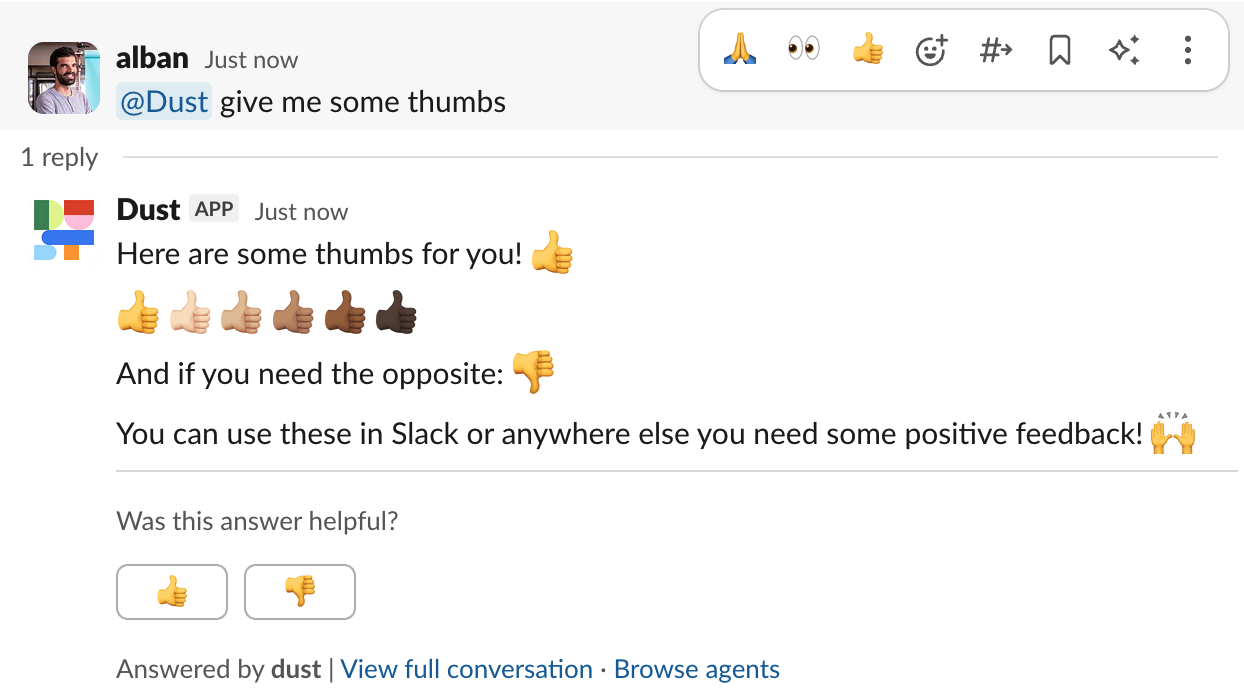
Added
🔧 Retry policies for Dust-provided tools
• Dust-provided tools can now be configured with retry policies• First available policy automatically retries tools if they are interrupted due to timeouts, deployments, or other issues
• Tool developers can flag each tool with specific retry policies
• Improves tool reliability and enables longer-running operations to resume after interruptions
Added
👀 ‘Used by’ columns for tools in Space admin
• Added ‘Used by’ columns to the Space admin tools list• Admins can now instantly see which assistants are using which tools
• Consistent ‘Used by’ UI across all admin interfaces
Added
💬 Unread message indicators for conversations
• Conversations now display clear indicators when you have unread messages• Makes it easier to track new activity across ongoing conversations
• Helps prioritize which conversations need attention
Improved
🤖 Complete redesign of agent creation interface
• New simplified interface for building custom agents• Improved tool selection dialog with better discoverability
• XML block formatting for structured instructions
• Redesigned data source selection experience
• More intuitive knowledge configuration
• Better accessibility for new builders while maintaining advanced capabilities for power users
Added
⚡ Zapier integration now supports non-blocking requests
• Added ‘blocking’ parameter to Zapier integration• Allows instant retrieval of conversation ID without waiting for agent response
• Enables separate polling for conversation results to avoid timeout issues
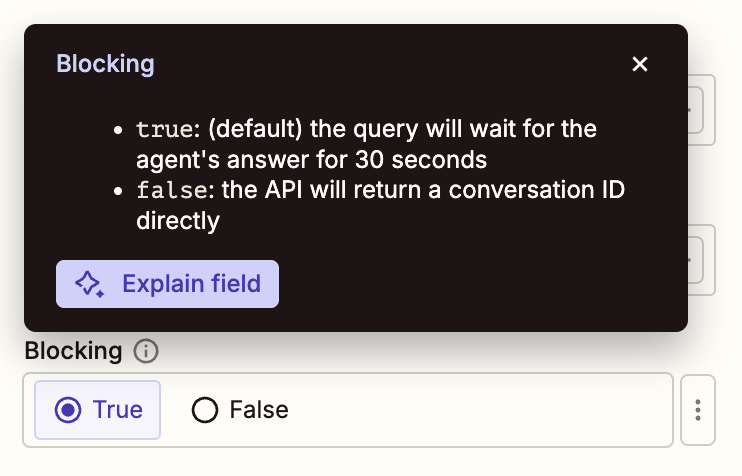
Added
🔄 Asana available as tool
- Asana is now available in the tools selection menu (Spaces > Tools > Add Tools)
- No manual configuration required to connect Asana workspace
Added
🪐 Cross-space tool and datasource access for Agents
- Agents can now use tools and datasources from multiple spaces simultaneously
- No restrictions on the number of spaces that can be accessed
- Unified access to all available resources across spaces
Added
⚡️ Long-Running Durable Agents
- Improved time limitations on agent execution duration
- Added resilience to system deploys and transient errors
- Removed tool validation and authentication timing constraints
- Increased maximum agent execution steps to 64
- Added capability for granular message retry from point of failure in backend
Added
🔍 Channel selection for Slack tool
- Added ability to select specific Slack channels when configuring the Slack tool in agents
- Enables targeted channel access for both keyword and semantic search scenarios
Improved
🔧 Multiple workspace selection in Agent Builder
- Expanded tool and knowledge selection to support both company workspace and one additional workspace when configuring agents
- Previously limited to a single workspace selection
Added
✈️ Seamless cross-region workspace switching
- Added ability to switch between US and EU workspaces directly from the user menu
- Single sign-on functionality implemented across regions
- Unified login system between dust.tt and eu.dust.tt domains
Improved
🌐 Enhanced Web Search & Browse with HTML and Screenshot Support
- Added ability to retrieve complete HTML source code of web pages
- Added support for capturing viewport and full-page screenshots
Added
🛠️ Tools Now Available in Conversations
- Added the ability to use tools directly within conversations
- Access the full suite of tools without creating an agent
Added
🤖 Added GPT-5 model support
- Added OpenAI’s latest GPT-5 model
- Available in 4 reasoning variants: none, light, medium, high
- Includes dedicated global agent with medium reasoning settings
Added
🔗 Personal Notion integration support
- Added ability to connect personal Notion accounts to the Notion integration
- Enable individual user authentication when the tool is configured as ‘Personal’
Added
📂 Added support for Confluence folder content synchronization
- Content stored within Confluence folders is now synchronized and indexed
- All folder content is searchable and retrievable alongside other Confluence content
Added
🎛️ Filter Zendesk ticket syncing with tags
- Added ticket tag filtering to control which Zendesk tickets sync to Dust
- Added organization tag filtering to sync tickets based on organization tags
- Both filters support inclusion and exclusion rules
- Filters apply to new tickets only
Added
🔄 Support for duplicate MCP server URLs
- Multiple remote MCP servers can now be configured with identical URLs
- Enables more flexible server configurations
Added
🎛️ Selective MCP Tool Enablement
- Individual tools from MCP servers can now be enabled/disabled when configuring a remote MCP server
- Granular control over which tools are available to agents
Added
🗓️ New Outlook Calendar integration
- List and manage calendar events directly from Dust
- Create new calendar events
- Send event invitations to other participants
Added
📧 Connect and manage Outlook emails in Dust
- Connect Outlook email accounts to Dust
- List and read emails directly from the platform
- Create and manage email drafts
- Delete draft emails
- Early access: Contact support@dust.tt for activation
Added
🗄️ Improved table storage infrastructure
• Migrated table data storage from SQL to individual GCS files• Significantly improved data upsert performance
• Reduced storage footprint by over 80%
Added
🔐 Personal authentication mode for HubSpot integration
- Added personal connection mode to HubSpot integration
- Users can now access their own HubSpot data and permissions
- Scope of accessible objects is tied to individual user accounts
Added
🧠 Agent Memory - Store and recall information across conversations
- New memory capabilities for agents to store and recall information
- Memories are scoped per user and accessible in the agent details drawer
- Can be added to any agent without configuration
Removed
🔒 Standardized agent step limit to 128
- Removed configurable step limit for agents (previously 1-24 steps)
- All agents now have a fixed limit of 128 steps
Improved
🎨 Enhanced error message visualization
- Redesigned error display with improved visual hierarchy
- Added clearer error titles
- Implemented expanded message layout for better readability
Added
🤖 New Kimi K2 Instruct model available
- Added Kimi K2 Instruct model from Fireworks AI
- Available for selection in the agent builder
Added
📧 Gmail Tool now reads and replies to email threads
- Added ability to read email message content directly within the tool
- Enabled drafting replies within existing email threads
- Integrated thread context handling for easier email management
Added
📄 Self-serve PDF scanning controls and workspace storage limits
- Added storage quota indicators showing when workspace document limits are reached
- Introduced self-serve PDF scanning toggle in Google Drive and Microsoft connectors settings
Added
💳 SEPA Direct Debit Support
- Added SEPA direct debit as a payment method
- Available for organizations based in France and the United Kingdom
Added
📊 Google Sheets integration with read and write capabilities
- Read data from Google Sheets directly in workflows
- Write and update data to Google Sheets automatically
- Direct integration with spreadsheet data
Improved
🔄 Enhanced HubSpot integration capabilities
- Increased API results limit from 50 to 200 records
- Added pagination support for datasets exceeding 10,000 records
- Improved object counting and searching reliability
- Added user activity tracking functionality
- Added owner filtering to search capabilities
- Added association management features
Added
🔧 Linear Integration Available as a Tool
- Linear tool integration now available for configuration in all workspaces
- Enables agents to manage Linear issues and projects
- Supports automated project management workflows
Added
🧠 New Reasoning Effort Controls for Language Models
- Introduced configurable reasoning effort levels for language models in the agent builder
- Added ‘medium’ and ‘high’ reasoning options for OpenAI o-series models, defaulting to medium (o1, o3, o4-mini)
- Implemented ‘light’ and ‘none’ reasoning options for Claude and Gemini 2.5 pro models (light is default)
Added
✈️ Import Front Conversations Feature
- New open-source script available to import Front conversations into Dust
- Conversations can be used as a data source for Dust workflows
Improved
🧠 Enhanced OpenAI Model Reasoning
- Added native reasoning capabilities for OpenAI o-series models
- Improved tool usage behavior to match ChatGPT experience
- Added visibility into model’s thought process through summary display
Added
💳 Stripe integration now available as a tool
- Added official Stripe integration as a configurable tool
- Enables payment and billing operations through Stripe’s API
- Available as a standard tool for all workspaces
Added
🔍 New Slack Tool: Search and Post Messages
- Search messages across Slack channels directly from Dust
- Post messages to Slack channels through Dust
- Interact with Slack workspace content
Added
🔄 SCIM User and Group Provisioning Support
- Enable user provisioning through SCIM-compatible identity providers
- Synchronize user groups from enterprise directories
- Automate user access management across spaces
Added
🤖 Non-Interactive Chat Support in CLI
- Added new CLI flags for non-interactive chat mode:
--agent(-a) to select agents by name--message(-m) to send messages and get JSON responses--conversationId(-c) to continue existing conversations
Added
🔌 New Salesforce Integration
- Query Salesforce data directly from the platform
- Support for workspace-level shared credentials
- Support for individual user authentication
Improved
🔌 Gmail & Google Calendar tools now available with simple authentication
- Gmail and Google Calendar tools can now be used with standard Google account login
- No custom OAuth credentials required anymore
- Direct connection through Google account authentication
Improved
🔄 Authentication System Upgrade
- Transitioned to a new authentication platform
- Implemented improved user authentication and management system
- Maintained backward compatibility for existing enterprise SSO users
Added
🛠️ Enhanced CLI with new flags, commands and caching
• Added--agent flag for specifying agent name at launch• New
/attach and /clear-files commands for native file management• Implemented caching system for faster CLI startup
• Added
dust cache:clear command for cache managementAdded
🔍 Improved BigQuery views support
• Automatic handling of access to underlying tables when a view is selected• Support for authorized views
Added
🕷️ Enhanced Web Crawler with Advanced Features
• Added support for client-side rendered pages and JavaScript execution• Integrated PDF and Google Docs parsing capabilities
• Improved content extraction from modern websites
• Implemented residential proxy rotation for better reliability
Added
🔍 Notion Page Visibility Checker
- Added a diagnostic tool to verify Notion page visibility and indexing status
- Enables checking whether specific Notion pages are accessible and indexed
Added
🔑 Support for Snowflake key pair authentication
• Added support for key pair authentication in the Snowflake connector• Alternative to password-based authentication
Added
🔍 Search for documents by URL
- Added URL-based search functionality in Knowledge base and Assistant Builder
- Search documents by pasting their source URL
- Automatically detect and retrieve matching documents from sources
Added
🔄 New script for importing Planhat data
- Added script to import data from Planhat into Dust
- Available in dust-labs repository: https://github.com/dust-tt/dust-labs/tree/main/planhat
Improved
🔄 Enhanced Zendesk App with Extended Response Time
- Increased maximum wait time for agent responses to 3 minutes
- Implemented non-blocking calls with status polling
- Refreshed UI design to align with Dust’s visual identity
Added
🤖 New Run Agent Tool
- Added ability to execute agents as tools within other agents
- Sub-agents run in separate conversations that can be inspected
- New tool enables modular agent capabilities and longer execution chains
Added
🔐 Added OAuth credential options for remote MCP servers
- Added support for both workspace-level and personal credentials when authenticating to remote MCP servers
- Administrators can now choose between shared workspace credentials or individual user credentials for OAuth authentication
Added
🔐 Flexible authentication options for Salesforce integration
- Added support for both workspace-level and personal Salesforce credentials
- Users can now authenticate using either shared workspace credentials or individual accounts
Added
🔄 Salesforce SOQL Query Sync Support
• Added ability to sync custom SOQL queries as data source documents• Documents from SOQL queries are now available through the Search tool
Added
🔐 OAuth Authentication Support for Remote MCP Servers
- Added automatic OAuth authentication flow when connecting to remote MCP servers
- Implemented support for the latest MCP protocol revision
Added
📝 New Notion Agent Tool
- New MCP-powered tool for agents to:
- Read Notion documents and pages
- Search across Notion workspace content
- Create and write new Notion content
Added
📂 Dropbox Files Import Integration
- New integration to import files directly from Dropbox into Dust
- Available in beta version
- Supports importing Dropbox content as a data source
Added
🔌 New Hubspot Integration Tool
- Added Hubspot CRM tool for agents
- Enables reading, updating, and creating CRM records
- Supports interactions with contacts, deals, and other Hubspot objects
Added
🤖 New xAI Grok Models Available
- Added Grok 3 model to the agent builder
- Added Grok 3 Mini model to the agent builder
- To use these models, make sure the xAI provider is enabled in your Workspace Settings.
Improved
📊 Enhanced Google Sheets data selection capabilities
- Added support for multiple-column selection in Google Sheets
- Included column headers in data context for more accurate responses
Added
🔐 Personal Tools Support
- New support for tools requiring personal authentication
- Tools can now be configured to use individual user credentials
- Personal tools are activated by workspace admins
- Tools are attached to agents like regular tools
- User authentication happens on first tool execution
Improved
🚀 System-wide performance optimizations
- Optimized expensive database queries
- Fixed memory-intensive loop causing high resource usage
- Resolved streaming chunk errors caused by resource constraints
Improved
🔌 Remote MCP Server Connection Enhancements
- Added support for StreamableHTTP transport protocol
- Added ability to set bearer token when adding a remote MCP server
Added
🏷️ Improved Assistant Discovery and Organization
- Added tags and categories for assistants
- Implemented advanced search functionality
- Improved sharing controls and permissions
- Added assistant routing capabilities
Added
🛠️ New GitHub Tools
Agents can now:- Create and manage GitHub issues
- Retrieve pull request information
- Generate code reviews
Improved
🔄 Simplified Assistant Builder Interface
- Merged Tools & Capabilities sections into a cleaner interface
- Added two main dropdown categories: Knowledge and Tools
- Implemented search functionality for tools
Added
🎉 MCP Support Now Available for All Workspaces
- Remote MCP server connections available
- File generation and conversion tools enabled
- GitHub integration tools accessible
- Feature available in all regions
Added
🖥️ Chat with Dust Agents via CLI
- New CLI tool to interact with Dust agents from the terminal
- Install globally via npm:
@dust-tt/dust-cli - Start chatting by running the
dustcommand
Added
📊 BigQuery table descriptions available to Agents
• Table and column descriptions from BigQuery schemas are now accessible to Agents• Can be enabled in BigQuery connection settings
Added
🤖 Smarter Agent Recommendations
• Added automatic agent suggestions when posting messages without @mentions• Suggestions are based on message content and agent capabilities
Added
🎨 GPT Image Model Integration for Enhanced Image Generation
• Added gpt-image-1 model for image generation in agents• Available through ‘Image Generation’ capability in agent builder
• Includes tiered usage limits per workspace
Improved
🔄 Enhanced Extract Data Tool Capabilities
• Added dynamic timeframe support for data extraction• Introduced dynamic schema support
• Implemented JSON schema formatting
• Added ability to store extraction results in downloadable files
• Enabled direct extraction from files shared in conversations
Added
🛠️ Preview: New Tools and External MCP Server Support in Agents
- We’re adding new tools: image generation, file conversion, improved web browsing, GitHub issues and pull request, etc…
- Agents can use external MCP servers
- Doc is available here
Added
🤖 New OpenAI o4-mini Model Available
• Added o4-mini model• Added o4-mini (High Reasoning) model
• Both models can now be used in the agent builder
Added
🤖 GPT-4.1 Model Now Available
- New GPT-4.1 model is now accessible across all agents
- Default @gpt4 agent has been upgraded to use GPT-4.1
Added
🔧 Structured JSON Output Support for OpenAI Models
• Added ability to enforce JSON-schema formatted responses from OpenAI models• Available in both agent configurations (via advanced builder settings) and app chat blocks
• Ensures consistent output formatting for reliable downstream processing
Added
🔌 Personal connections support for Salesforce connector
- Added the ability to use personal Salesforce credentials instead of a shared service account when connecting to Salesforce
- Users can now access data based on their individual Salesforce permissions
Added
🧪 Import Linear Issues Feature
• New script to import issues from Linear into Dust• Available in dust-labs repository
Improved
🔗 Smoother account linking experience
• Added a new notice screen explaining the account merge process when signing in with different authentication methods• Automatic redirection to merge flow when duplicate email accounts are detected
• Accounts are now consolidated based on the oldest identity
Added
🤖 Gemini 2.5 Pro available in Custom Agents
- Added Gemini 2.5 Pro as a model option for Custom Agents
- Can be selected from the model dropdown menu
Added
🌗 Chrome extension now supports Dark mode
- Added Dark mode support to the Chrome extension
- Refreshed extension design to match current website styling
Added
🖥️ New Dust CLI Tool
- Introduced a Command Line Interface (CLI) tool for Dust
- Run a local MCP server with your selected Dust agents
- Enables interaction between Cursor/Windsurf/Claude and Dust agents
- Install via npm:
@dust-tt/dust-cli
Added
📎 Attach Knowledge Items Directly in Input Bar
• Added ability to search and attach documents, tables, and folders from Knowledge directly in the input bar• Added support for pasting document URLs in the input bar to attach them▶️ Attach datasources to your conversations dynamically
Added
🔑 Service Principal authentication for Microsoft connector
• Added Service Principal (service account) authentication method as an alternative to OAuth• Enables automated, non-interactive authentication with Microsoft services
Improved
🔍 Smarter label filtering with dynamic search
- Added dynamic label search capability before filtering
- Models now identify existing valid labels first
- Improved accuracy of label-based filtering
▶️ Introducing labels as a filter for data sources
Added
Added
🔍 Added keyword search in Builder and Knowledge
- Search and add documents by keywords when configuring data sources in Assistant Builder
- Search functionality added for documents in Knowledge management
Improved
🎯 Solutions Pages Revamp with Enhanced Use Cases
- Added solutions pages featuring 10 core functions
- Included detailed explanations for top 4 use cases per function
- Added custom illustrations for better visual understanding
- Integrated demo videos showcasing product functionality
- Added customer success stories for real-world applications
Improved
✨ Enhanced markdown support in chat
- Added proper markdown handling in the chat input bar
- Pasted formatted text now maintains its original formatting
Added
🌙 Dark mode support
- Added dark mode theme option to Dust’s interface
- Toggle between light/dark via Preferences menu in sidebar
- Respects system color scheme preferences
Added
🤖 Claude 3.7 Sonnet Model Now Available
- Added Claude 3.7 Sonnet to the list of available models in the assistant builder
- Accessible when creating or editing assistants
Added
🔄 Optional sync of unresolved Zendesk tickets
- Added ability to sync unresolved tickets (new, open, pending, on-hold) from Zendesk
- Previously only resolved tickets were synced
- Both resolved and unresolved tickets can now be synced based on configuration
Added
🏷️ Enhanced data filtering with labels
• Added label-based filtering capabilities to Search, Include, and Extract data source tools• New documents in Connections now automatically capture labels
Added
Notion management: Admins can force sync pages/dbs
- In connection admin / notion, Admins can provide a list of URLs for databases or pages they want to sync immediately
- Feature is available on demand only (feature flag)
Added
Improved
Added
📊 Support for Excel file uploads in conversations
- Added support for uploading .xls and .xlsx files directly in conversations
- Excel sheets are automatically converted to CSV format
- Converted sheets can be queried using table operations
Added
🏢 New About Us page
- Added a dedicated About Us page showcasing company information
- Includes sections about mission and operating principles
- Features team structure and investor information
- Accessible at /home/about
Added
🔌 Released Dust Node for n8n Integration
- New n8n community node available for installation
- Enables interaction with Dust assistants directly from n8n workflows
- Supports document upload functionality
- Documentation: https://docs.dust.tt/docs/n8n
Added
🇪🇺 EU Data Hosting Option Available
- New data hosting option in European servers
- Available exclusively for enterprise customers
- Covers storage of databases, files, and vectors
- Language models accessed through provider APIs
Added
🔌 BigQuery Connector Beta Release
- New data connector for BigQuery databases
- Enables live data querying capabilities
- Supports data visualization and interpretation features
- Provides similar functionality to the Snowflake connector
Added
🤖 OpenAI O3-mini model now available
• Added O3-mini model with two modes: normal and high-reasoning• Available in the builder as main assistant and reasoning model
• New ‘O3 Mini’ global agent using O3-mini high-reasoning mode
Added
🐳 New DeepSeek R1 Global Agent
- Added DeepSeek R1 model as a global agent for direct interactions
- Available for users with appropriate feature flags enabled
- Served through fireworks.ai, US based servers
Added
🧠 New Reasoning Tool for Assistants
• Added a new tool for Assistants to invoke reasoning models (R1 or O1)• Enables better handling of complex problems while maintaining fast responses for simpler queries
• Integrates with existing Assistant tools and instructions
• Supports both DeepSeek R and OpenAI O1 models
Added
🏥 HIPAA Compliance Certification
• Dust is now HIPAA compliant• Documentation can be found on the security page and on Dusts’ trust center
Added
👥 Batch member addition in Space settings
- Added a new feature to add multiple members to a Space at once
- Support for adding up to 100 members simultaneously via email addresses
Added
🔗 Slack bot now includes thread files in conversations
- Files shared in Slack threads are now automatically included when invoking @dust or custom assistants
- Supports various file formats (images, PDF, DOC, PPT, CSV)
- File size limit: 10MB
Added
🎙️ Added Modjo as a transcripts processing provider
- Support for Modjo transcripts integration
- Ability to sync personal transcripts or company-wide transcripts
Added
🔍 OCR Support for uploaded PDF Files
Automatically run OCR (Optical Character Recognition) on PDF files uploaded to conversations when text cannot be directly extracted, enabling text extraction from PDFs containing images of textImproved
🧩 Browser Extension Updates
• Added feedback functionality in conversations• Added support for EU region
• Added URL blacklisting with path-level control
• Improved SSO workspace integration
• Refreshed various UI elements
Improved
🔒 Completed Annual Security Certification
Successfully renewed security certifications and compliance requirements for platform infrastructure and data handling capabilitiesAdded
📦 Extended File Format Support for Attachments
Added support for multiple new file formats:• Programming languages: Python, C/C++, C#, Java, PHP, Ruby, SQL, Swift, Rust, Go, Kotlin, Scala, Groovy, Perl
• Presentations: PowerPoint
• Configuration: YAML
Improved
📂 More granular file selection in assistant tools
- Added ability to select individual files from a folder when configuring assistant tools (search, include, etc.)
- No longer required to select an entire folder when using folder content in tools
Improved
🔄 Increased default and maximum steps for assistant runs
- Default number of steps per assistant run increased from 3 to 8
- Maximum allowed steps increased from 8 to 12
Improved
📱 Improved conversation layout responsiveness
- Messages now adapt their width based on content length
- Better readability across all screen sizes
- Optimized layout for both mobile and desktop views
Improved
🔒 Reduced Google Meet permissions scope
- Now using a more restrictive permission scope (
drive.meet.readonly) to access Google Meet transcripts - Dust only requests access to Google Meet-generated files instead of all Google Drive files
Added
👍 Assistant feedback system launch
- Added feedback functionality for custom assistant responses
- Users can now rate assistant responses and optionally share conversations
- Introduced feedback statistics dashboard in the assistant manager
- Feedback metrics now available through workspace usage API
▶️ Agents Feedback loop
Added
⏱️ Conversations now sorted by last activity
Conversations are now automatically sorted by most recent activity:• When posting a message in a conversation, it moves to the top of the list
• Most recently used conversations appear first
Added
🤖 DeepSeek V3 Model Now Available
• Added DeepSeek V3, a new large language model, to the platform• Model can be used in Dust Apps, as a global agent, and in custom assistants
• Known for high performance on benchmarks, fast response times, and efficient processing
• Enabling DeepSeek on a Workspace requires reaching out to Dust
Added
🚫 New option to skip storage of Dust app execution logs
- Added ability to disable storage of execution logs for custom Dust apps
- When enabled, the app will not store inputs and outputs of blocks in the database
- Only affects custom Dust apps (conversation agents are not impacted)
Added
⚡️ Faster conversation page loading
• Improved assistant loading time for quicker auto-complete availability• Simplified input bar animation for smoother transitions
Added
Added
🎙️ Added support for Modjo transcripts processing
- Process and store transcripts from Modjo conversations
- Support for both individual and company-wide transcript processing
Added
🎯 Zendesk integration now available publicly
- Sync your Zendesk Help Center articles and tickets histories directly into Dust
- Search across past support conversations and Help Center articles to find relevant solutions
- Manage your Zendesk connection with granularity in Connection Admin
- Check out the docs at https://docs.dust.tt/docs/zendesk-connection
Added
💾 Prompt version history
• Added ability to recover previous assistant instructions• Each version of a prompt is now saved and accessible
Added
🧩 Chrome Extension Now Available on Chrome Web Store
• Official Dust Chrome extension released on Chrome Web Store• Share webpage content directly in Dust conversations
• Access Dust features while browsing
▶️ Integrating Dust into your Customer Support flow
Added
🔐 SAML SSO Authentication Support
- Added SAML SSO authentication method
- Compatible with most Identity Providers (IdPs)
Added
🎫 New Zendesk connection
- Sync your Zendesk Help Center articles and tickets histories directly into Dust
- Search across past support conversations and Help Center articles to find relevant solutions
- Manage your Zendesk connection with granularity in Connection Admin
- Check out the docs at https://docs.dust.tt/docs/zendesk-connection
Improved
📄 Enhanced document upload capabilities
- Added support for more file extensions, including .docx files
- Improved error handling during file upload
- Refreshed upload interface design
Added
👍 New feedback system with thumbs up/down reactions
- Introduced a new feedback system allowing users to rate assistant responses
- Added thumbs up/down reactions to replace previous emoji reactions
- Implemented a dialog box for providing additional context when giving feedback
- Feedback data available through the workspace-usage API
Added
🔄 New PagerDuty Schedule Import Script
- Added a new script to import PagerDuty schedules into Dust
- Available in dust-labs repository
Added
🔍 Code inspection for visualizations
- Added a new button to visualizations allowing users to view the underlying code
- Enables direct access to visualization implementation details
Improved
Added
🎨 Visualization and web search features enabled in assistants
• Visualization feature automatically enabled for new assistants• Web search capability added to raw model assistants (except anthropic models)
• Visualization support added to raw model assistants
Improved
🔄 Enhanced Zendesk Integration
- Added assistant descriptions for better context
- Introduced ability to restrict available assistants
- Added option to hide sensitive information
Added
📊 Added CSV support and export in Visualization
- Support for parsing and loading CSV files in Visualization
- Added ability to download processed data as CSV files
- Full data transformation capabilities including merging, computed columns and transformations
Added
🔒 Private Slack channels indexing (available on request)
- On request to the Dust team, private Slack channels can now be indexed when the Dust bot is invited
- Admins can see and select private channels in the sync interface
- Clear labeling of private channels in the admin interface
- Safety confirmations when adding private channels to spaces
Improved
🔄 ‘Most Recent Data’ Tool Renamed to ‘Include Data’
- Tool renamed to ‘Include Data’ for better clarity
- Timeframe configuration is now optional and disabled by default
- Documents can be included in their entirety when they fit within context window
Improved
🎨 Enhanced UI Design System
- Upgraded core UI components for better accessibility
- Improved visual consistency across the platform
- Implemented more sophisticated document-centric interface elements
Improved
🔍 Enhanced Extract Tool with Improved Context Awareness
- Completely revamped extraction pipeline for better data analysis
- Added conversation context awareness for more precise extractions
- Expanded capability to identify and extract more data points
- Increased overall accuracy of extraction results
Improved
🤖 Claude 3.5 Haiku Integration
- Added support for Claude 3.5 Haiku model
- Upgraded all existing Claude Haiku assistants to version 3.5
Added
💾 Store Google Meet and Gong Meeting Transcripts
- Meeting transcripts from Google Meet and Gong can now be stored in Dust Folders
- Transcript storage can be enabled independently from transcript processing
- Stored transcripts can be accessed and used within Dust workspaces
Improved
🔄 New Google Sheets Integration with Sidebar
- Completely redesigned Google Sheets integration now appears in a sidebar
- Improved performance and reliability of the
DUST()function
Improved
🤖 Updated Claude 3.5 Sonnet model version
Upgraded all assistants using Claude 3.5 Sonnet to the latest model version (20241022)Added
🚀 Spaces: Enhanced Data Management
- Introduced Spaces to organize and share data within workspaces
- Spaces can be open (accessible to all) or restricted (limited access)
- Pro plans get one additional space beyond the default ‘Company Data’ space
- Documentation
Added
🌨️ Snowflake Integration: Connect and Query Your Data
• Add Snowflake data warehouses as connections in Dust• Add Snowflake tables to vaults
• Query Snowflake tables using Tables Query feature in assistants and Dust apps
Added
🚨 Dust Incidents Now Visible in UI
- Dust-specific incidents are now displayed directly in the user interface
- Incidents are shown in the same manner as provider incidents
Added
⭐️ Add Assistant to Favorites
- Add ability to mark assistants as favorites
- New tab to view favorite assistants
- Favorite assistants appear first in sort order
- New button bar in assistant details modal for quick actions
Improved
📊 Tables Query outputs now available as file attachments
• Query results are accessible by the model as a file• Supports larger datasets without manual data input
• Allows retrieval of more than 128 rows from tables
• Enables generation of charts with numerous data points directly from database
Improved
🚀 Slack Integration Enhancements
- Shorter, clearer responses
- Added links to relevant documentation
- Introduced ability to choose from the 10 most popular assistants directly in Slack
Improved
📚 Updated Documentation and Video Guides for Data Management
➡️ Connect Data to Dust: https://docs.dust.tt/docs/connections➡️ Manage Data on Dust (Company Data vs Vaults): https://docs.dust.tt/docs/data
➡️ Adding data to a vault as an admin: https://docs.dust.tt/docs/data#how-to-add-data-to-a-vault
Added
📘 OpenAPI definition and Postman collection now available
- Added OpenAPI definition for easy integration with developer tools
- Released public Postman collection for quick API exploration
- Accessible here: OpenAPI and Postman
Improved
📁 Enhanced Folder Naming Flexibility
• Expanded character support for folder names• Now accepts any valid UTF-8 character
• Improved user experience in folder creation and management
Added
📸 Download Visualizations
- Added a download button that appears when hovering over visualizations
- Allows users to save visualization outputs for use elsewhere
Improved
🔍 Improved Data Source Exploration
- Added a file explorer interface in the ‘Data Sources’ tab
- All users can now browse company data sources
- Simplified connection management
Added
🗑️ Multi-select and bulk delete conversations
- Added ‘edit mode’ accessible via new ’…’ button next to ‘New Conversation’ in sidebar
- Ability to select multiple conversations simultaneously
- Option to delete selected conversations in bulk
- New feature to delete entire conversation history with one click
Added
🧪 Zendesk Knowledge Base Import Tool
- New script available to import articles from a Zendesk knowledge base into a Dust datasource
- Easily transfer all articles from Zendesk to Dust
- Script can be run using
npm run articlesin the Dust-labs repository here: https://github.com/dust-tt/dust-labs/tree/main/zendesk
Removed
🔒 Removal of public Dust apps
- Removed the concept of public Dust apps
- All apps are now private by default and only usable within a workspace
- Improved safety and standardized workspace segregation checks for all endpoints
- Removed clone operations for apps
Added
🔗 Make.com Integration Added
• Dust is now available as an integration on Make.com• Users can incorporate Dust functionalities into their Make.com scenarios
• Enables creation of automated workflows using Dust capabilities
• Documentation available here: Make.com: Trigger Dust assistants from any scenario
Added
🧪 [Dust Labs] Hubspot Companies to Dust Datasource Exporter
- New script available in dust-labs repository: https://github.com/dust-tt/dust-labs/tree/main/hubspot
- Allows exporting Hubspot company data
- Enables importing exported data into a Dust Datasource
Improved
🔍 Improved search accuracy for specific data sources
- Improved precision when searching within individual data sources (e.g., Notion, Slack)
- Users can now get more relevant results when querying information from a particular source
Added
🎙️ New Gong Transcripts Exporter for Dust
- Added a script to export Gong transcripts
- Enables importing Gong transcripts into a Dust Datasource
- Script available in the dust-labs GitHub repository: https://github.com/dust-tt/dust-labs/tree/main/gong
Added
🔗 New Microsoft SharePoint Connector
• Added a new datasource connector for Microsoft SharePoint• Enables indexing of various document types including docs, spreadsheets, PowerPoint presentations, and PDFs from Microsoft drives
• Now available for all users
Added
🤖 New Zapier action to interact with Dust assistants
- Added a new Zapier action that allows users to communicate with Dust assistants
- Enables integration of Dust assistants with other Zapier-supported tools and workflows
Added
🚀 Dust for Google Spreadsheets (Beta)
- Introduced a beta integration of Dust with Google Spreadsheets
- Users can now interact with Dust assistants directly from spreadsheet cells
- Installation guide available for easy setup
- Adds AI support to your spreadsheets
- Particularly useful for tasks requiring an assistant run per row
- Exclusively available to Enterprise customers
🧪 [Dust Labs] Jira Issues To Dust Import Script
- Added a pre-made script to import updated issues from Jira to Dust
- Script available in the dust-labs GitHub repository
- Allows for regular updates of Jira data in Dust
- Available here: https://github.com/dust-tt/dust-labs/tree/main/jira
🧪 [Dust Labs] Salesforce Accounts To Dust Import Script
- Added a pre-made script for importing updated account summaries from Salesforce to Dust
- Supports both OAuth and username/password/security-key authentication methods
- Enables regular and automated data imports from Salesforce
- Available here: https://github.com/dust-tt/dust-labs/tree/main/salesforce
Added
🚀 Provider Status Page Updates
- Added ability to display incident banners in the app for provider disruptions
- Status page can now be updated to show real-time information about provider issues
Added
🎨 Data Visualization with React Components
- Assistants can now generate visual elements using code
- These visualizations are rendered directly in the conversation UI
- Enables the creation of graphs and charts for data analysis
- Feature can be toggled for any assistant via the assistant builder tools screen
Added
🔐 Microsoft Entra ID SSO now available
• Implemented Single Sign-On (SSO) support for Microsoft Entra ID• Enabled upon request for Enterprise customers
Added
🔌 Microsoft SharePoint Connector (Beta)
- Added a new datasource connector for Microsoft SharePoint
- Enables indexing of various file types including documents, spreadsheets, presentations, and PDFs from Microsoft drives
- Currently available as a beta feature
Added
🚀 GPT4o mini model now available in assistant builder
• Added support for the new GPT4o mini model• Users can now select and utilize this model when creating assistants
Removed
🔥 Nango dependency removed from connectors
- Completely eliminated Nango as a dependency from the connectors codebase
- Implemented a new OAuth service to handle authentication
- Migrated all connector code to be Nango-free
Added
🖼️ Vision Capabilities Added to Anthropic Models
• Integrated support for Anthropic’s vision models• All three Anthropic models now support vision capabilities
• This feature is accessible to all users
Improved
🚀 Drag-and-Drop File Support in Conversations
• Added drag-and-drop functionality for files in the conversation view• Supported file formats include JPEG, PNG, and PDF
• Simplifies sharing files within conversations
Added
🖼️ Vision Support Added to the App
• Integrated Vision capability for OpenAI’s gpt-4 and gpt-4-turbo models/assistants• Supports JPEG and PNG image formats
• Available for all users to explore and use
Improved
📊 Workspace Metrics: Monthly Reports Now Available
• Introduced downloadable monthly reports as a zip file• Reports include four CSV files:
- Messages: List of user and agent messages
- Users: User activity levels
- Builders: Individuals editing assistants
- Assistants: List and usage statistics
Improved
🎨 Emoji Suggestions for New Assistants
- Automatically suggest an appropriate emoji based on the assistant’s instructions when creating a new assistant
- Suggested emoji serves as the assistant’s icon
- Replaces previous default of assigning a random avatar from the Droids & Spirits library
- Users can still edit and choose any other avatar
Fixed
🔢 LaTeX Equations Now Supported in Agent Messages
• Added support for LaTeX equations in agent messages• Useful for mathematical and scientific communication
Deprecated
Removal of @github, @notion and @slack global assistants
We have removed the generic assistants @slack and @notion because of their lack of usage on the platform.If you were using them, you can use the @dust general assistant in the exact same way by asking it to search in slack, notion or githubAdded
Product Update 4
- Multi-Tool assistants
- Enhanced Model Capabilities
- Dust Tool: Extract Data
- Dust Tool: Web Navigation
- Support for Microsoft Office Files
- Zapier Integration (Beta)
- Multi-File Uploads in Chat
- Customizable Model Provider Settings
- Enhanced Login Options
- Improved Member Management
- And more
Improved
New documentation & developer platform
The documentation was fully refreshed and merged with our developer platform- API reference
- User guides
- Changelog
- Discussions
Added
Product update 3
- Updated GPT-4 Model to GPT4o
- Assistant Templates Gallery
- Suggested Instructions when Building Assistants
- Multi-File Uploads in the Input Bar
- Developer secrets
- Add Dust Assistants to Your Slack Workflow
- More Flexibility for Intercom Connection
- Dust Website Refresh
- [BETA] Create An Assistant to Process Large Amounts of Data
- [BETA] Google Meet Transcripts Summarization
- And more
Added
Product update 2
- Gemini 1.5 pro
- SOC2 Type II Compliance Achieved
- Multi-File Upload for Folders
- Simplified Data Source Selection
- Dust can be used in Slack workflows
- Mermaid Diagrams Support
- And more
Added
Product update 1
- Mistral Large Now Available
- New Cutting-Edge Models from Anthropic
- Introducing Table Queries
- Confluence Connection
- Intercom Connection
- Summon Assistants in Slack
- Quick Start Guide
- Dust Builders Sessions #1
- And more
- Full updates: https://blog.dust.tt/dust-product-update-1/